


Known Participant
December 17, 2021
Answered

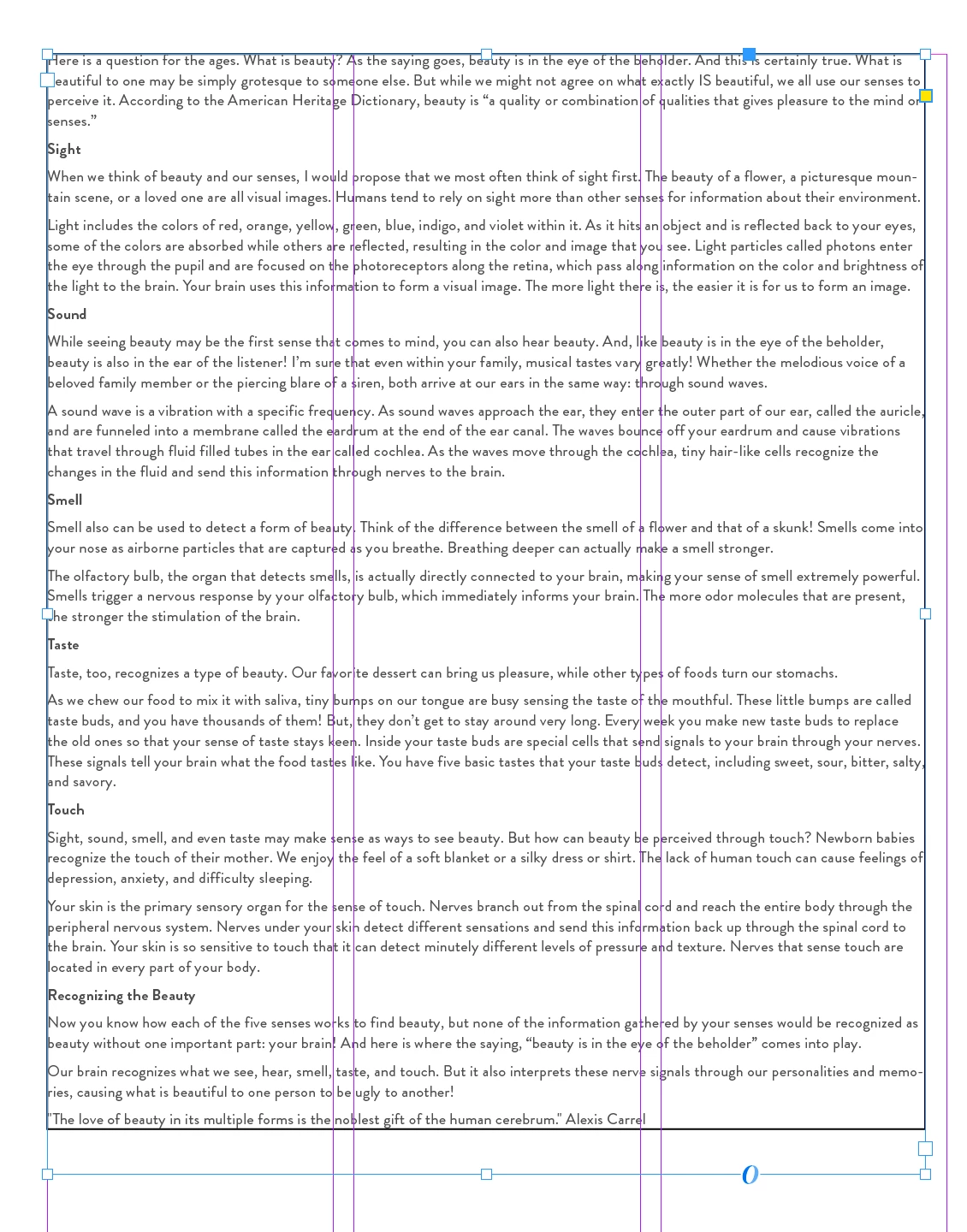
stroke appearing around text box - not in stroke or object styles panel

  • December 17, 2021
  • 3 replies
  • 393 views

I can't figure this one out, hopefully it's something painfully obvious. 


I copied a large bit of text from a google doc and pasted it into indesign to format an article. I do this all the time. For some reason there is a stroke "within" the text box. See image. I do not have a stroke assigned to this from either the stroke panel or the object styles. What's weird is it's almost like it was pasted into the box. I need to get rid of this - any ideas?

This topic has been closed for replies.
Correct answer Barb Binder

Hi @Faith5C32:


It looks to me like those paragraphs have the paragraph border activated. Click inside the text, choose Edit > Select all and disable Paragraph Border.


~Barb


3 replies

Barb Binder
Community Expert
December 17, 2021

We are always happy to help, @Faith5C32. Come back and see us the next time you get stuck. 


~Barb

~Barb at Rocky Mountain Training
Barb Binder
Barb BinderCorrect answer
Community Expert
December 17, 2021

Hi @Faith5C32:


It looks to me like those paragraphs have the paragraph border activated. Click inside the text, choose Edit > Select all and disable Paragraph Border.


~Barb


~Barb at Rocky Mountain Training
Faith5C32Author
Known Participant
December 17, 2021

Ahh thank you! Instant fix!

Faith5C32Author
Known Participant
December 17, 2021

Also see how it cuts off when the text frame is split into columns.