



Robert at ID-Tasker
Legend
February 27, 2023
Question

Table inside Table with Images - Doubled number of AllPageItems ?? Bug ??

  • February 27, 2023
  • 3 replies
  • 2623 views

Is it another bug ?


When loading info from AllPageItems of the Document - I'm getting duplicates of ALL Rectangles and their Images - when Table is inside another Table.


And it's getting worse - every extra nesting - duplicates everything again - Table nside a Table inside another Table:
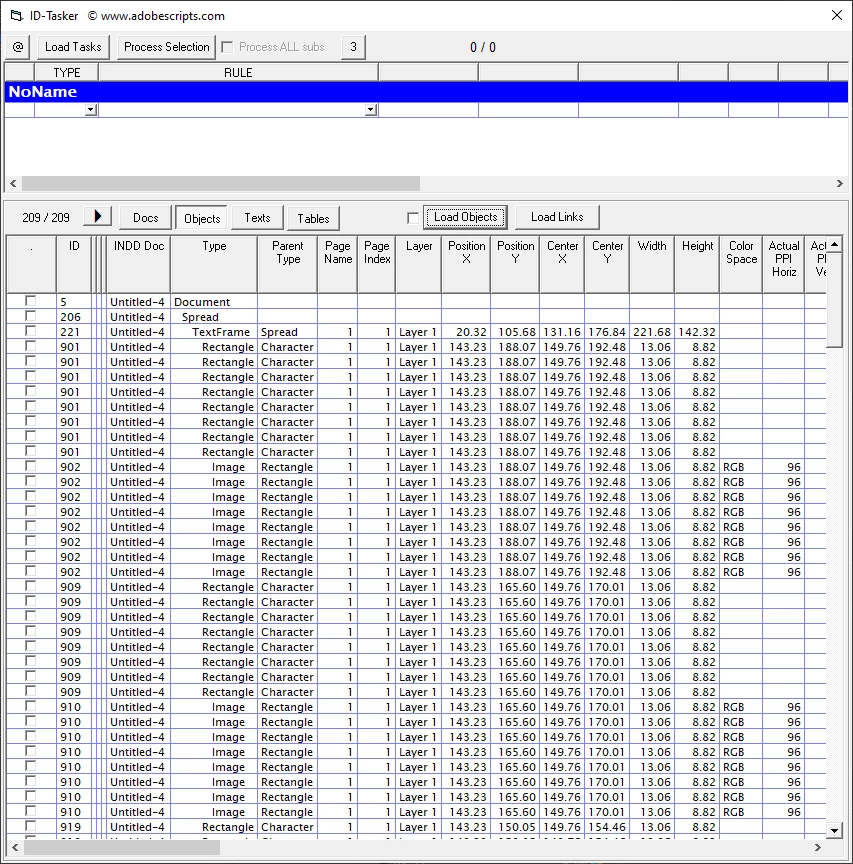


Everything is perfectly fine when there is no nesting - Table is just inside a Text.
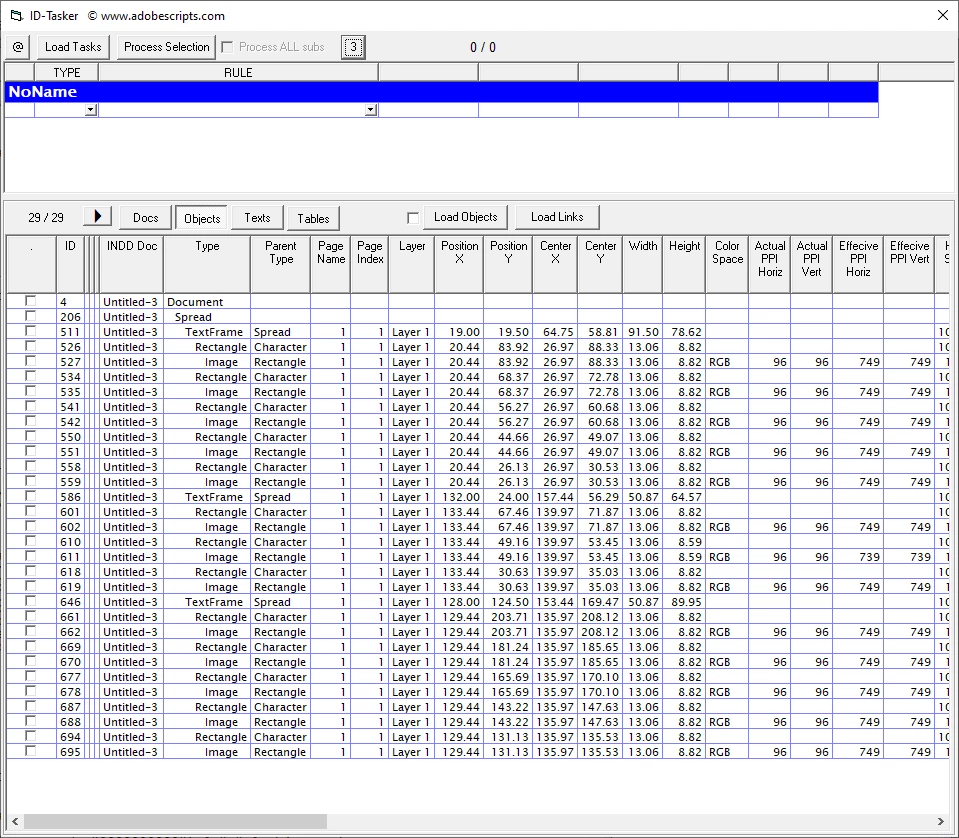


Can someone please check if you have the same ?


This topic has been closed for replies.

3 replies

Community Expert
March 1, 2023

Hi Robert,

don't know if this issue will ever get fixed.

I can already see the same behavior with allPageItems and anchored objects in nested tables in InDesign CS6 version 8.1.


Regards,
Uwe Laubender
( Adobe Community Expert )

Robert at ID-Tasker
Legend
March 1, 2023

Great 😞 


But like I've said - not a big deal for my tool 🙂 but you guys using JS - need to remember about it 😞


Community Expert
February 28, 2023

@m1b said: "Again excellent! I've reproduced your findings and here's my slightly simplified steps:"


Hi Mark,

I followed your steps where you and I expected only three items in the document.

One text frame holding the table.

One rectangle inside the graphic cell.

The image inside that rectangle.


All in all with my test document it is working as expected:

app.documents[0].spreads[0].allPageItems.length returns 3

app.documents[0].allPageItems.length returns 3


My code:

var allPageItems = app.documents[0].allPageItems;
var allPageItemsLength = allPageItems.length;
var idArray = [];

for( var n=0; n<allPageItemsLength; n++ )
{
	idArray[n] = allPageItems[n].id +"\t"+ allPageItems[n].constructor.name;
};

alert( "List of Items" +"\r"+ idArray.join("\r") );


The result:


Attached my test document:

TestDoc-UWE-3-pageItems.indd


Mark, could you make your InDesign document available?


All my tests done with InDesign 2023 version 18.1 ( on macOS this time ) .


Regards,
Uwe Laubender
( Adobe Community Expert )

Robert at ID-Tasker
Legend
February 28, 2023

Because when you've placed your image "directly" - Cell been converted to a Graphic Cell.


If you place your image as InLine - with text - so the Cell remains as a Text Cell - then you'll get duplicates.


Community Expert
February 28, 2023

Hi Robert,

thanks for the hint. Indeed if I anchor the image to an insertion point of the inner cell of the inner table two objects are doubled in the allPageItems array of the document:


Test document attached:

TestDoc-UWE-Table-ImageAnchored.indd


Regards,
Uwe Laubender
( Adobe Community Expert )

m1b
Community Expert
Community Expert
February 27, 2023

Hi @Robert at ID-Tasker, you really need to show us the exact steps to reproduce what you are seeing.


For example, here's what I did just now, manually:

1. new Indesign document, 1 page, no primary textframe

2. make text frame

3. insert new table (2 x 2) into textframe 0 at insertionPoint 0

4. convert cell 0 of table 0 to a graphic cell

5. place an image into cell 0 of table 0

6. insert new table (2 x 2) into cell 1 of table 0 at insertionPoint 0

7. convert cell 0 of table 1 to a graphic cell

8. place an image into cell 0 of table 1

9. run script:

var items = app.activeDocument.allPageItems;
for (var i = 0; i < items.length; i++)
    $.writeln(items[i].toSpecifier());


Result:

/document[@id=36]//text-frame[@id=220]
/document[@id=36]//rectangle[@id=252]
/document[@id=36]//image[@id=253]
/document[@id=36]//rectangle[@id=271]
/document[@id=36]//PDF[@id=272]


This is exactly the result I expected. I have probably misunderstood your case and, if so, please outline the exact steps (and make it as minimal as possible).

- Mark

Robert at ID-Tasker
Legend
February 27, 2023

Thanks for your reply @m1b


I'm not modifying nor creating anything - I'm just reading a structure of a document. 


Cells are not graphics - they have inline graphics with text - kind of icons with text. 


When the table is in the "normal" text - there is no problem. 


But when the table with those icons - is placed in another table - to simulate 3x column text - there are two more tables - ALL "icons" get duplicated - and if then manually nest this "Table inside Table" into another table - all icons are duplicated again.


My initial thought was that there is a problem with the original INDD file - so I've copied nested Table into a new document - icons not duplicated.

So then I've copied this 3x column table with nested Tables - icons duplicated. 

Then I've nested everything again... have not tried again 😉 but I'm sure it would get duplicated again... 1x, 2x, 4x... 


So it looks like a bug to me...


Robert at ID-Tasker
Legend
February 28, 2023

There is only one text frame, one rectangle and one image. So I would expect to see just those three items. Note that that is exactly what I did see with only one nested table (two tables total). So the bug only appears after the second table nesting.


But you have 3x tables?


If you place your image into Graphic Cell - auto-conversion after Ctrl+D - then 1st nesting is ignored.

But if you place image as InLine with text - after space - then it doubles after 1sr nesting. 


Each additional nesting doubles again and again...