



Ser Ian Kelley
Participant
August 1, 2023
Answered

Text Frame Style Issue - Need Help Please

  • August 1, 2023
  • 4 replies
  • 1040 views

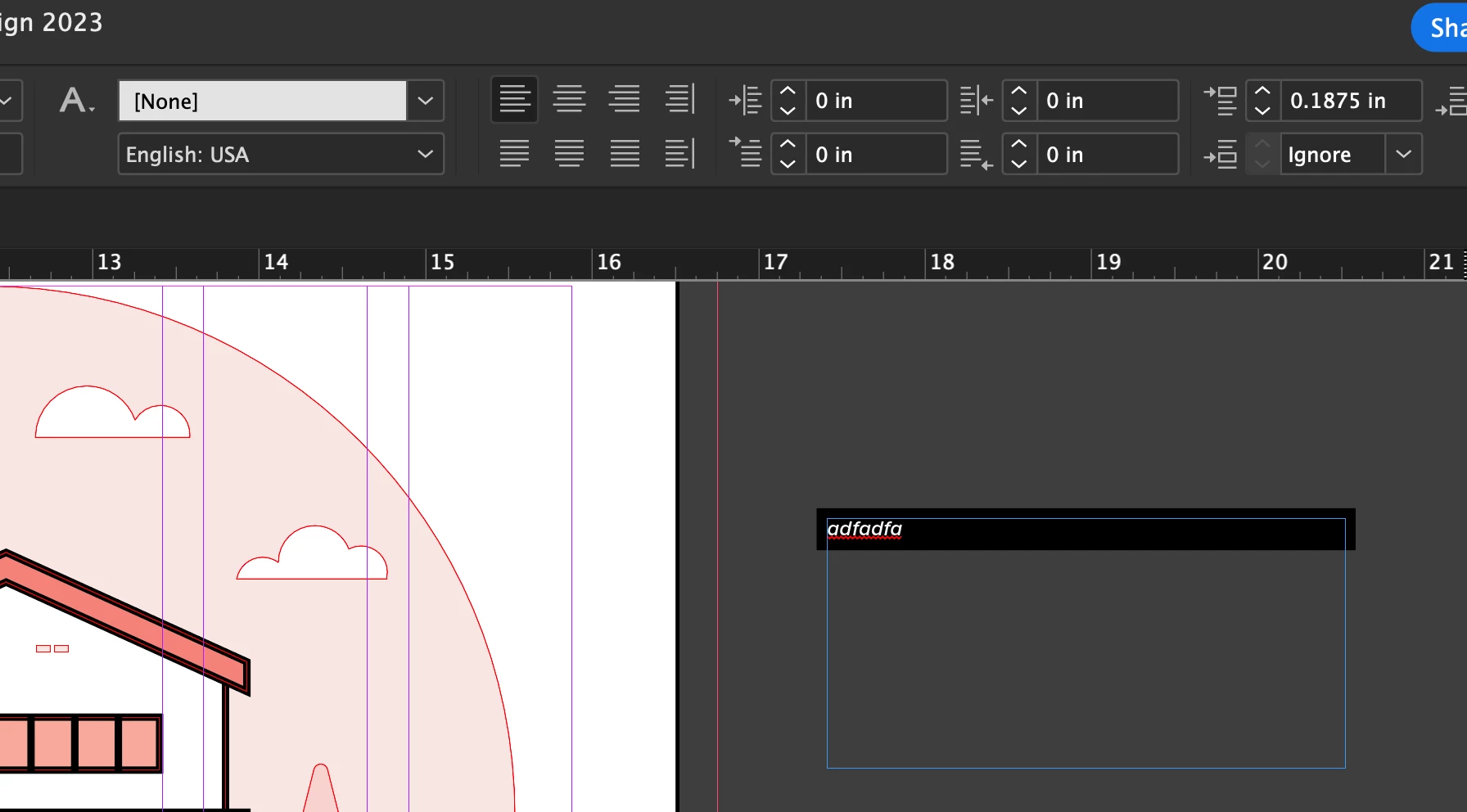
Everytime I create a new text box and start typing, InDesign keeps adding a black bar behind the text. I can't figure out how to reset this. I can click on "clear overides" on basic paragraph for paragraph styles, but it only applies the instance of it once instead being the new normal. 


Please help!
This topic has been closed for replies.
Correct answer Barb Binder

Hi Ser:


That was my guess and if you follow step 2 in my previous post with the Type tool selected, you can reset it permanently in that document. 


Copied here for your convenience:

2. Then choose Edit > Deselect All and uncheck shading one more time to turn off the default for all future text frames.


It doesn't happen in new documents, does it? If it does, let us know there is one more step to take.


Now that I think about it, I have a blog post on setting and resetting defaults that you might find helpful.

https://www.rockymountaintraining.com/adobe-indesign-setting-and-removing-defaults/


~Barb

4 replies

Barb Binder
Community Expert
Community Expert
August 3, 2023

It's not intuitive. I wrote that article for a student who was struggling to get his head wrapped around it. Glad you are back on track.


~Barb

~Barb at Rocky Mountain Training
Barb Binder
Community Expert
Barb BinderCommunity ExpertCorrect answer
Community Expert
August 3, 2023

Hi Ser:


That was my guess and if you follow step 2 in my previous post with the Type tool selected, you can reset it permanently in that document. 


Copied here for your convenience:

2. Then choose Edit > Deselect All and uncheck shading one more time to turn off the default for all future text frames.


It doesn't happen in new documents, does it? If it does, let us know there is one more step to take.


Now that I think about it, I have a blog post on setting and resetting defaults that you might find helpful.

https://www.rockymountaintraining.com/adobe-indesign-setting-and-removing-defaults/


~Barb

~Barb at Rocky Mountain Training
Ser Ian Kelley
Participant
August 3, 2023

Barb.... my gosh... you're a wizard! Thank you. I would have never came to the conclusion of selecting a text frame and "deselecting all" > uncheck paragraph shading. I've made a few more text frames and the shaing no longer being added by default. And fortunately, NO, the paragraph shading was not being added to new document text boxes. 


Thank you so much, 

Ian

Barb Binder
Community Expert
Community Expert
August 1, 2023

Based on how the edges are extending beyond the frame edges, I'd guess you have paragraph shading enabled as a default. 


It will take two steps to completely disable it:

  1. Click on the text with the Type tool, change to the Paragraph view of the Control Panel and uncheck Shading.  If that works, then I guessed correctly. You can do the same thing to turn it off on any other existing frames.
  2. Then choose Edit > Deselect All and uncheck shading one more time to turn off the default for all future text frames.


Try adding a few more boxes and adding some text and let us know if that works for you.


~Barb

~Barb at Rocky Mountain Training
Ser Ian Kelley
Participant
August 2, 2023

Thank you James and Barb! Paragraph shading is the culprit and somehow it has been set to on as the default everytime I create a text box. How do I turn paragraph shading off for my default setting?

James Gifford—NitroPress
Legend
August 1, 2023

It looks as if you may have inadvertently set either a paragraph or object style.


With no object selected anywhere in the document, look at your active paragraph style. If it has a + mark indicating an override, right-click it and use the various Clear options to clear those overrides until the + goes away.


More likely, your [Default Text Frame] style in Object Styles will have that overrride marker. Do the same thing there — right-click, clear all overrides until it goes away. That should get rid of the black bar on all new text frames.


It's a subtle aspect of ID that it sets new defaults when you change any setting while nothing is selected. If you have no document object selected and set a 1pt red stroke, everything you create after that point will have a 1pt red stroke. This can be useful if you know how to use it, but most often it's an inintended mistake, and you clear it by selecting nothing and then (for example) setting the stroke to 0,  or the color to black, or such.