


Participant
April 27, 2025
Answered

Text in tables not aligned after exporting to PDF

  • April 27, 2025
  • 6 replies
  • 2807 views

Hello,

I am creating some word search puzzles using Tables. I have all the letters centered vertically and horizontally in the cells using styles. Everthing looks perfect in indesign but once exported to PDF the last 1-2 rows of every table are shifted to the left/right side. I used a monospaced font to make sure everything looks even but these last rows are not cooperating. Please see photo below:
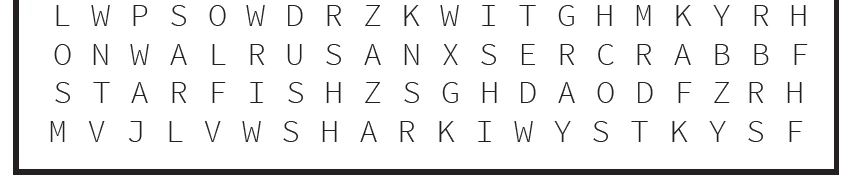
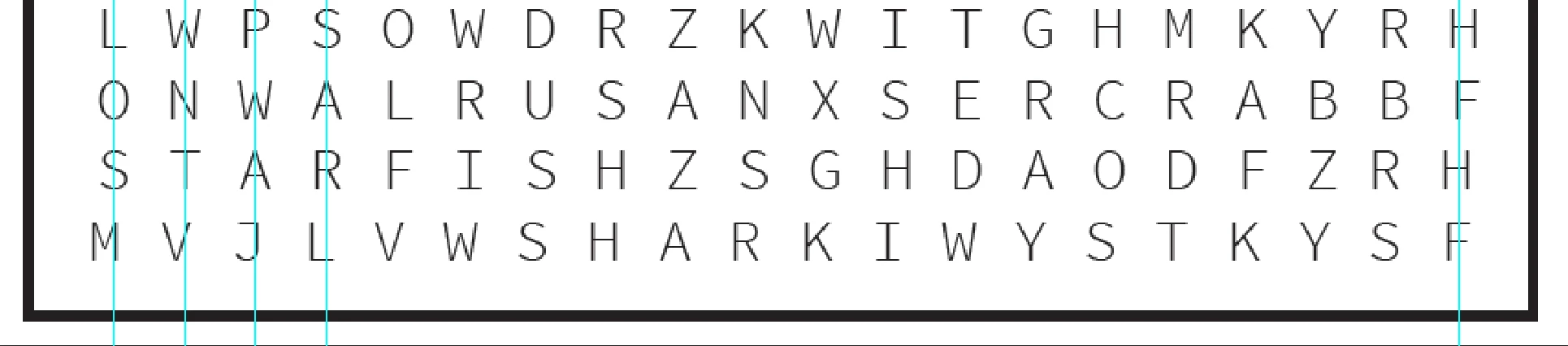


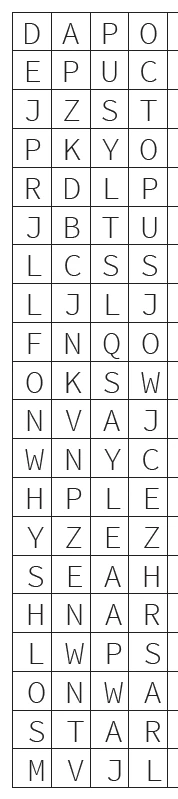
Photo below this is the same as above but with strokes around the cells so it's easier to see. Top row everything is centered. As it moves down it moves more and more to the side. Again, this is only how it looks AFTER exporting. In Indesign every is aligned perfectly.
I tried adding diagonal strokes to the cells just to see what happens when exported and then everything was magically aligned... See pic below:
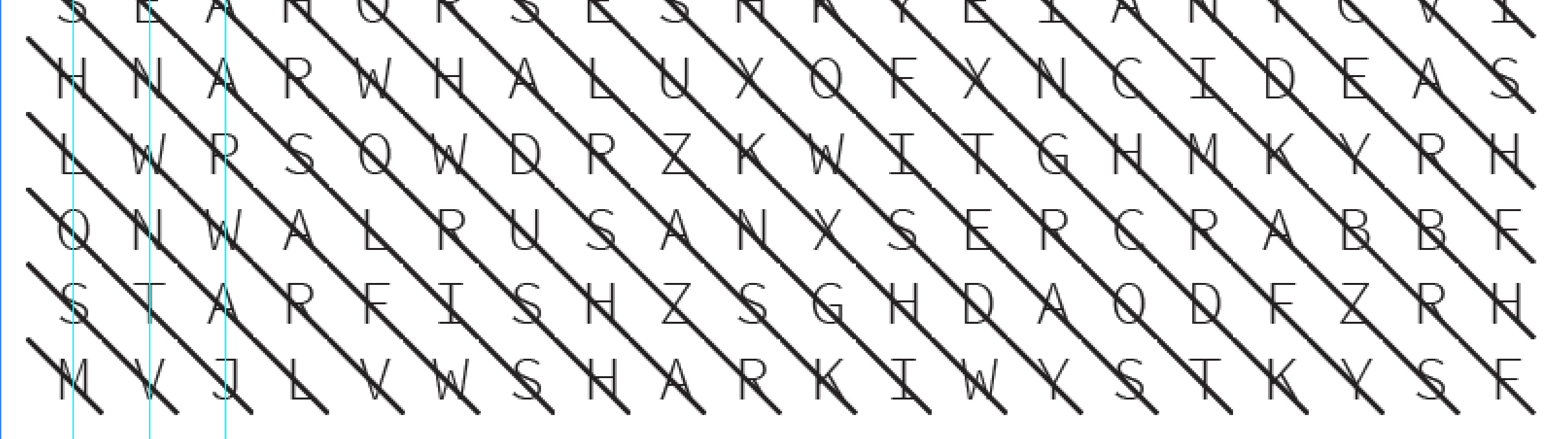
 

So... then I tried keeping the diagonals in the cells but setting the stoke weight to 0pt aaaand everything is misaligned again.


I found a super crappy way to make it export correctly is by outlining all of the text. But I have 100 of these puzzles created and once outlined I can no longer easily edit them. Obviously this is a bug and not a feature. There must be some way to make this work. I attached an indesign file with 1 puzzle if you need to look at it. Please help!

Correct answer Flo_8580

Hello @F Schmid,

Could you check if this happens with new files/files using a different font as well? Also, could you share screenshots of difference between the 2 versions along with the export settings used, so I can try to replicate this on my end?

Looking forward to hearing from you.


Anubhav


Hello @Anubhav M,


check my first post above for screenshots. I ran some tests in the meantime:


  • First, replacing the font in Illustrator, which worked fine, no more text shifting, even without converting to outlines.
  • Then, i just opened the original PDF (with the old font) in Illustrator and simply re-saved it (Save As). This also worked fine. So the problem isn't related to the font at all, but the way the original Illustrator PDF was created. This probably comes down to version differences, because our editor is still on CS6, if the metadata is to be believed.


I should have explored this problem more apparently, converting text to outlines was unnecessary. Just re-saving the PDF in a modern standard did the trick. Lesson learnt and sorry for wasting everyones time.

6 replies

Brad @ Roaring Mouse
Community Expert
Community Expert
April 28, 2025

What it all comes down to is: this is a bug. It's not an expected result based on the file, so it's an anomaly that needs to be addressed, especially so since it's not a consistent result. You might want to add it to the inDesign bugs list

https://indesign.uservoice.com/forums/601180-adobe-indesign-bugs

A2D2
Inspiring
April 28, 2025

Hi there @Kindra21954255ukh9 , which version of InDesign are you using?


I see @Laubender reproduces the issue with a recent version of InDesign. However, apart from font substitution, are any minor changes made to the text to force recomposition e.g. adding and deleting a space in order to force realignment?


I experenced a quirk of InDesign (as detailed here) but turns out I was using CS6 and the problem did not occur in recent versions of InDesign. 


Your post caught my attention because, in addition to previous experience, I am getting issues with alignment of an Arabic font I have been experimenting with. Sometimes, as you say, it looks fine in InDesign but after exporting to PDF I see there are some misalignments. In my latest case the issue seems to arise from fully justifified paragraphs.

Community Expert
April 28, 2025

Hi @A2D2 ,

my solution was to check feature "Tagged" in the PDF Export dialog with a PDF/X-4 preset.


Regards,
Uwe Laubender
( Adobe Community Expert )

Community Expert
April 28, 2025

Hi @Kindra21954255ukh9 ,

thank you for providing your InDesign document WORDSEARCH MISALIGNMENT.indd.

Substituted missing fonts in the table with Frutiger Next Pro Condensed.

Still the export to PDF misaligned the characters like that:


The trick to use diagonal lines in the cell did not work as far as I can see.

With diagonal lines I see a different misalignment than before:


Exported with default presets PDF/X-1a and also PDF/X-4. Same results: shifting type.

InDesign 2025 v20.3 on macOS.


Regards,
Uwe Laubender
( Adobe Community Expert )

Community Expert
April 28, 2025

Now I tested EPS as export format. That worked:


Regards,
Uwe Laubender
( Adobe Community Expert )

Inspiring
April 28, 2025

Interesting, we got a slightly similar problem with our word search puzzles. In our case the letters shift ever so slightly up, until the last three colums, which restart at the normal height. Everything looks fine in InDesign, but when we export the pages for printing the shift happens.


Our puzzle editor supplies us with Illustrator PDFs, which we place in InDesign. Just like you found out, when we convert the text to outlines in Illustrator and resave the PDF, the text behaves correctly. This type of puzzle doesn't come up as often, so we put up with this procedure.

Robert at ID-Tasker
Legend
April 28, 2025

@Flo_8580


You mean contents of the linked PDF changes during export??


Inspiring
April 28, 2025

Correct. If you want to have a go, check these files:

https://www.dropbox.com/scl/fi/z4zk0q5uer20bwpyokpgr/Puzzle-Test.zip?rlkey=pp7bdf9dfubkd339a863slglf&st=xdc31crh&dl=0


Interestingly enough, this only happens when exporting to PDF, not when saving as JPGs.

BobLevine
Community Expert
Community Expert
April 27, 2025

Have you tried a different font?

Robert at ID-Tasker
Legend
April 27, 2025

@Kindra21954255ukh9 


Looks like @BobLevine is right - I don't have your font installed - so it has been substituted:


Your table with white letters is on top of the exported PDF - covers almost prefectly - with just faint lines around.


4000% zoom:


And here is a full page:


Brad @ Roaring Mouse
Community Expert
Community Expert
April 27, 2025

Interesting. I'm seeing the same issue. It seems like that each row is just a hairline shifted to the right cumulatively until the near the end where it snaps back to where it should be. I see nothng in the file that would do that.

I did however notice that doesn't happen if you use certain PDF export presets, e.g the "High Quality" PDF preset doesn't but the "Press Quality" does it, and there's really no difference between the two. I tried different levels of compatibility and compliance and it was all over the place.

Also, if I copy JUST the table into a new document, it behaves properly. I also created a brand new table in a new document with the same dimiensions and specs as yours and it works fine. Saving as IDML and reopening had no effect.

Gremlins.

Participant
April 27, 2025

Jeez, it's so inconsistent! For now, I duplicated the file and saved a version with the text outlined just so I could get it printed correctly. I'll probably come back to it another day and try to figure it out. Thanks for taking a look, Brad! I appreciate it!