


Participant
November 15, 2023
Question

Text is wrapping to next line even though there's more space in column

  • November 15, 2023
  • 4 replies
  • 346 views

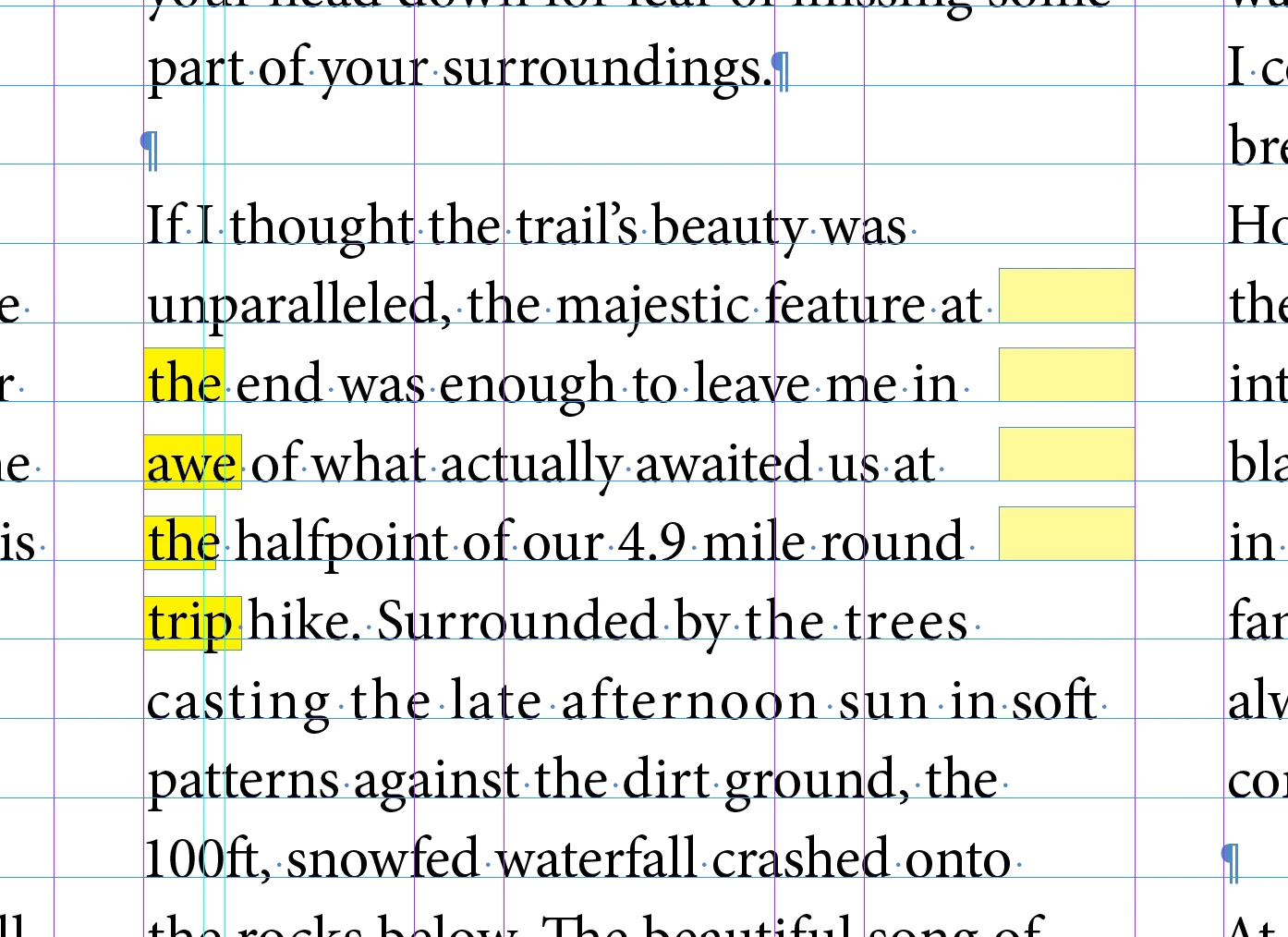
My text is wrapping to the next line when there's still room in the column. This is causing a horrible rag on my column of text. Is there a way to fix this? It's throughout my document and several of my students are having the same problem. 
 

4 replies

Brad @ Roaring Mouse
Community Expert
Community Expert
November 15, 2023

Also: i see some odd tracking on some of the words, as if some manual tracking override has been applied ("the trees....etc")

Brad @ Roaring Mouse
Community Expert
Community Expert
November 15, 2023

You might be seeing an affectation of Paragraph Composer where it's trying to balance the rag on the entire paragraph. Change to Single-line Composer for that paragraph and you will see the difference as that ignores the look of the whole paragraph and will fit all the words that CAN fit in each line. The drawback is you might have a weirder-looking paragraph.

Inspiring
October 10, 2025

This worked...thanks

Peter Spier
Community Expert
Community Expert
October 10, 2025

It might also be as simple as unchecking "balance ragged lines" if that was selected under the Indents and Spacing section of the paragraph style definition.

Steve Werner
Community Expert
Community Expert
November 15, 2023

If you have access to Creative Pro Magazine, Charles Nix wrote a great article on "Spacing Type in InDesign" to give you some guidance:


https://creativepro.com/spacing-type-in-indesign/

Steve Werner
Community Expert
Community Expert
November 15, 2023

Show what the Justification settings are being set for the paragraph. You can show it in the Paragraph Style > Justification (or on the Control Panel menu > Justification:


Also, you're not allowing hyphenation on a relatively narrow measure which could help a lot.