


Participating Frequently
August 18, 2022
Answered

Text not centering in text box?

  • August 18, 2022
  • 3 replies
  • 1438 views

I have noticed this issue in the last year or so.

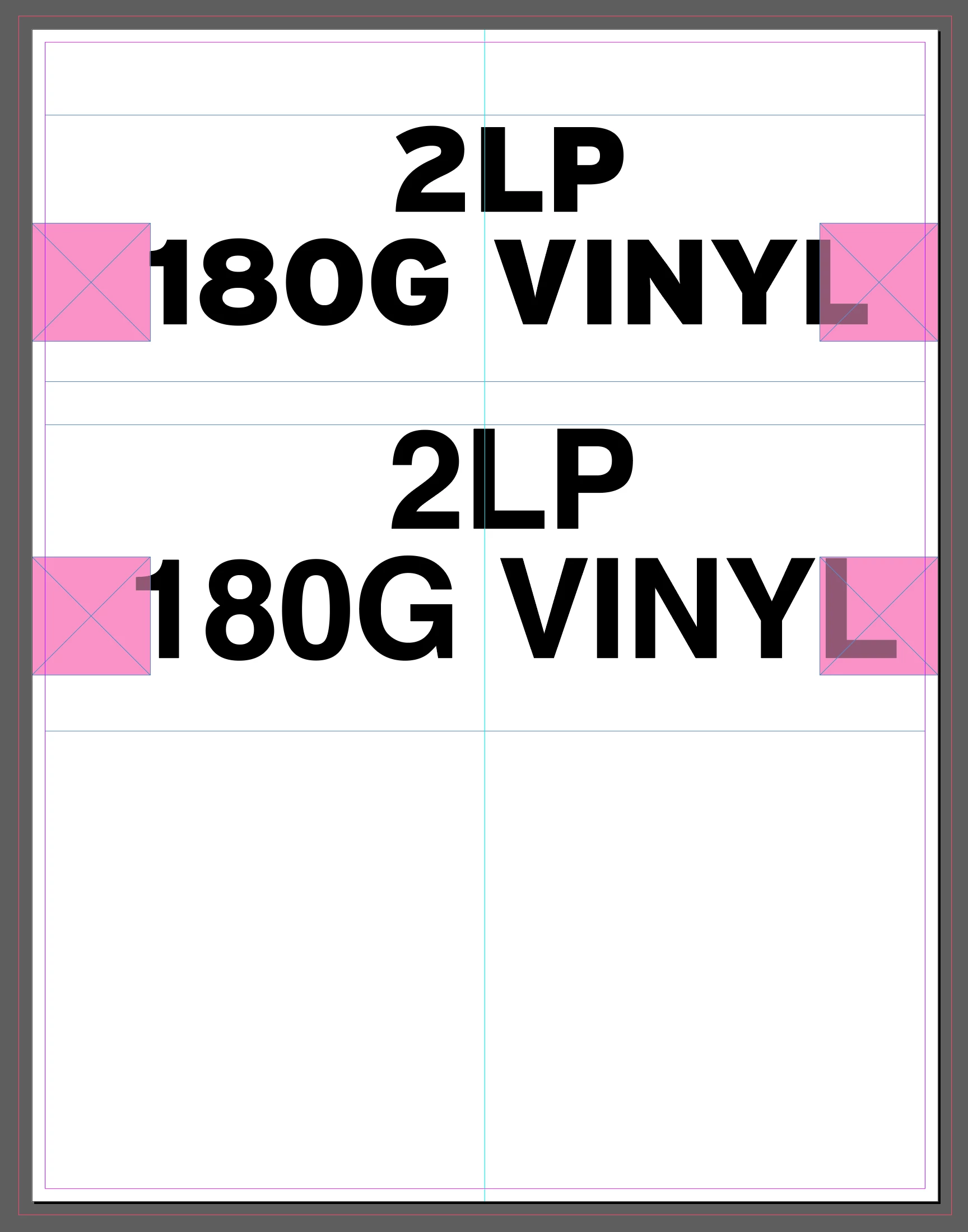
The example has centered text, with magenta squares of the same size on each size.

As you can see, the text is not centered. There are no spaces before the text, no text wrap, no images underneath, I cant figure out what is going on. As well I have tried using different fonts.
This topic has been closed for replies.
Correct answer James Gifford—NitroPress

Yes. In general, this is a common problem (setting unintended defaults for various objects). It happens when you make changes with no object selected. (For example, if you have the selection tool active, and no object selected, and you click Red for the fill color... all new objects will be created with a red fill.)


With nothing selected, reset the Default Text Frame (in Object Styles) to defaults by clearing all forms of override. Make sure Basic Text Paragraph is fully reset as well.


In general, you never want to use the Default Text and Default Graphics frames. Always create at least one new named style for use in each document.


3 replies

Jumpenjax
Adobe Expert
August 22, 2022

Is it possible that you have a tab moved ove or set.

Lee- Graphic Designer, Print Specialist, Photographer
Adobe Expert
August 18, 2022

Is there a second line indent?

James Gifford—NitroPress
Brainiac
August 18, 2022

Good point, given that the first line seems centered.


James Gifford—NitroPress
Brainiac
August 18, 2022

Not seeing it here:


I'd suspect you have an unintended default in your text frame definition. Check the associated object styles, as well as any frame offset spacing (Ctrl-B).


dalev1856Author
Participating Frequently
August 18, 2022

Figured it out, new text boxes are including an indent.

Is there a way to remove that on all new future text boxes?

James Gifford—NitroPress
Brainiac
August 18, 2022

Yes. In general, this is a common problem (setting unintended defaults for various objects). It happens when you make changes with no object selected. (For example, if you have the selection tool active, and no object selected, and you click Red for the fill color... all new objects will be created with a red fill.)


With nothing selected, reset the Default Text Frame (in Object Styles) to defaults by clearing all forms of override. Make sure Basic Text Paragraph is fully reset as well.


In general, you never want to use the Default Text and Default Graphics frames. Always create at least one new named style for use in each document.