

Inspiring
June 8, 2023
Question

Text overflow indicator only shows when frame is selected

  • June 8, 2023
  • 1 reply
  • 849 views

Here's how the overflow symbol location appears when the text box isn't selected:
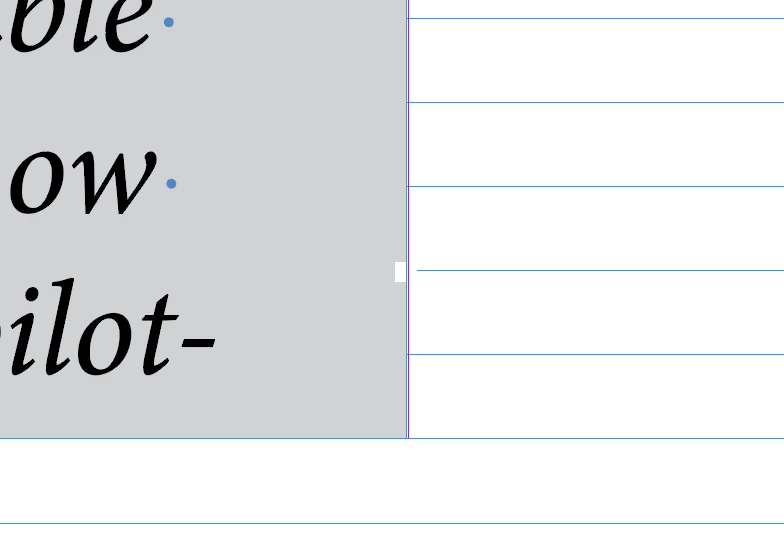
 

Pretty sure that's a bug.

This topic has been closed for replies.

1 reply

Adobe Expert
June 8, 2023

Try resetting your preferences:

Windows: Start InDesign, and then press Shift+Ctrl+Alt. Click Yes when asked if you want to delete preference files.
macOS: While pressing Shift+Option+Command+Control, start InDesign. Click Yes when asked if you want to delete preference files.
A dialog will appear asking to delete the InDesign Preferences, select 'Yes' on this dialog.
Further info and instructions here if needed:
https://helpx.adobe.com/in/indesign/kb/indesign-preferences-support-file-locations.html

turner111Author
Inspiring
June 9, 2023

Unfortunately, there's no difference:

Adobe Expert
June 9, 2023

Good thought - just tried it, and the symbol sort of appears, but looks like this:


Hi @turner111:


It's now visible—dimmed as is expected because the frame is not selected—but also very small. You can increase the size in Prefs > User Interface Scaling > Anchor Points, Handle and Bounding Box Display Size.


As a tip, keep an eye on the Preflight Indicator on the Status Bar—it's the red light, green light button. If you see a red light, double click the word "error" to open the Preflight panel, and use it to navigate directly to the overset frames. 


~Barb