


New Participant
May 6, 2020
Answered

Text Wrapping Issues

  • May 6, 2020
  • 2 replies
  • 675 views

Hi

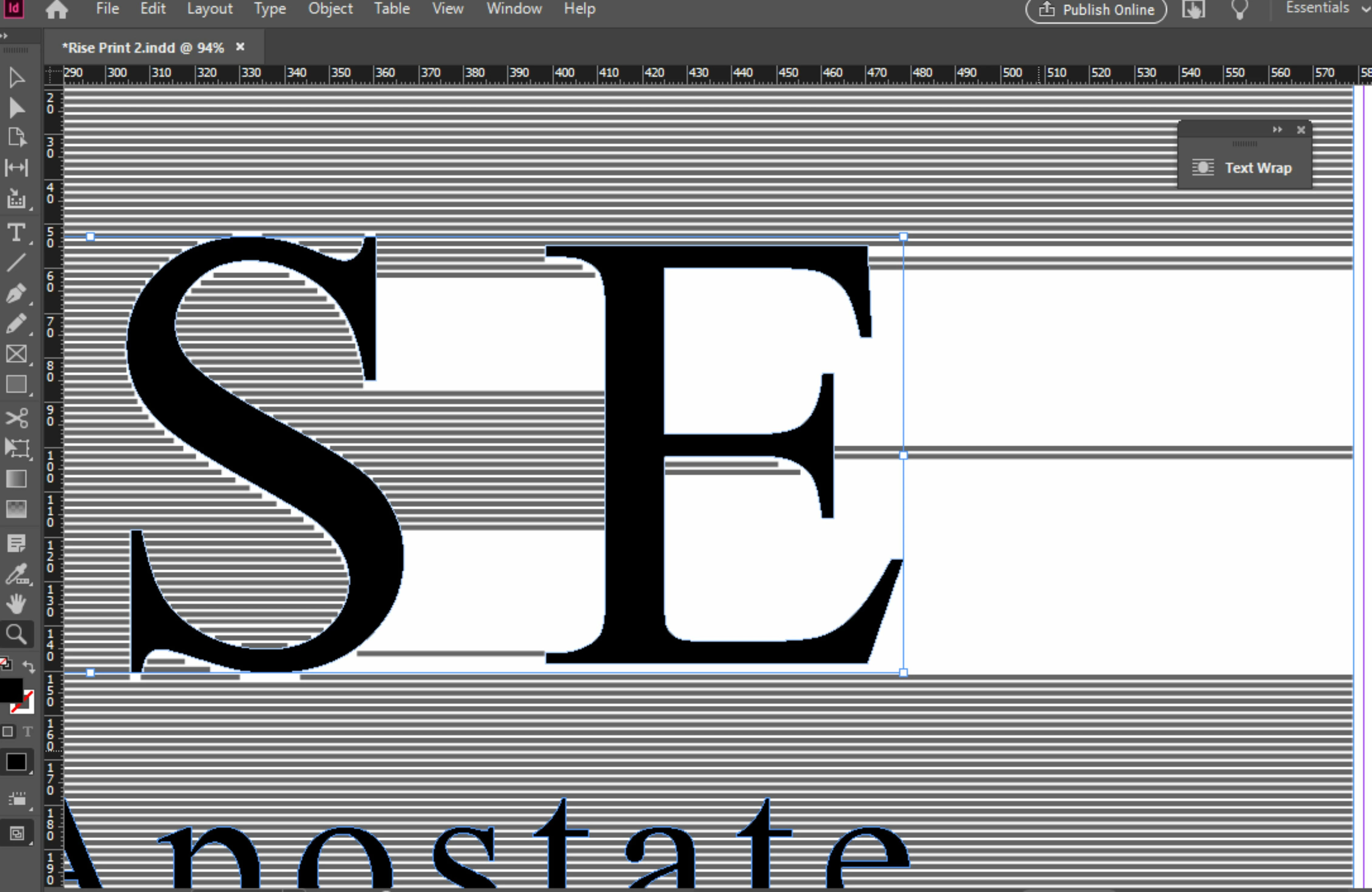
I am trying to wrap a large amount of text around a word, I have converted the word to outlines, if I wrap the word in one go the text jumps like the image, I can however wrap the text around the letters E and S individually but as soon as I add in the rest of the word the text jumps again, any ideas?

Thanks
This topic has been closed for replies.
Correct answer Laubender

Hi akelman1,

I know this issue very well. You cannot work around this.

InDesign allows for only a limited number of "breaks" in one line of text when using text wrap.


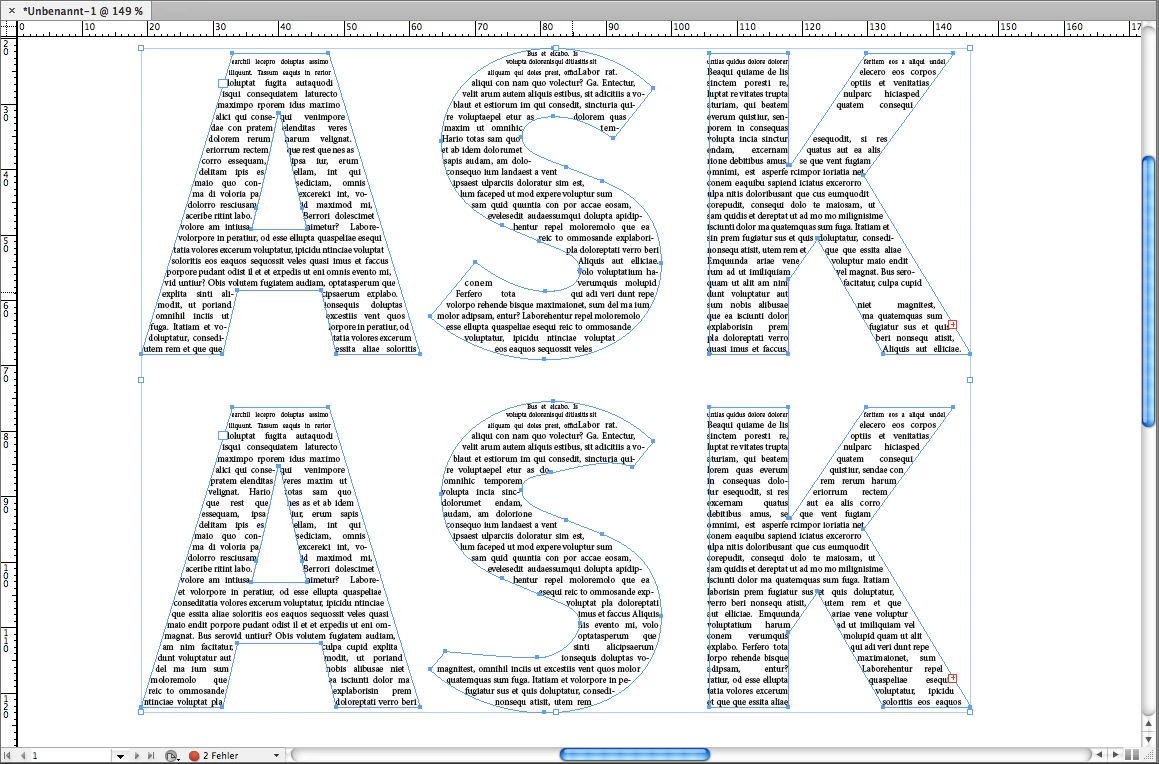
Here a different example where it does not work as expected.

Find the difference between the sample on top and the sample at the bottom.

For that you have to count the number of distracting paths per line of text.


What will work is using Adobe Illustrator for that kind of design.


Regards,
Uwe Laubender

( ACP )

2 replies

LaubenderCorrect answer
Braniac
May 6, 2020

Hi akelman1,

I know this issue very well. You cannot work around this.

InDesign allows for only a limited number of "breaks" in one line of text when using text wrap.


Here a different example where it does not work as expected.

Find the difference between the sample on top and the sample at the bottom.

For that you have to count the number of distracting paths per line of text.


What will work is using Adobe Illustrator for that kind of design.


Regards,
Uwe Laubender

( ACP )

BobLevine
Braniac
May 6, 2020

What unit of measurement are you using for the page? I've seen this in very large documents and my workaround for that design was to simply use multiple columns for the text.

akelman1Author
New Participant
May 6, 2020

Currently working in mm, the page is A1 so that is possibly the problem, I will try that. 

Thanks

BobLevine
Braniac
May 6, 2020

Sure. Just change the text frame properties.