Participating Frequently
December 17, 2024
Answered

Textbox anchored inside another textbox, can it reflow?

  • December 17, 2024
  • 5 replies
  • 1509 views

Hi everyone,


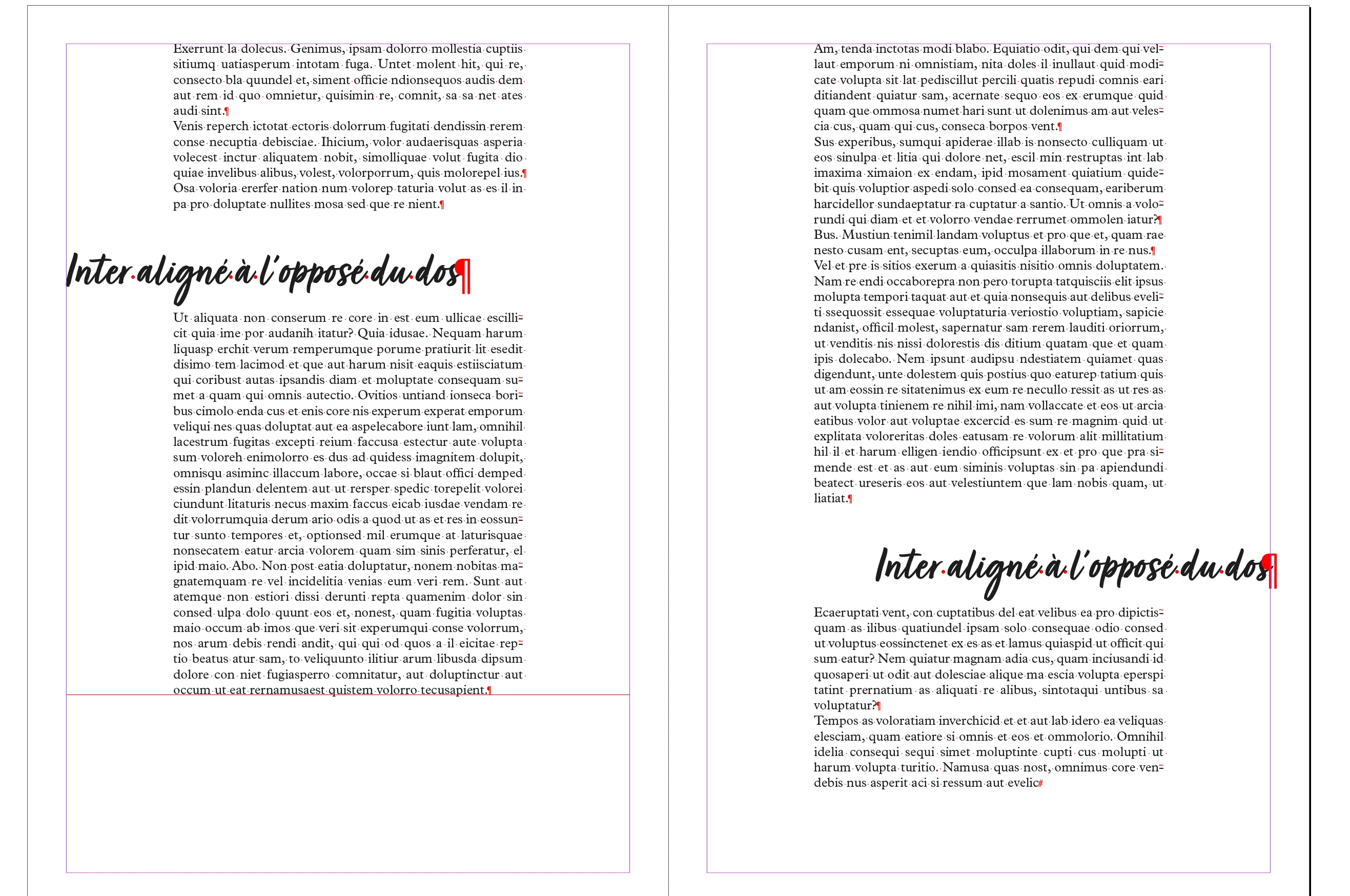
I am trying to figure out the best way to achieve something. I'm working on a 500+ pages book. The idea is to have titles outside of the original text frame. That in itself is quite easy to achieve, we'll all agree, with a separate smaller text frame that is positioned outside for the title and link the text frames together with threading.


Now comes the interesting part which makes it more complicated. I want to achieve two more things:
1. I need it to be reflow-proof, as some inserts or additions will probably come in at a later stage
2. I need it to be able to export well as an epub later on as well as be printed in offset printing.


In order to make it reflow-proof, I was thinking I could ad the (autosizing) text frame with the titles as inline anchored objects with specific spacing before and after the anchored object. The problem is that it is an object then and I can't seem to link the main text frame with the inline anchored text frame and then out of it again… which leeds to the second part of what I want to achieve… will the text set this way keep the right structure when I export as epub later on?


As an added difficulty, pages have a narrower spine, so left pages need to align the titles left outside the main text frame and right for the right side pages (right page illustrated below).


Do you guys have any idea how to achieve this?
This topic has been closed for replies.
Correct answer jmlevy

Puisque to document est en français, je réponds en français.

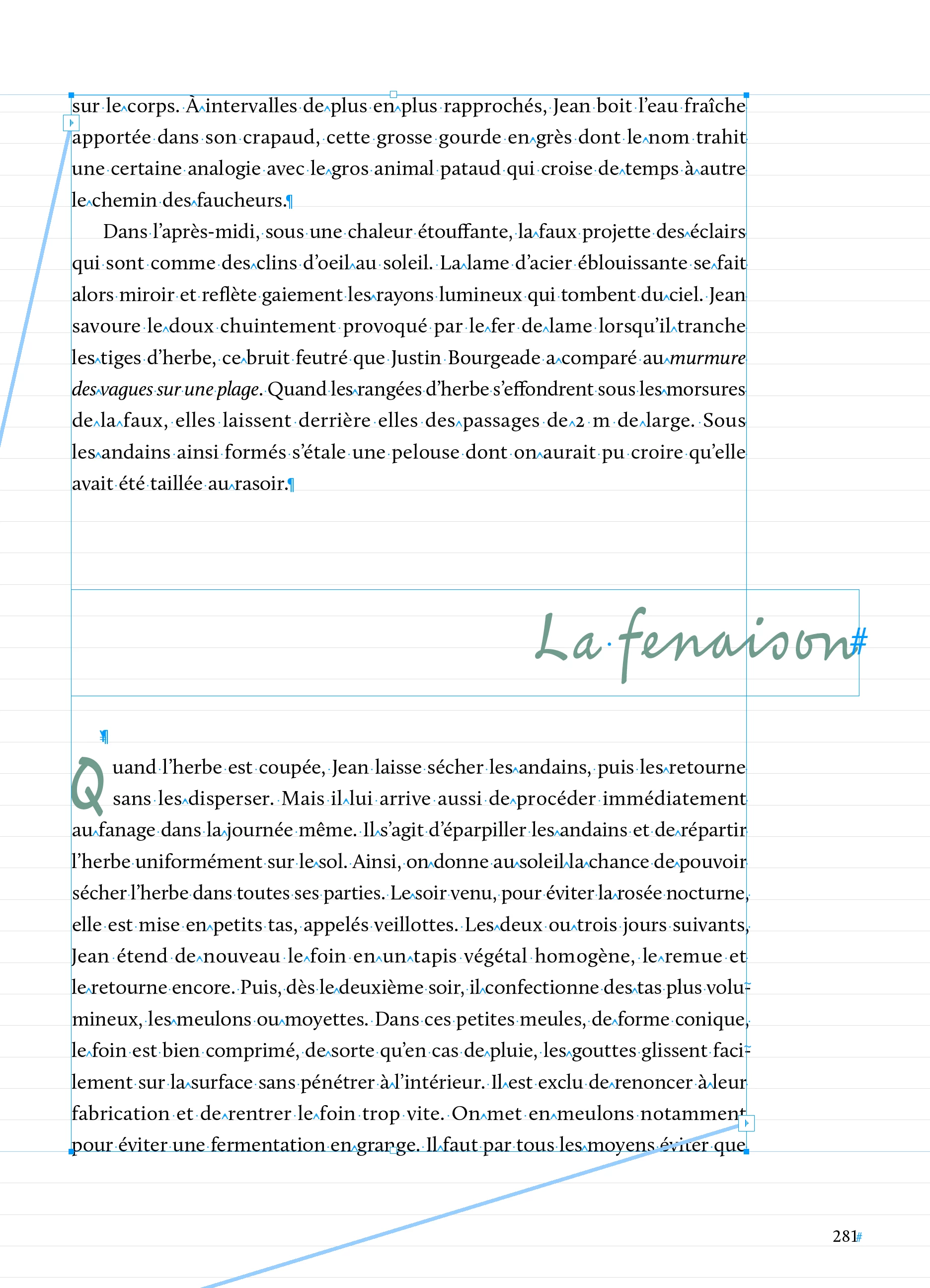
Est-ce que cette solution te conviendrait ?


Edit : je viens de voir que @Robert at ID-Tasker avait déjà proposé cette solution.

5 replies

jmlevy
jmlevyCorrect answer
Community Expert
December 17, 2024

Puisque to document est en français, je réponds en français.

Est-ce que cette solution te conviendrait ?


Edit : je viens de voir que @Robert at ID-Tasker avait déjà proposé cette solution.

Participating Frequently
December 17, 2024

C'est effectivement la bonne réponse. Je l'avais mal compris au premier tour.
L'affaire est réglée !

Mike Witherell
Community Expert
December 17, 2024

Changing my mind again, if you set the big outdented justified titles in a separate textframe, you could anchor those textframes into the flow. Anchored textframes can be sensitive "relative to" left and right hand pages and adjust accordingly. Just make sure you anchor them into a separate hard return paragraph styled empty line. It should reading-order ok and export to epub in correct reading order, too.

About the only other way I can think of to get a flowable complicated layout like you describe is by means of tables (but that makes me shudder a little bit).

Mike Witherell
Participating Frequently
December 17, 2024

That was my initial thought I tried to explain in my first message. I was not sure if it would export correctly. 

Mike Witherell
Community Expert
December 17, 2024

As Robert said, that could be done with paragraph styles. Instead of choosing to align left or right, try aligning toward or away from spine. That way, the text changes based on whether it flows on a recto or verso folio.

On deeper thought, tho, you might need two similar styles; one each for a left and a right page, if the Indents are manipulated to get the overhang left and overhang right. Each of the two styles could be set to Left Justified.

Mike Witherell
Participating Frequently
December 17, 2024

Yeah, but that would mess everything up as soon as text reflows, wouldn't it?
Also, with 30 styles, doubling them would be a huge mess.

Participating Frequently
December 17, 2024
quote

Yeah, but that would mess everything up as soon as text reflows, wouldn't it?


By @Captain Sacha


What do you mean?


quote

Also, with 30 styles, doubling them would be a huge mess.


By @Captain Sacha


Why would you have to duplicate them?


30 styles isn't a lot 😉


OK, please discard my response to this, now that I figured out what you meant in your earlier comments.

Robert at ID-Tasker
Brainiac
December 17, 2024

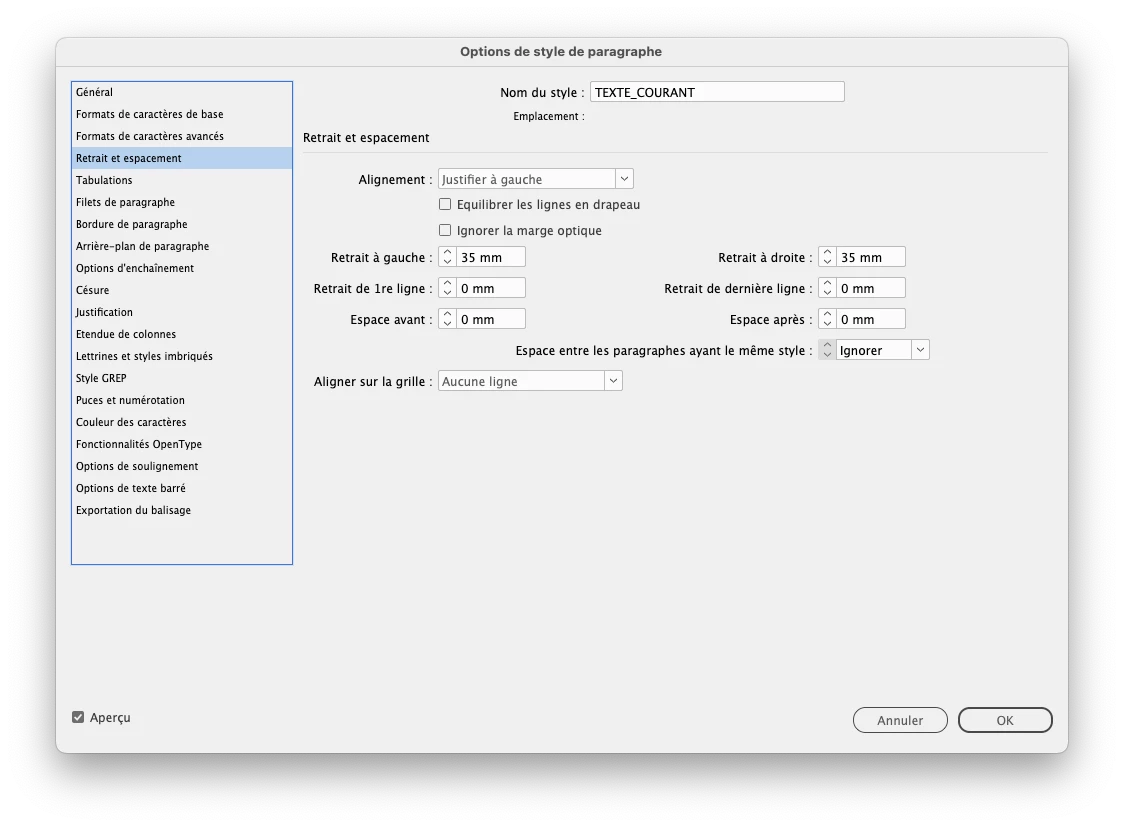
If you want title to be "sticking out" - you just have to play with insets - in the ParaStyle definition. 


Set Inset for everything else than the title. 


Think of it as an extra / different margins. 


Participating Frequently
December 17, 2024

But this wouldn't work with different left and right page layout, would it?
Also, insets etc are already quite complex in this book, many styles for multi level lists etc… 

Robert at ID-Tasker
Brainiac
December 17, 2024

How different? Can you post some screenshots? 


Depends on your styles structure - if they are BasedOn. 


Robert at ID-Tasker
Brainiac
December 17, 2024

Anchored TFs can't be linked to other TFs. 


Anchored object's alignment is controlled by applied ObjectStyle. 


But the TF needs to be Anchored - not InLine.