



kyriosity
Inspiring
August 11, 2019
Question

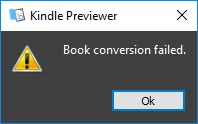
Tips for troubleshooting "Book conversion failed" error message?

  • August 11, 2019
  • 3 replies
  • 4221 views

I've never seen it before, and I can't think of anything I'm doing that's different from what I've done hundreds of times before.
It also gave me this spreadsheet popup:

Obviously it could be a problem within Kindle Previewer, but I thought I'd check here first.  I'll try again with other files I know have converted OK in the past, but not tonight...time to throw in the towel and admit I'm not going to finish this project this week!

I'm using Windows 10, InDesign 14.0.2 x64, and Kindle Previewer 3.31.0.

This topic has been closed for replies.

3 replies

kyriosity
kyriosityAuthor
Inspiring
August 13, 2019

A couple more bits of data:

1) This is the error message I'm getting from ID. I always get the "Custom Layout settings..." message, so it can't be that. The "External Text Anchor..." message might be the problem, but I have double-checked every link in the document, and they're all good.


2) After I click "OK" on the "Book Conversion Failed" dialog, Kindle Previewer opens this Excel file, which I've never seen it do before, and which I cannot comprehend, especially as it contains the contradictory message "Book conversion successful":

kyriosity
kyriosityAuthor
Inspiring
August 13, 2019

Stripped out all the hyperlinks, hoping that would solve the problem. No dice.

kyriosity
kyriosityAuthor
Inspiring
August 13, 2019

Saved to IDML and back to INDD. No change.

kyriosity
kyriosityAuthor
Inspiring
August 12, 2019

Sorry...guess I wasn't clear enough. It's the coversion from indd to epub (3.0, reflowable) that failed.

Derek Cross
Braniac
August 11, 2019

Presumably you're converting a Reflowable ePub 3.00  created in InDesign to a mobi doc?

Does the ePub validate?

EPUB Validator (beta)