Known Participant
January 9, 2025
Question

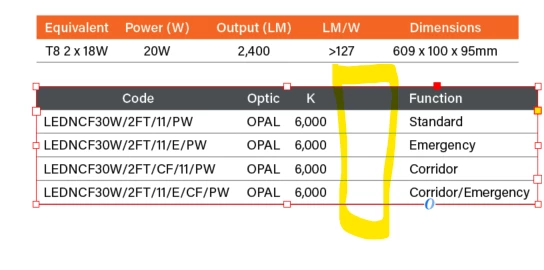
trying to align text in a table but how do I remove the highlighted area?

  • January 9, 2025
  • 2 replies
  • 1070 views

2 replies

Mike Witherell
Community Expert
Community Expert
January 9, 2025

There is a lot to know about tables. I recommend you work by means of table and cell styles. Here is all the helpfile to make sure you are familiar with how it all works and is edited:

https://helpx.adobe.com/indesign/using/creating-tables.html

Especially the next section about applying cell styles.

In a table, a heading row can be marked as a header, and also have its own cell style. The cell style, in turn has a paragraph style. But no paragraph style for the header can alternate first centered, then left-aligned, then centered, then left-aligned. 

So either choose all one or the other, or else make two cell styles for the heading and make one centered and one left-aligned, and then manually apply the cell styles to each column header.

Also, be aware that column widths are not defined by styles at all, so they must be sized manually.


Mike Witherell
Robert at ID-Tasker
Legend
January 9, 2025

Is it a real table - or text with tabs? 


Can you post a screenshot not in Preview Mode? 


With all edges and hidden characters visible?


But if it's a real table - you can select a whole column and then delete it. 


Known Participant
January 9, 2025

Hi it isnt a column its because the alignment is left aligned for the text, here is the screenshot


Robert at ID-Tasker
Legend
January 9, 2025

Does this look right visually?


I think so.


But if other headers in other columns are centered - maybe you should make the last one centered as well?