


Participating Frequently
April 26, 2019
Answered

Turn an image into a path or frame?

  • April 26, 2019
  • 1 reply
  • 2119 views

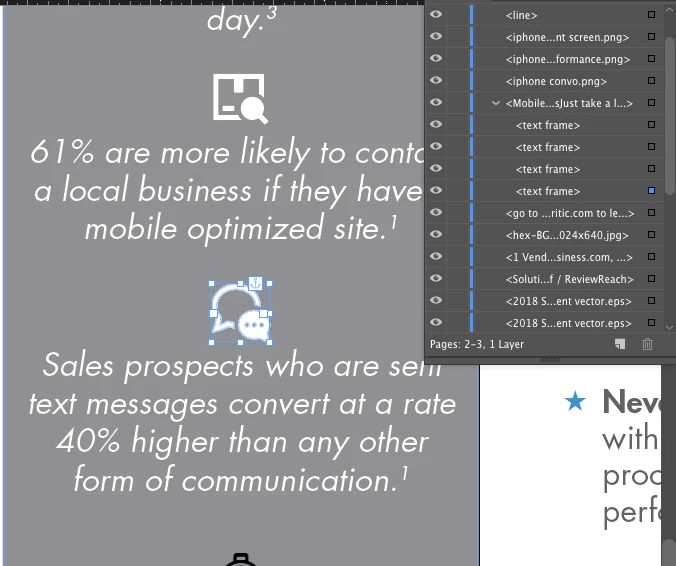
Hello! I have been scouring the internet and cannot figure this out. I was given a template in indesign. The template has some "icons" or "symbols" to go correspond with the statistic. These icons seem to be treated as text? (ie i can change the color and theyre transparent, the whole bit) I want to use my own symbol to add on to it but cannot for the life of me figure out how they did that. I dont think they created the imagery themselves. I tried a bunch of different file formats but cant find one that works. Is it a frame? a path? the icons display as a text frame in the layers panel.  Any insight would be greatly appreciated! Thanks!
    This topic has been closed for replies.
    Correct answer Laubender

    forgot the layers panel screenshot


    Hi Rachel,

    what you are seeing are vector elements anchored to a text frame. It's a compound path object ( no group ) with several sub path elements. You could convert such an object to its individual shapes or you could add shapes to it by grouping the compound path with other elements you are drawing with InDesign's vector tools.

    To group elements you have to unanchor them first.

    The easiest method is: Select, Cut, Paste in Place.

    Regards,
    Uwe

    1 reply

    Braniac
    April 26, 2019

    Hi rachellr52598823 ,

    best show some screenshots where invisible characters and frame edges are showing.

    Also a look into your Layers panel with the object selected on the page.

    Hm. If this is really a text frame show the contents of the frame in the Story Editor windows as well.

    Regards,
    Uwe

    Participating Frequently
    April 26, 2019

    hello! here is an icon i am trying to emulate

    nothing came up in the story editor

    Participating Frequently
    April 26, 2019

    awesome! thank you! so how do i go about creating a compound path object from an image. is that possible?


    or can i create it in illustrator and then move it over to indesign?