


New Participant
February 6, 2019
Answered

Unable to move Indesign window

  • February 6, 2019
  • 7 replies
  • 15709 views

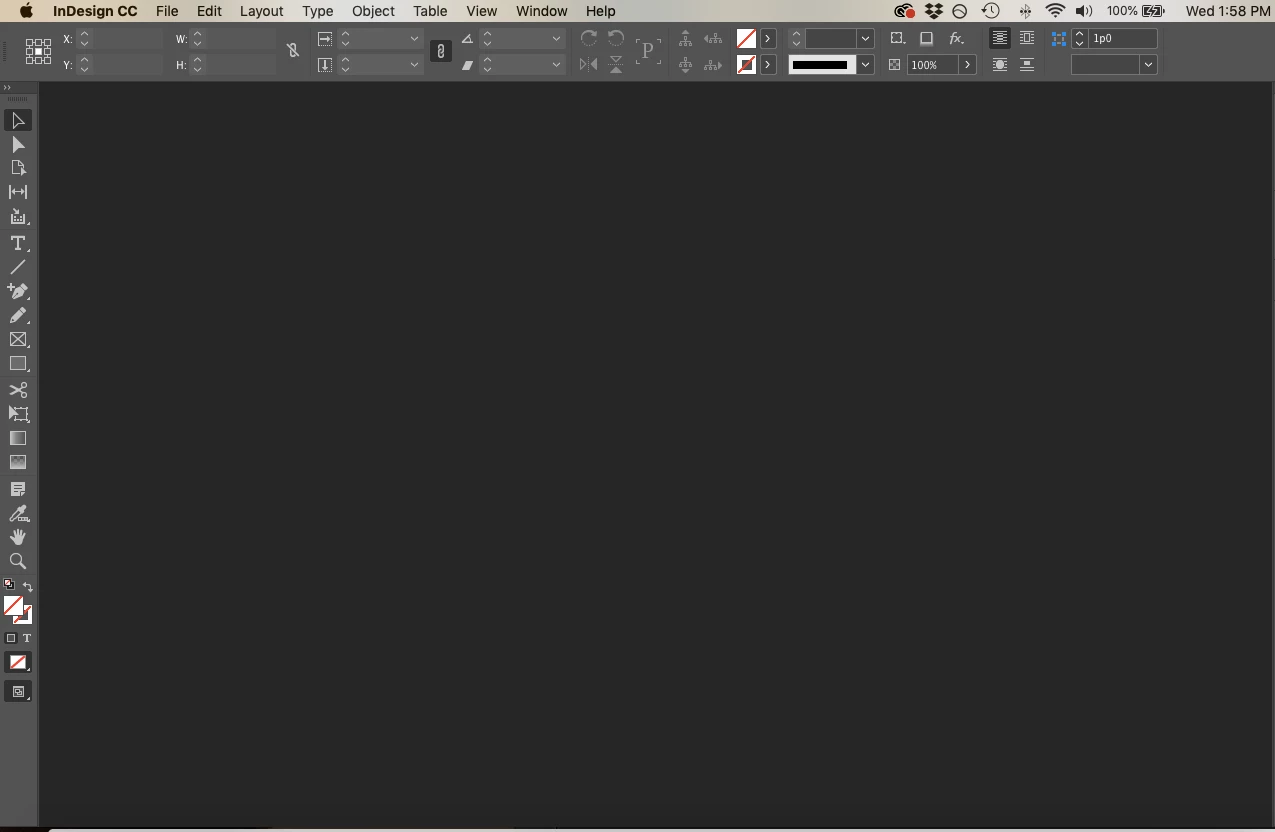
This is driving me mad. I'm unable to drag my InDesign window around my screen or across my dual monitor. I'm not sure if this has anything to do with it, but I noticed that the little bar that always lives at the top of the window with the close, maximize, and minimize buttons is GONE. I most likely accidentally altered a setting but now I have no idea how to fix it! It does not have to do with being in Full Screen Mode or my Application Frame not being checked. I have checked both of these things. No other windows or documents are open within InDesign and I have already reset my Workspace multiple times.
Correct answer Orange Milkshake

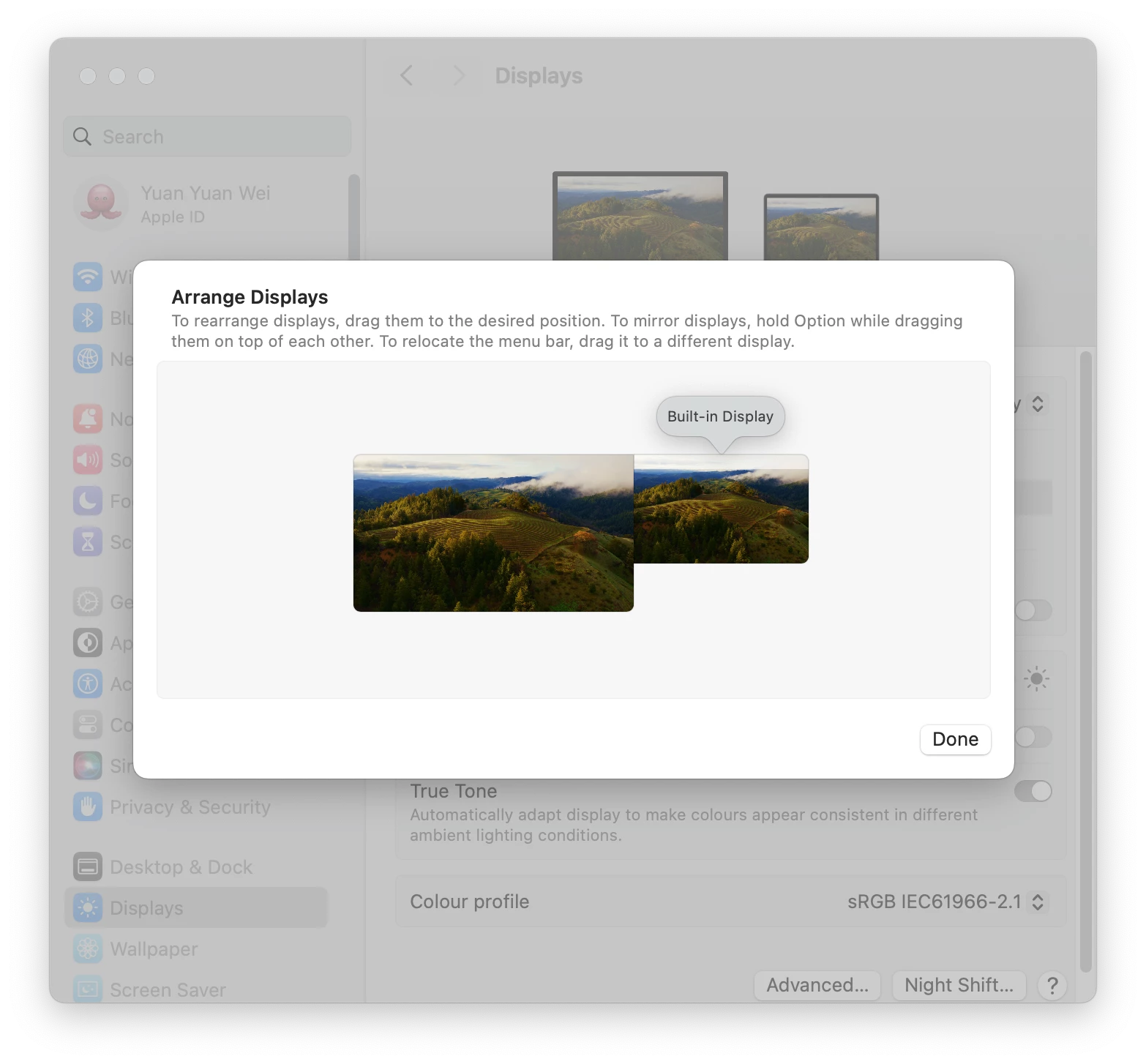
If this issue is caused by split view, try change the monitor arrangements: System Settings > Display > Arrange > make sure your Built-in Display aligned to the top with the Extended Display.


7 replies

New Participant
July 30, 2025

I found a super quick solution to this - if the problem is you have two screens/laptop split extended screen etc.
Simply disconnect the laptop/computer from the second screen. The indesign window will then revert to a normal window and you can move it where you want & plug everything back in.
I have spent ages previously trying different methods, can't believe something so easy worked for me..

New Participant
October 16, 2024

Unable to move Indesign window from laptop to other monitor after updating to 2025.  It jumps jumps back.  Anyone please help ?  I'm using Windows.

New Participant
October 20, 2024

This is also happening to me and none of these suggestions are helping me whatsoever. I am also using Windows.

Dave Creamer of IDEAS
Adobe Expert
November 11, 2024

I'm having same issue too, even after resizing it. When I reduce the window and try to reposition it on my laptop it actually sticks to the lower right hand corner of my laptop and it will not drag over to my larger monitor. 


Sorry to ask a basic question but did you double check the arrangement of the monitors? That is, does the computer know that the monitor on the physical left is on the left. 

David Creamer: Community Expert (ACI and ACE 1995-2023)
Orange MilkshakeCorrect answer
New Participant
May 26, 2024

If this issue is caused by split view, try change the monitor arrangements: System Settings > Display > Arrange > make sure your Built-in Display aligned to the top with the Extended Display.


New Participant
September 26, 2024

Thank you so much for helping me solve this issue. Your explanation was really clear and saved me a lot of time!

New Participant
October 18, 2023

This is an extremely annoying and ongoing issue that I have had with InDesign when using a MacBook Pro and an external screen for some versions now. Sometimes I can drag the app to the external screen, sometimes not.


The only way to "fix" this is to instruct the macOS to use the external screen as the main screen instead of the laptop. I would love if Adobe fixed this for good.

Brett Fontana
New Participant
October 18, 2023

In the very top menu bar that list,   file - edit - layout  -type - object,- table  - view - plug-ins - window and help go to the window menu go to the bottom of the list and engage application frame 

New Participant
April 9, 2024

This sorta works, but it splits the toolbars and composition into multiple movable frames rather than one window, which isn't ideal. Thanks for sharing though, this will work for now until InDesign fixes the issue!

eepsmedia
Participating Frequently
September 26, 2023

Neither technique worked for me. Neither keyboard nor deleting the caches and preferences "by hand."

eepsmedia
Participating Frequently
September 26, 2023

Own solution, thanks to a different thread: I was using multiple monitors, with my "main" monitor (the laptop) below the others. So the title bar was getting stuck in the crack.


On the Mac: go to display preferences, choose Arrange, and make the "main" monitor one of the top ones. Now the opening InDesign window has a full title bar.

New Participant
November 8, 2023

Thanks, this worked for me. As you adjust the monitors height the winow options magically appear again. 

BobLevine
Adobe Expert
February 6, 2019
htoy12Author
New Participant
February 7, 2019

Ah! Thank you so much! This fixed it perfectly. Appreciate your help!