


Inspiring
July 18, 2019
Answered

Unable to open InDesign 2017 on MAC. Error: Cannot open Library "ButtonLibrary.indl".

  • July 18, 2019
  • 5 replies
  • 1311 views

Dear friends,

I work with MacBook Pro, and lately Indesign has been opening with a glitch, please see the screenshot attached. Any suggestions on how to fix the problem would be very helpful.

Thank you again and have a great evening.
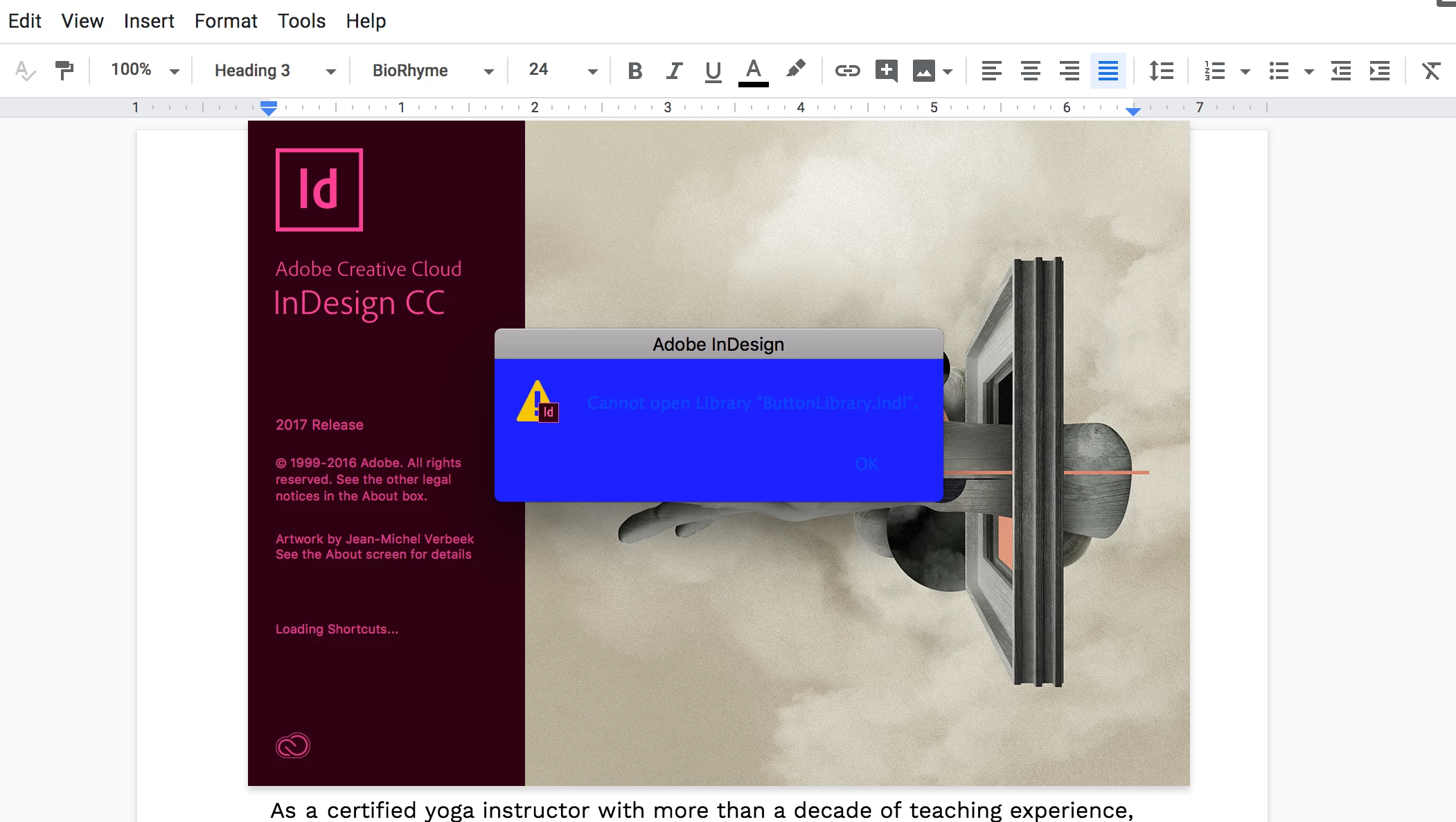
{Renamed by MOD}

    This topic has been closed for replies.
    Correct answer Colin Flashman

    I've had this issue before with an InDesign library. Have a look at this advice: InDesign crashes on launch if InDesign libraries are stored on the network

    5 replies

    Inspiring
    July 21, 2019

    yes, that worked like a charm...thank you so much again

    Derek Cross
    Community Expert
    July 21, 2019

    Which ”worked like a charm”?

    Colin Flashman
    Colin FlashmanCorrect answer
    Community Expert
    July 20, 2019

    I've had this issue before with an InDesign library. Have a look at this advice: InDesign crashes on launch if InDesign libraries are stored on the network

    If the answer wasn't in my post, perhaps it might be on my blog at colecandoo!
    Srishti Bali
    Community Manager
    Community Manager
    July 19, 2019

    Hi there,

    Thanks for reaching out. This error shows that we have some issue with the Button Library in the InDesign application folder. Looks like we need to reinstall the application completely. Could you please confirm which operating system (exact version of macOS) you are working on?

    Regards,

    Srishti

    Bill Silbert
    Community Expert
    July 18, 2019

    In addition to Steve's question what operating system are you using?

    Steve Werner
    Community Expert
    July 18, 2019

    You show you're running InDesign CC 2017 (two versions behind). Is there a reason you haven't updated to more recent versions which might fix bugs?