Participant
May 23, 2022
Question

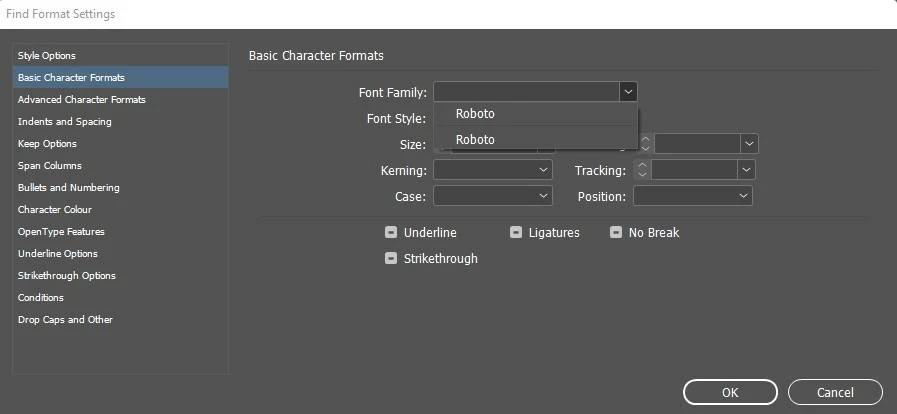
Unable to recognize font in the document by using find-change option in InDesign

  • May 23, 2022
  • 1 reply
  • 324 views

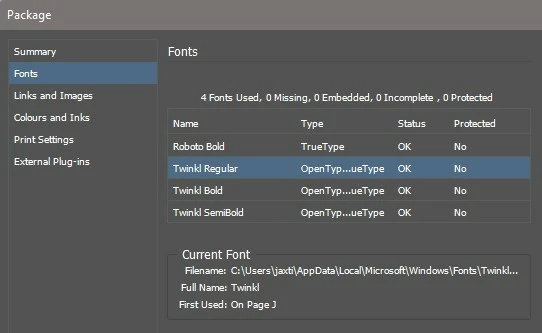
My team are having problems with multiple documents all of which use Twinkl font in a variety of weights and are made from templates with paragraph styles set up. When we try to use find-change, it does not detect the font. 
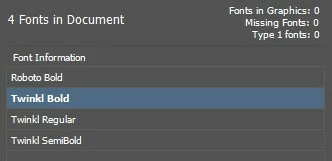
 

I have tried adding the font files into InDesign's own font folder but it makes no difference.

If I run a find change to replace all characters with Twinkl font, then it will recognise it, but the paragraph styles all show as modified. Also, this is not a good solution if multiple different fonts are used.

I simply don't understand what's going on! Please help!


<Title renamed by moderator>

This topic has been closed for replies.

1 reply

HARSHIKA_VERMA
Community Manager
Community Manager
May 27, 2022

Hi JaxGirl74,


We are sorry for the trouble. We will try our best to help. We would request you to please share a few more details like-


  • The OS and the InDesign version
  • Is it possible for you to share the font file with us so that we can check at our end?
  • Have you checked if they are any pending font updates?


We will try our best to investigate the issue on our end.


Thanks,

Harshika


JaxGirl74Author
Participant
May 27, 2022

Thanks for responding Harshika! 

Windows 11 Home Version 21H2

InDesign 17.2.1 x64

Font files attached

No font updates pending


Worth mentioning that we have the same issue across multiple computers, both MAC and PC, I myself had the same problem on Windows 10. It definitely became more prevalent after people started updating to InD 17 but I couldn't say for definite if that is the cause.


Thank you!

HARSHIKA_VERMA
Community Manager
Community Manager
May 27, 2022

Thanks for sharing the info. Would you mind checking if you've any pending InDesign updates available on the Creative Cloud desktop? If yes, please update InDesign and let us know if that helps.


We'll try our best to help.


Thanks,

Harshika