


Unexpected linebreaks above paragraph with span columns
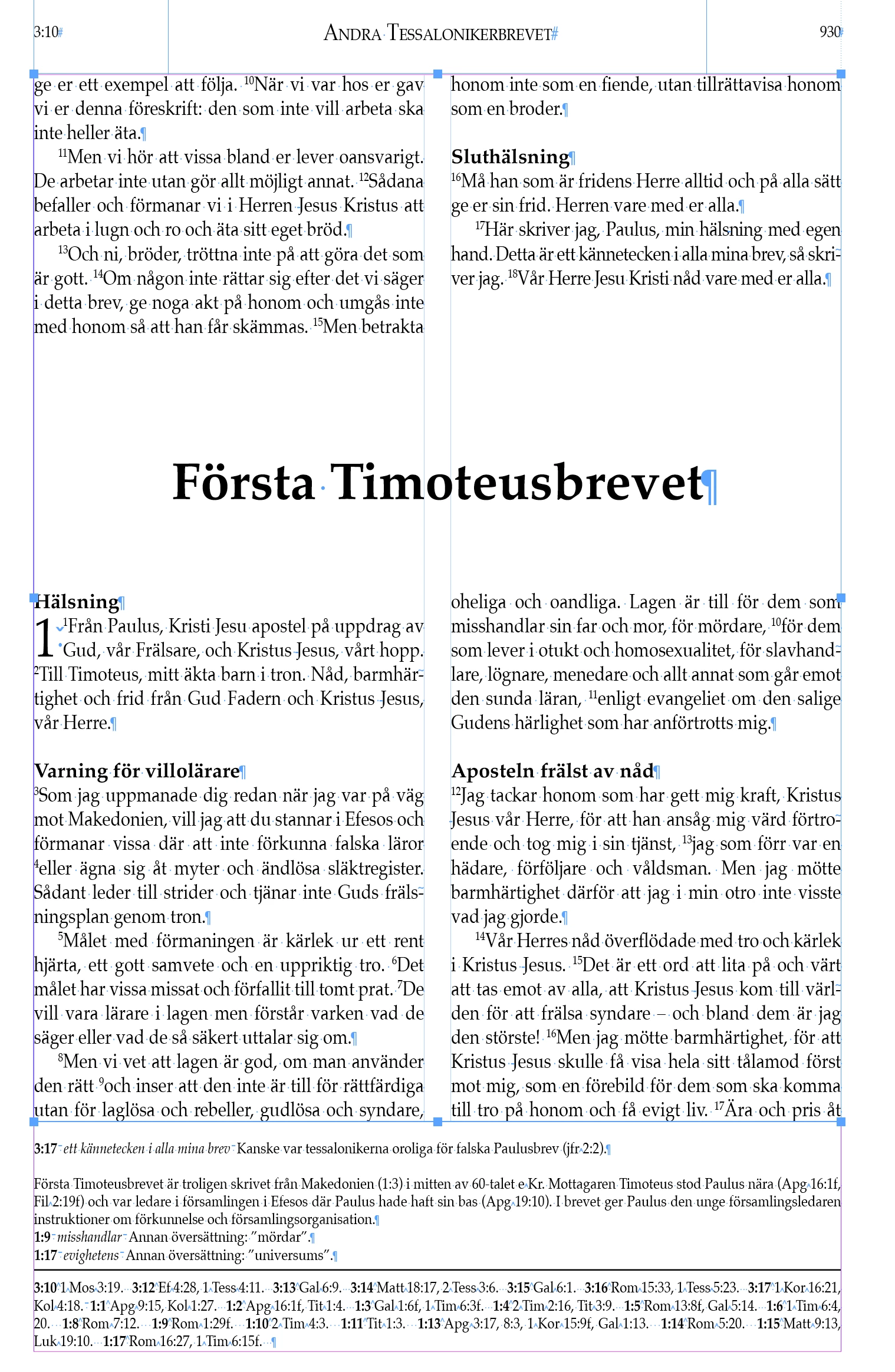
I'm inserting corrections to a previously completed InDesign file that uses two column layout and span columns for the large headings. It's the sort of edit that should go quickly but for some reason unexpected line breaks started to occur. It seems like InDesign have started to break columns above the headings in a different way from before. See image. Looking at the section above the heading, the left column has two lines more than the right. Prevously InDesign properly broke the column so that these were even. I don't know what has changed but the new column break doesnt look good and what's worse it upsets the flow of the rest of the document which is a big issue to solve. Is it a bug or is there a setting for me to control where the text breaks into a new column?
(If I don't find a solution I think I can solve it by creating an extra text frame where these errors occur but that's annoying and will also force me to change some of the scripts I've been using.)
 AdChoices