

sreekarthikeyank
Known Participant
July 17, 2019
Answered

vertical Rule

  • July 17, 2019
  • 2 replies
  • 1540 views

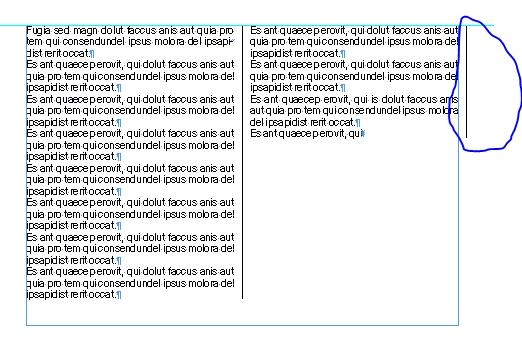
How to add vertical rule to paragraphs. Is there any options in the style to separate the columns. I tried like below and its creating rule in other end

    This topic has been closed for replies.
    Correct answer Laubender

    Hi sreekarthikeyank ,

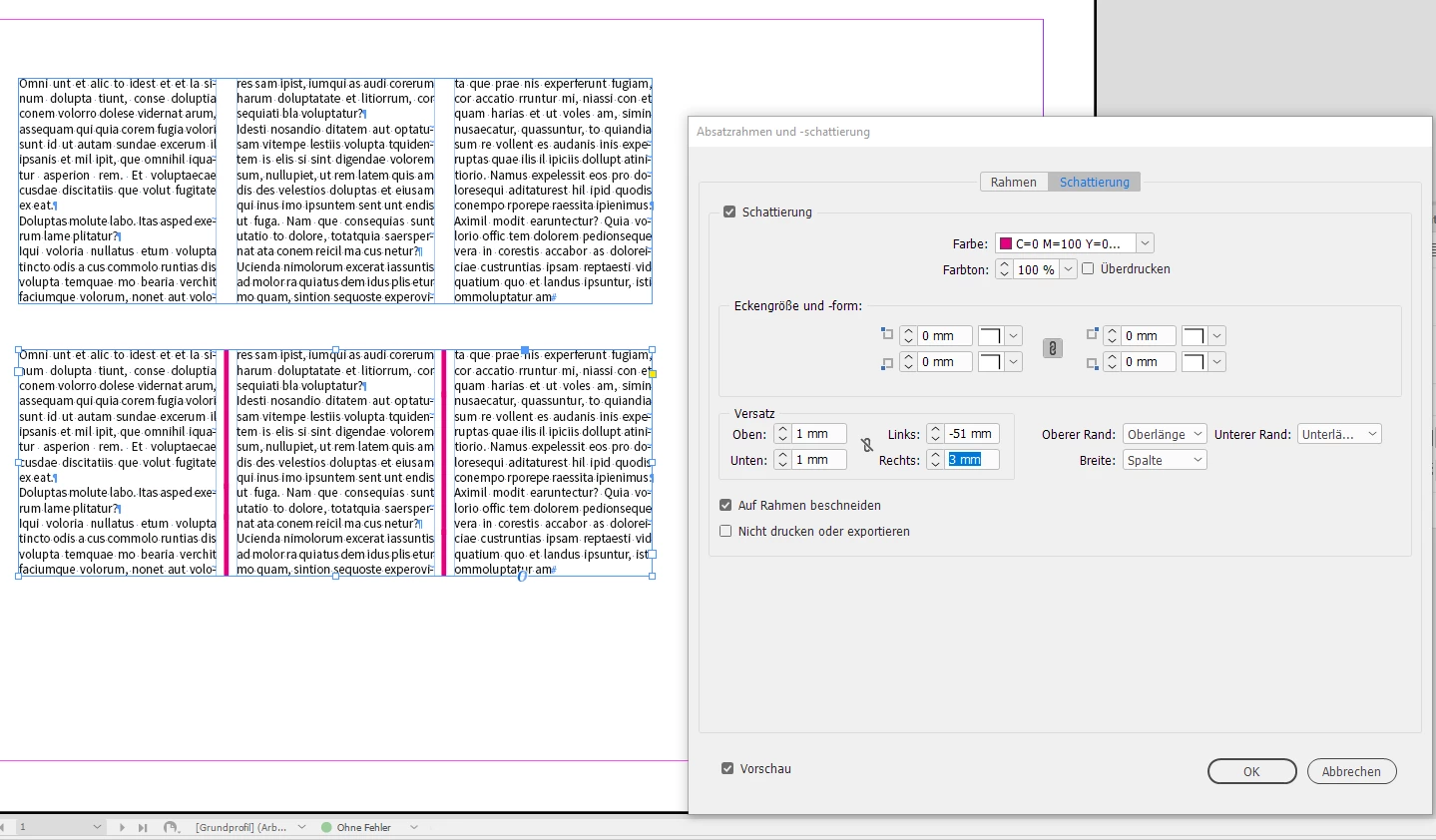
    currently, InDesign CC 2019, you could fake this with Paragraph Shading. Not with Paragraph Rules.

    Key feature of paragraph shading: Crop at frame edges.

    From my German InDesign:
    Downside of this trick:

    If you change the width of the columns you have to start over calculating start and stop, means: left and right offset.

    Regards,
    Uwe

    2 replies

    LaubenderCorrect answer
    Braniac
    July 17, 2019

    Hi sreekarthikeyank ,

    currently, InDesign CC 2019, you could fake this with Paragraph Shading. Not with Paragraph Rules.

    Key feature of paragraph shading: Crop at frame edges.

    From my German InDesign:

    Downside of this trick:

    If you change the width of the columns you have to start over calculating start and stop, means: left and right offset.

    Regards,
    Uwe

    Braniac
    July 17, 2019

    FWIW: The script InGutter by Marc Autret should work as well:

    Indiscripts :: Getting Started with InGutter 2 for InDesign CS4-CC [UPDATE]

    Regards,

    Uwe

    DSant
    New Participant
    February 6, 2020

    this has been solved. InDesign now has this feature in Text Frame Options and it's called Column Rules.  I'm using version 15.0.1 on a PC.

    vladan saveljic
    Inspiring
    July 17, 2019

    Adobe has started to work on this feature.

    Take a look here

    Vertical lines between text frame columns – Adobe InDesign Feedback