

Participant
March 9, 2021
Answered

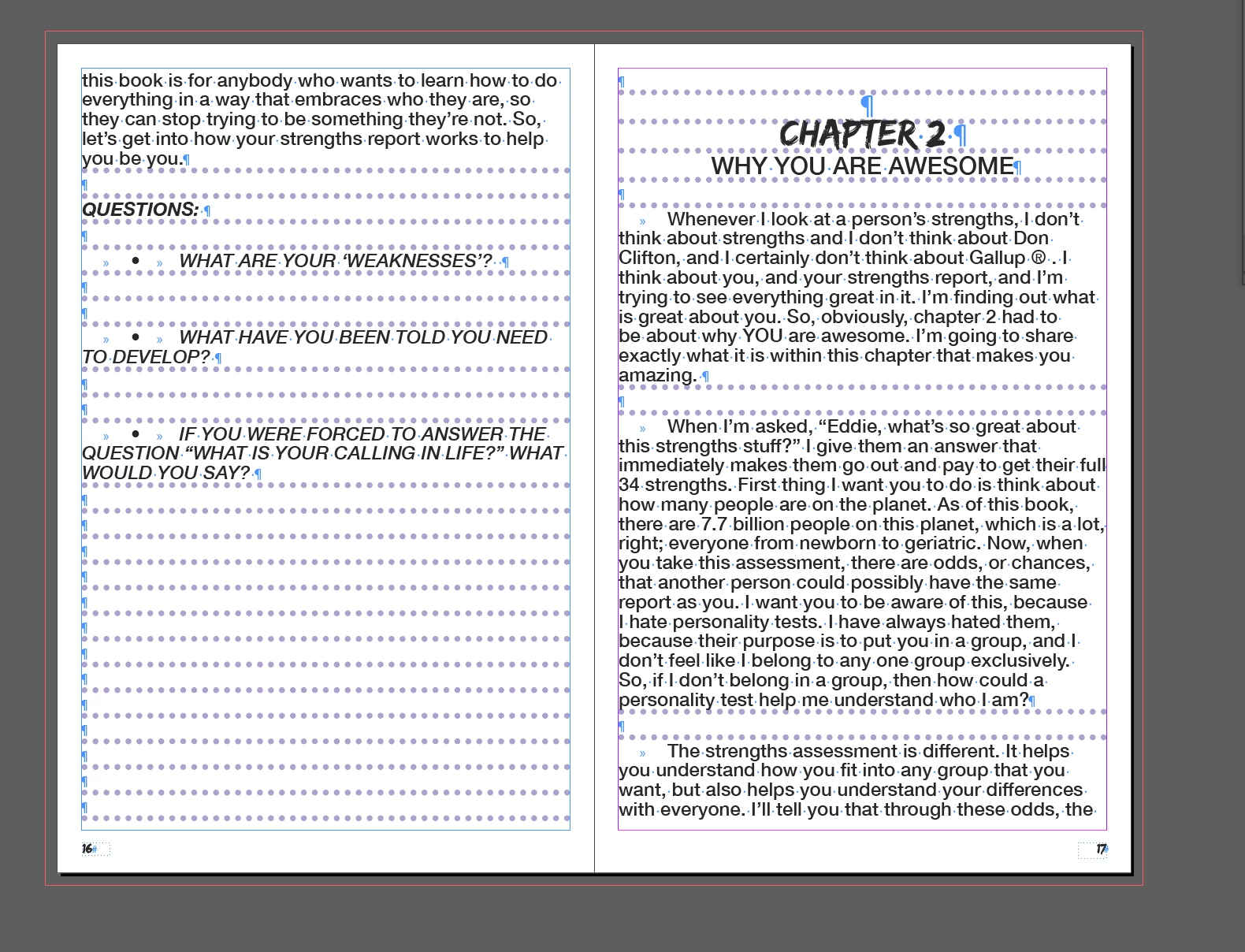
What are these strange dots in the paragraph spaces
  • March 9, 2021
  • 4 replies
  • 4168 views

  Not sure how these dots came in to play here but i cant figure out how to get rid of them and theyre independant from the text that i placed inside the paragraph blocks.

This topic has been closed for replies.
Correct answer Barb Binder

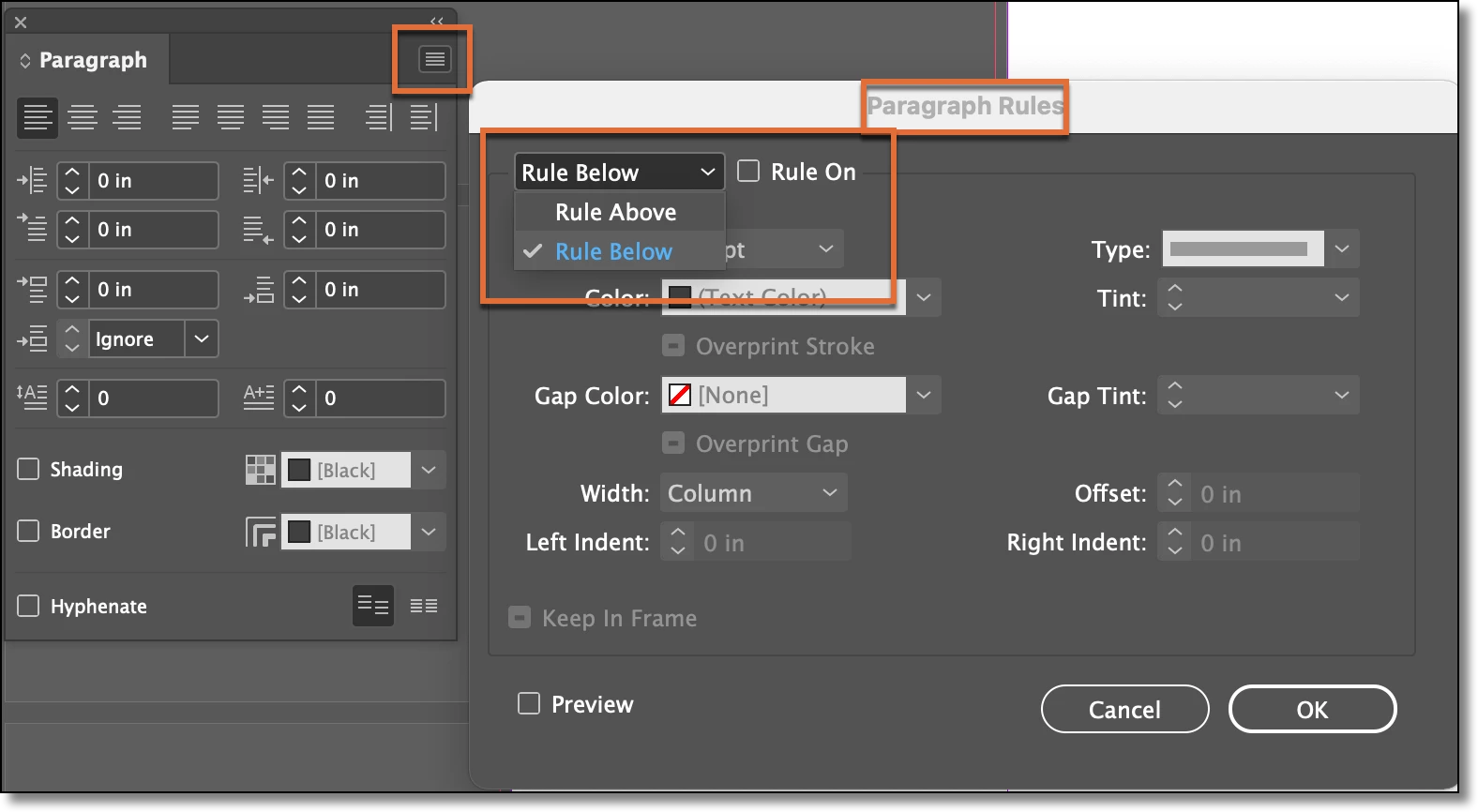
I agree with the paragraph rules assessment, and specifically, a paragraph rule below. If you aren't using styles, click in text, choose Edit > Select all and disable them here:
 

~Barb

4 replies

Barb Binder
Community Expert
Community Expert
March 17, 2021

Great! Glad to hear that you are back on track. 


~Barb 

~Barb at Rocky Mountain Training
Barb Binder
Community Expert
Barb BinderCommunity ExpertCorrect answer
Community Expert
March 10, 2021

I agree with the paragraph rules assessment, and specifically, a paragraph rule below. If you aren't using styles, click in text, choose Edit > Select all and disable them here:


~Barb

~Barb at Rocky Mountain Training
Participant
March 17, 2021

That totally worked thank you! The weird thing was that initially when I looked they were clicked off but when I clicked the check box on and off again they all went away. 


Thank you.

pixxxelschubser
Community Expert
Community Expert
March 9, 2021

Hi @thecodywmr 

one shot into darkness:

That seems to be a dotted paragraph rule below.


  • Click in your text with the text tool (ideally in an empty line).
  • Open your paragraph window and find the paragraph style you applied.
  • Open the options for this paragraph style and check the settings for the paragraph rule below and / or above.
  • Try turning this setting off.


One note:

If one style based on another one - try to find the "Base format".


If that doesn't work for you, please upload a sample document with these two pages and link here.

Bevi Chagnon - PubCom.com
Legend
March 9, 2021

Looks to me like they represent Glyphs on a missing font.


|    Bevi Chagnon   |  Designer, Trainer, & Technologist for Accessible Documents ||    PubCom |    Classes & Books for Accessible InDesign, PDFs & MS Office |
Participant
March 9, 2021

Thank you for the response,


The weird thing was that the text was dropped in to a blank paragraph block. I have the font that is used in the blocks and i never had a prompt for anything missing. And they get added only in the spaces between the text like showing markers for the spacings. 


Not really sure how to get rid of it. Either way thank you.