

New Participant
May 6, 2024
Question

White pages when exporting as PDF on INDESIGN

  • May 6, 2024
  • 4 replies
  • 309 views

Hi!
I need to save a docoment for print, I'm exporting as PDF/X-1a

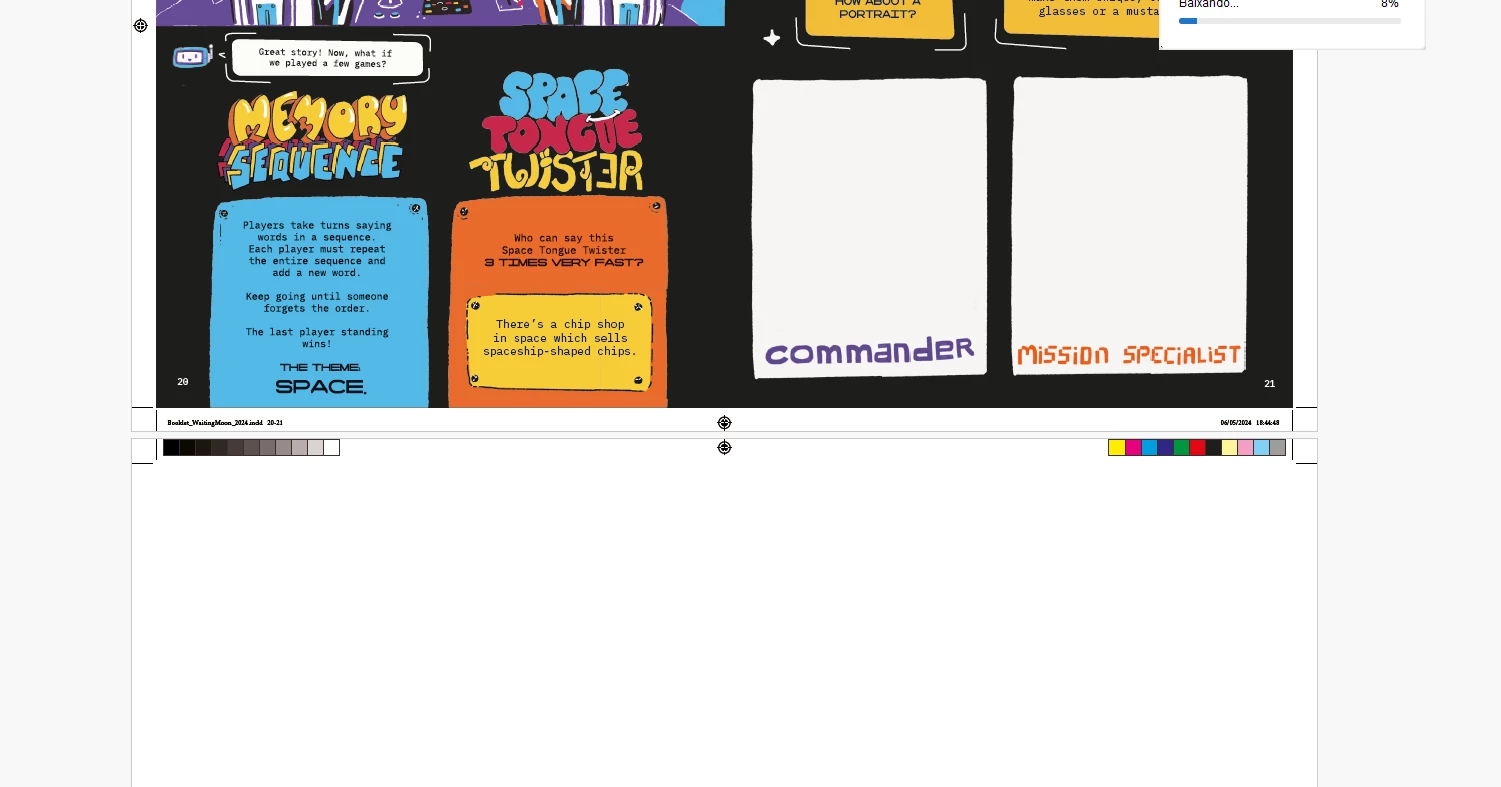
The file has 36 pages and spreads 22-23 wont show up on the pdf file; It's all white. 
Anyone? 


This topic has been closed for replies.

4 replies

BobLevine
Community Expert
May 7, 2024

In Acrobat, turn on overprint preview.

Robert at ID-Tasker
Brainiac
May 6, 2024

@lightwoodies


Try PDF/X-4.


Steve Werner
Community Expert
May 6, 2024

Tell us more about your system: Please tell us what operating system (exactly) you're running. Please tell us (exactly) what InDesign version you're using.


Please provide a screen capture of the spread as it appears in InDesign, and another one showing how the spread looks in the PDF. What exact content is on that page. Does it include content placed from another application. If so, which application(s)


Mike Witherell
Community Expert
May 6, 2024

What does your pages panel show?

Are you exporting to a print pdf? What settings?

Mike Witherell
