Participant
February 25, 2015
Answered

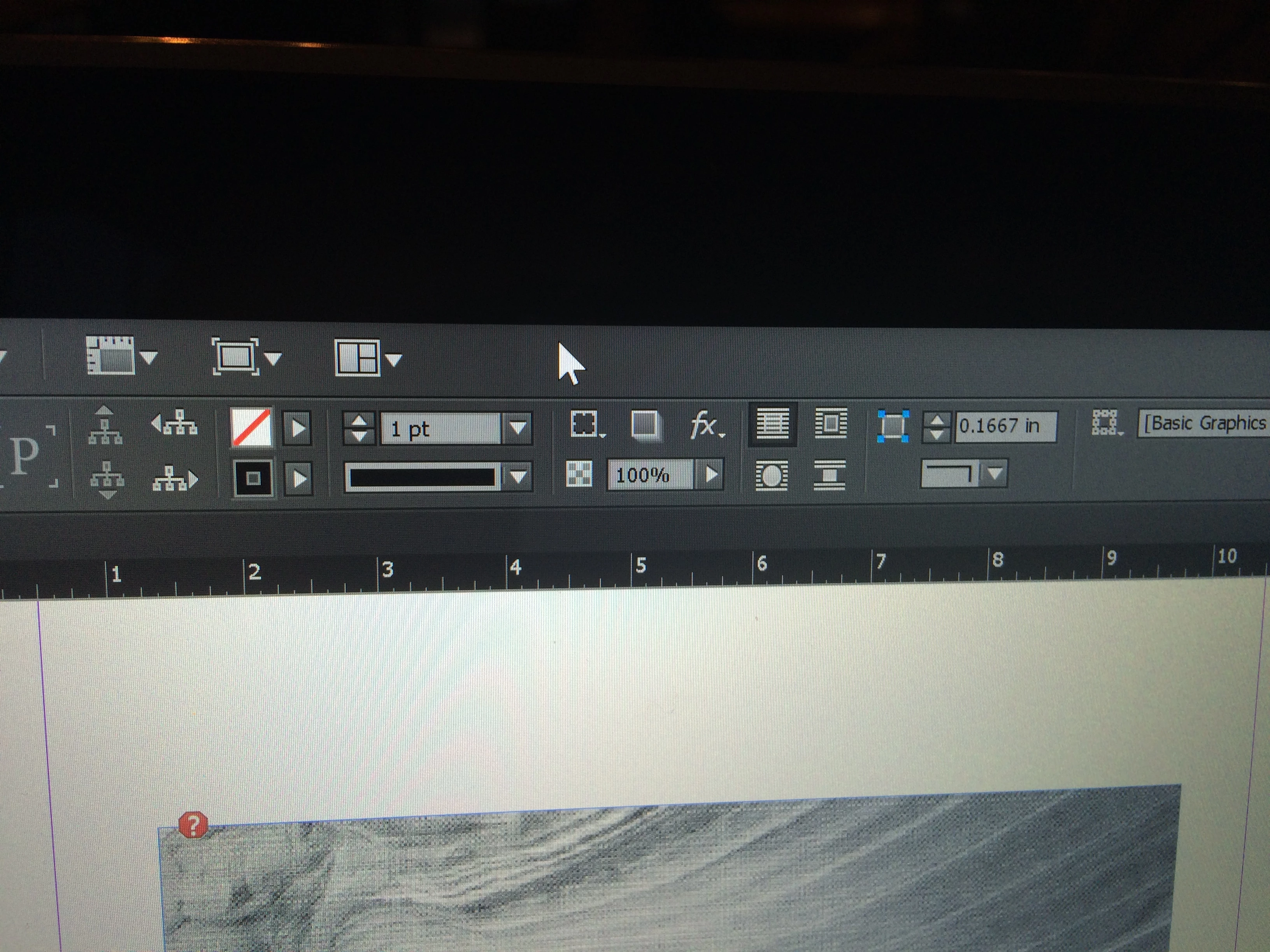
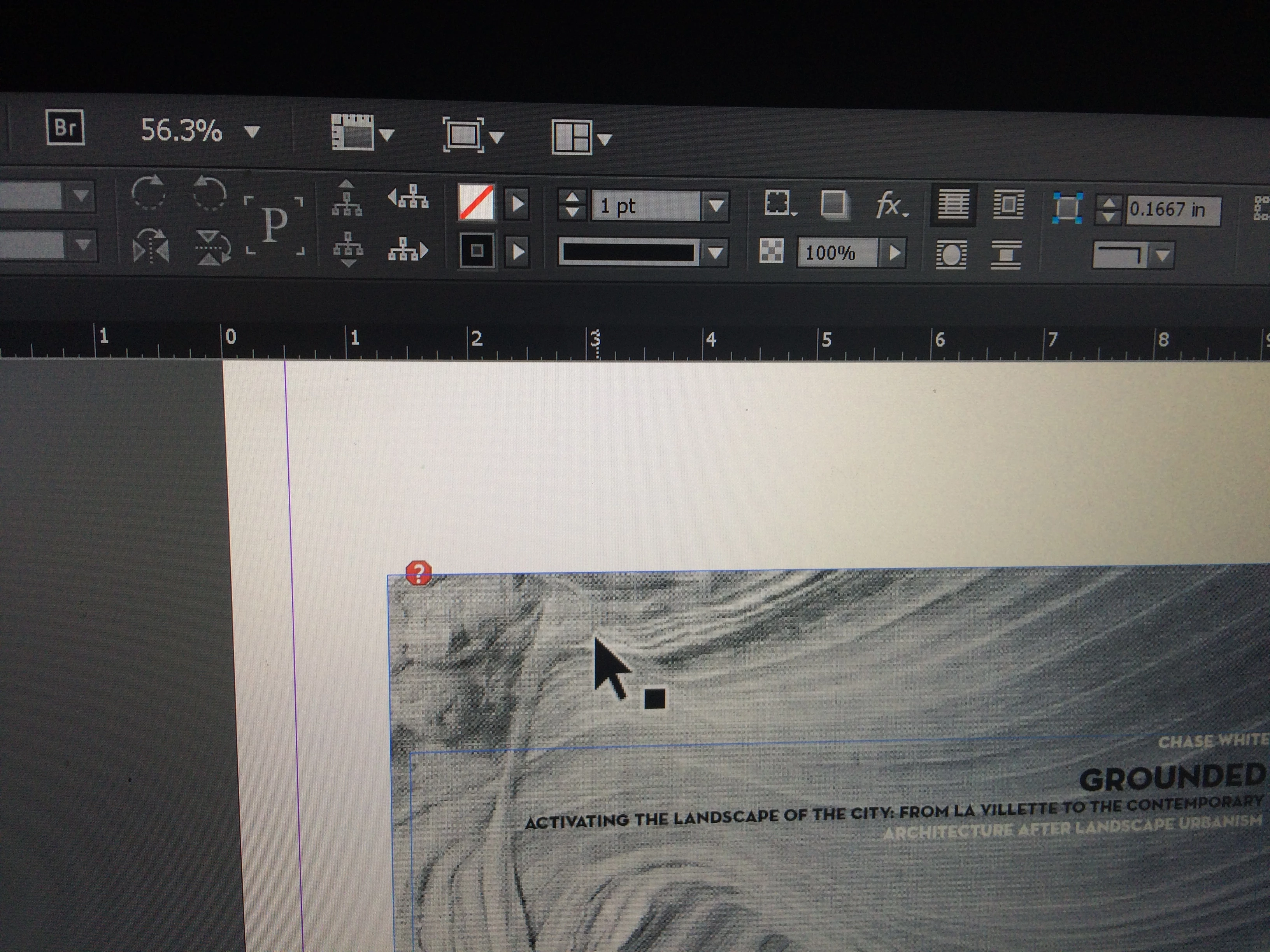
Why is the mouse pointer huge in InDesign?

  • February 25, 2015
  • 12 replies
  • 41483 views

I just updated InDesign CC 2014 and now my mouse pointer appears huge in the InDesign interface.  It appears normal size when hovering over toolbars though.  I have attached two images to show what I am describing.  The mouse pointer also appears normal size in other Photoshop, Illustrator and everywhere else in my PC, so I'm pretty sure the problem was caused by the update.  The huge mouse pointer appears in all InDesign files, so I know it's not a file related issue.  Any ideas on how to get it back to normal?
This topic has been closed for replies.
Correct answer ianf46065209

There is another thread here:@ Illustrator CC 2014 interface size too big.

Please follow the instructions:

  • Close all Adobe applications.
  • Right click on "my computer" icon
  • Click properties
  • Select Advanced System Settings or Advanced Tab (Based on your OS)
  • Click on the "Environment Variables..." button.
  • Click New... button on System Variables section, You can also set this in User Variables section, if you would like to keep the change limited to current logged in user
  • In the "New system variable" dialog, enter UI_SCALE_FACTOR in variable name field
  • Enter 1 in the Variable value field
  • Click OK

Launch InDesign and check if it is resolved.

12 replies

Participant
March 24, 2020

Tried this and the UI scaling solution and no change.  Does anyone else have anything else?

lisam17026619
Participant
May 14, 2015

Hey Guys,

Just found another really easy way to update this, go into Indesign and click Edit> Preferences> UI Scaling

If the button is ticked and option: Scale to higher Supported Scale is selected then changed this to Scale to lower supported scale and click ok.

Restart Indesign and it should be fixed.

Cheers!

Participant
May 14, 2015

That worked for me and so quick and easy.... Thank you!

Participant
April 16, 2015

Same problem here. Mouse icons are huge in InDesign only, not other apps, but not when hovering over tool panels, etc. Only when hovering over the document. Still have not found a solution? I have been just living with it for weeks now. This started happening long after installing the software and new operating system. Seems random. Not clue what caused it all of the sudden.

Participating Frequently
April 24, 2015

Variable worked for me also.

Thank you,

edsager

ianf46065209Correct answer
Participant
March 12, 2015

There is another thread here:@ Illustrator CC 2014 interface size too big.

Please follow the instructions:

  • Close all Adobe applications.
  • Right click on "my computer" icon
  • Click properties
  • Select Advanced System Settings or Advanced Tab (Based on your OS)
  • Click on the "Environment Variables..." button.
  • Click New... button on System Variables section, You can also set this in User Variables section, if you would like to keep the change limited to current logged in user
  • In the "New system variable" dialog, enter UI_SCALE_FACTOR in variable name field
  • Enter 1 in the Variable value field
  • Click OK

Launch InDesign and check if it is resolved.

Participant
May 6, 2015

Totally worked!! THANK YOU!!!

Participant
March 5, 2015

I just chatted with Adobe and they were able to connect to my computer and FIX the issue. I had to wait about 15 minutes for a chat....but it is WORKING now! They said it is not happening to everyone...they are aware of the problem....working to resolve...and what they did was a work around to fix the mouse pointer size. Good luck!

Participant
March 7, 2015

Hi! Can you tell us how they fixed? Thanks!

(I have the same problem on a Surface Pro 3)

Participant
March 5, 2015

having the same problem . Can't fix it either

Participant
March 5, 2015

Ok I sorted it on mine anyway. I'm using windows 8

  1. Right Click on desktop
  2. Select 'Personalise'
  3. Select 'display' on bottom right
  4. Select 'Custom sizing options' in the centre of the window
  5. Change 'Scale to this percentage of normal size' to 124%
  6. Click ok

Hopefully that will work for you guys too

B

sunjanhuang
Participant
March 5, 2015

Same problem for me too.  Driving me crazy!

Participant
March 3, 2015

I have the exact same issue and cannot find a solution. Would be great if anyone could help...???

Participant
March 2, 2015

Just installed on Windows 8 machine -- the pointer in InDesign is HUGE, annoyingly so.  No one has found how to adjust it?