


Participating Frequently
August 21, 2017
Answered

Wide picture over 2 columns text

  • August 21, 2017
  • 2 replies
  • 2682 views

Hello guys,
Many thanks to help me 'cause I'm stuck with this so  common problem...

My page contains a 2 colums text and I have sometimes to place a wide picture (2 columns width) over it.
I configured this picture with "Text Wrap" as "Wrap around objet shape".
The text continues to flow below the picture, it's awful and unreadable...
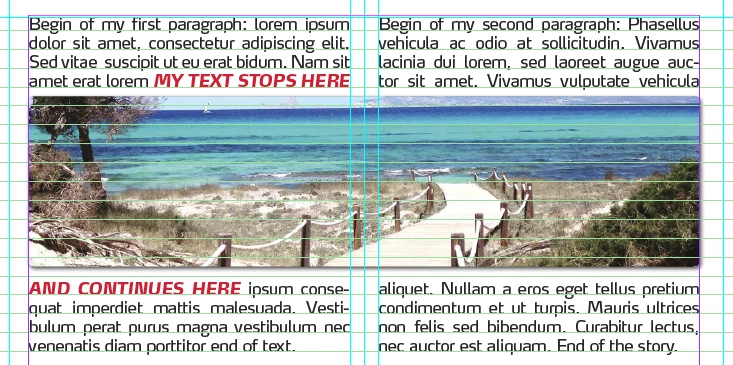
I need your expertise and your tricks to make my text flowing to the 2nd column ABOVE the wide picture.
What do I have to change : the text-block settings or the image-settings, and how ?
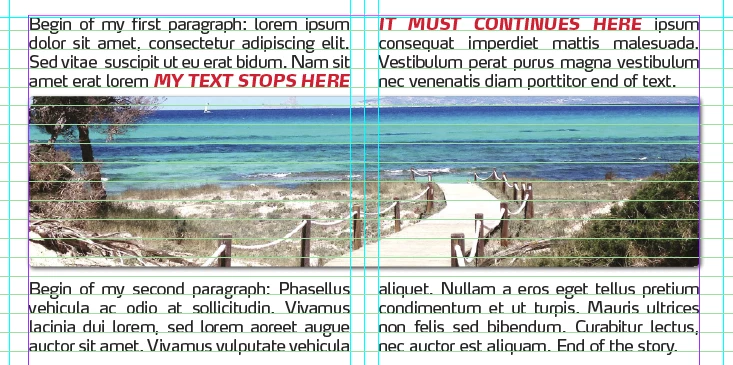
Many thanks in advance 😉

    This topic has been closed for replies.
    Correct answer BobLevine

    How is that two columns being achieved? Is it a two column frame or two one column frames?

    It should be done using a two column frame. You can then use the span columns feature on those paragraphs. Create a paragraph style to make it easy to apply.

    2 replies

    Community Expert
    August 21, 2017

    Hi Etienne,

    to illustrate what Bob said ( German InDesign ) :

    Use the span columns ( Spaltenspanne in German ) feature for the paragraph that is holding the image. Here set to all columns.

    No need to use text wrap.

    Regards,
    Uwe

    Participating Frequently
    August 21, 2017

    Danke Uwe,
    Sorry to not continue in German,  let me retry this "span columns" feature I already tested without success...

    Community Expert
    August 21, 2017

    EtienneEver  wrote

    Danke Uwe,
    Sorry to not continue in German,  let me retry this "span columns" feature I already tested without success...

    The trick here is to insert the image in an extra paragraph and format exactly that paragraph with span columns.

    Best,
    Uwe

    BobLevine
    BobLevineCorrect answer
    Community Expert
    August 21, 2017

    How is that two columns being achieved? Is it a two column frame or two one column frames?

    It should be done using a two column frame. You can then use the span columns feature on those paragraphs. Create a paragraph style to make it easy to apply.

    Participating Frequently
    August 21, 2017

    Thanks BobLevine,

    My page consisted on ONE text-block splitted in 2 colums via the "text frame option" via this option :