New Participant
November 3, 2020
Answered

Apostrophe Spacing Issue with Font Adobe Myungjo Std.

  • November 3, 2020
  • 4 replies
  • 2634 views

Hello everyone,


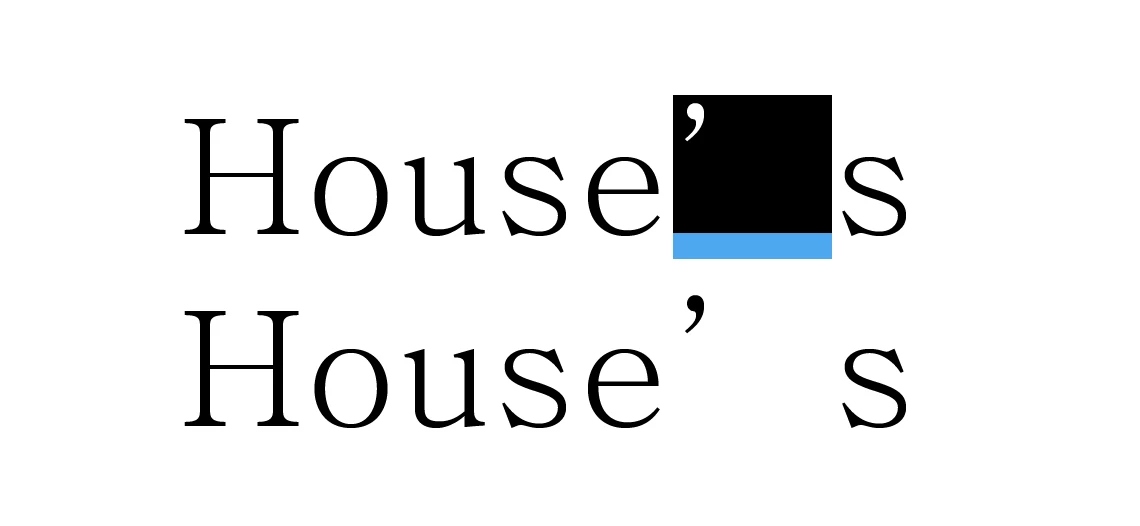
I frequently use the font Adobe Myungjo Std, but I cannot figure out why there is large spacing after an apostrophe, making it look like the last letter is not part of the word.

Searched similar fonts and same issue comes up with Adobe Ming Std, Adobe Song Std and SimSun.

Has anybody encountered a similar issue or is this a bug?

Thanks in advance.
This topic has been closed for replies.
Correct answer Laubender

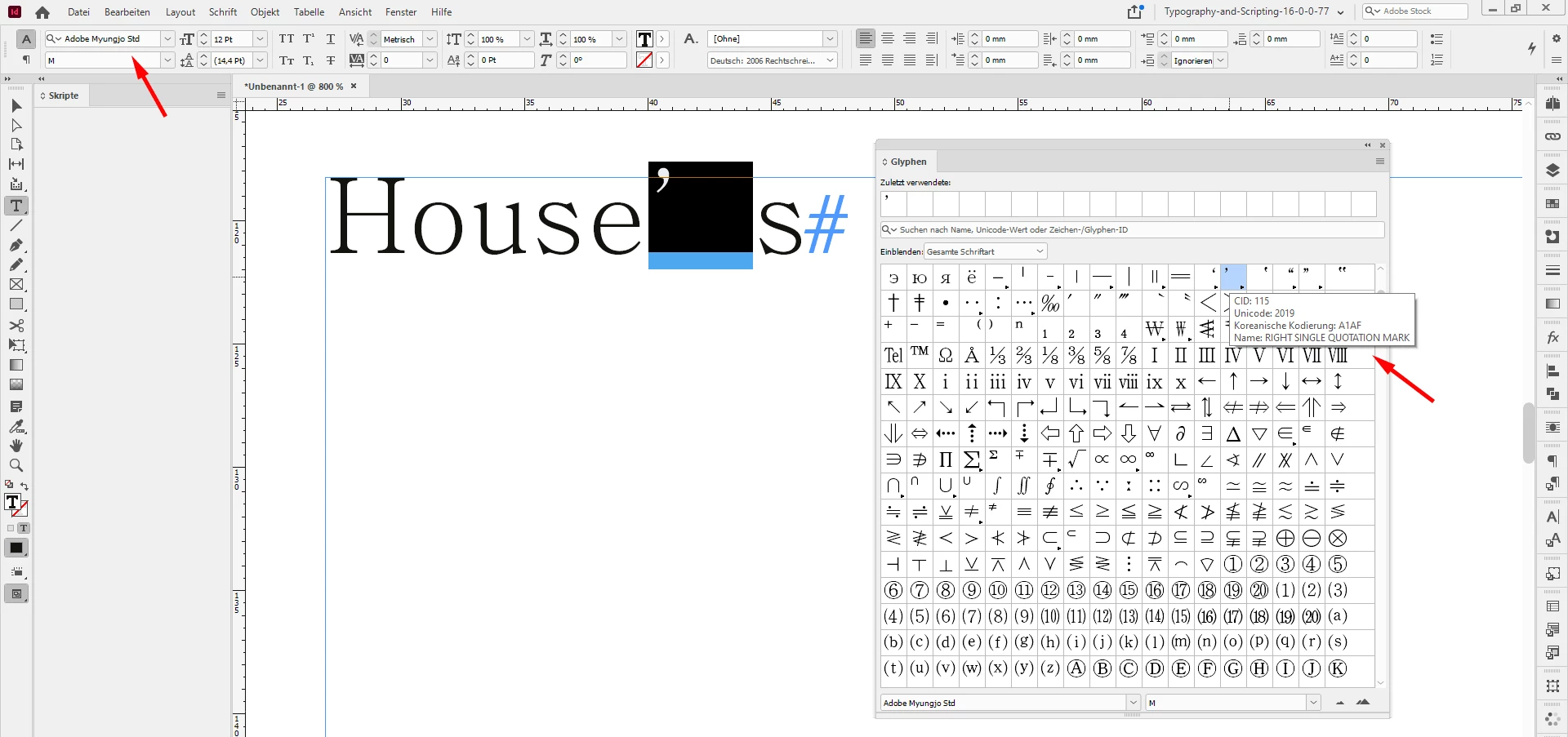
You could look up the glyph in the Glyphs Panel. As far as I can see from your screenshot, this could be the glyph you are currently using:


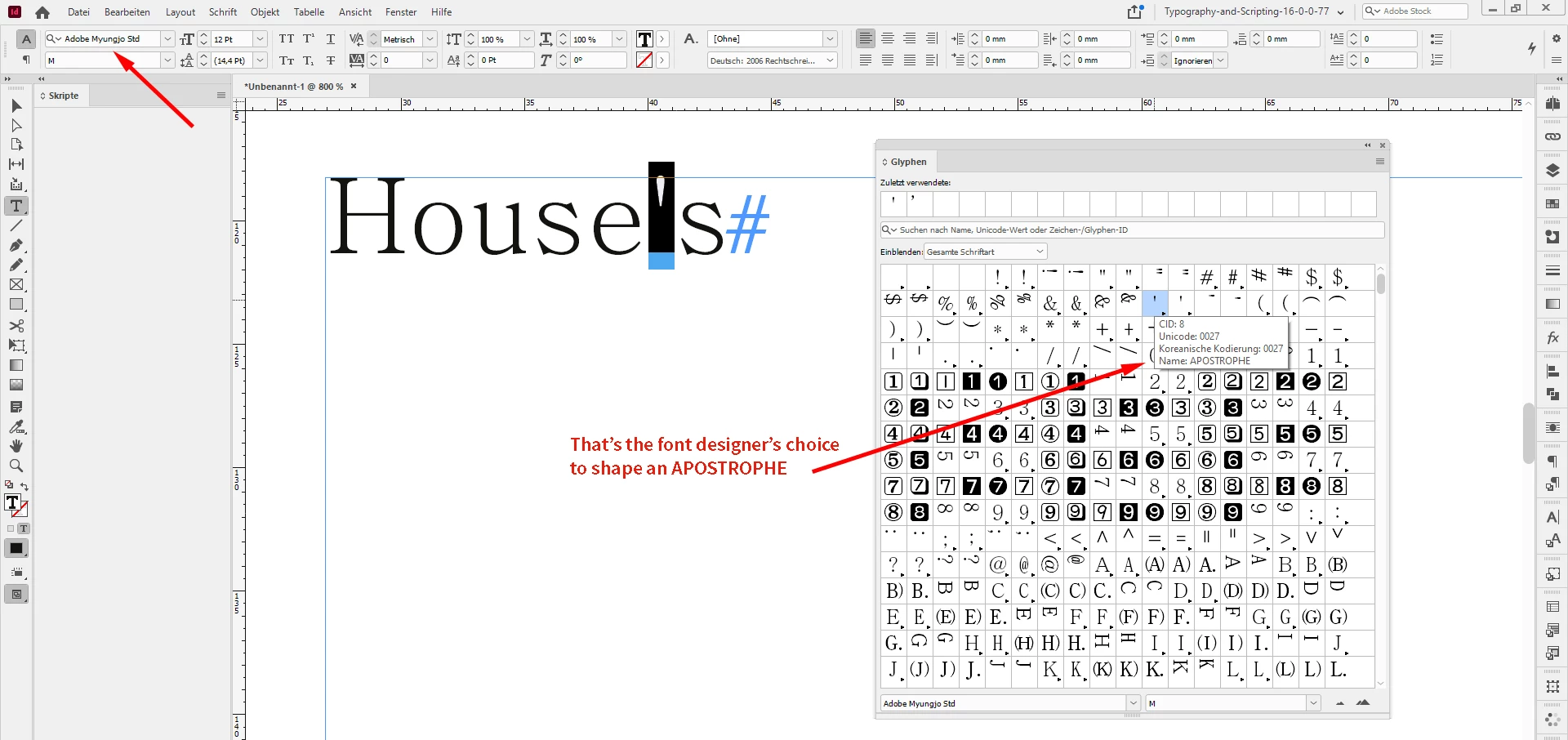
And this one is the designer's choice to shape the glyph APOSTROPHY:


All screenshots from my German InDesign 2021 on Windows 10.


Regards,
Uwe Laubender

( ACP )

4 replies

Anna5EEDAuthor
New Participant
November 4, 2020

Thank you for the help, ended up swapping the glyph for the correct one.

LaubenderCorrect answer
Community Expert
November 4, 2020

You could look up the glyph in the Glyphs Panel. As far as I can see from your screenshot, this could be the glyph you are currently using:


And this one is the designer's choice to shape the glyph APOSTROPHY:


All screenshots from my German InDesign 2021 on Windows 10.


Regards,
Uwe Laubender

( ACP )

Community Expert
November 4, 2020

Hi Anna,

this is no bug. It's as designed from the font designer. This character is no apostrophy, it's a RIGHT SINGLE QUOTATION MARK for Korean scripts.


Regards,
Uwe Laubender

( ACP )

vladan saveljic
Inspiring
November 4, 2020

This is screenshot from

https://fonts.adobe.com/fonts/adobe-myungjo#fonts-section

I would change the font