



Captions are being separated into multiple figures in list of figures...HELP!
Problem 1:
I have created a list of figures from 1 paragraph style. Some of the captions are being spliced into multiple figure numbers. For my work, the caption style should include periods between the 'sections' of each caption ie: ("Wear on a door latch, by Ian Foster. Reprinted from 'Abstract Minimalism,' photo by Ian Foster. Retrieved from: abstractminimalism.blgospot.com/. ) I found with Figure 1, that if I remove the period punctuation, the caption is seen as 1 figure number. Is there a way around this without manually removing period punctuation from 100+ figures in my document?
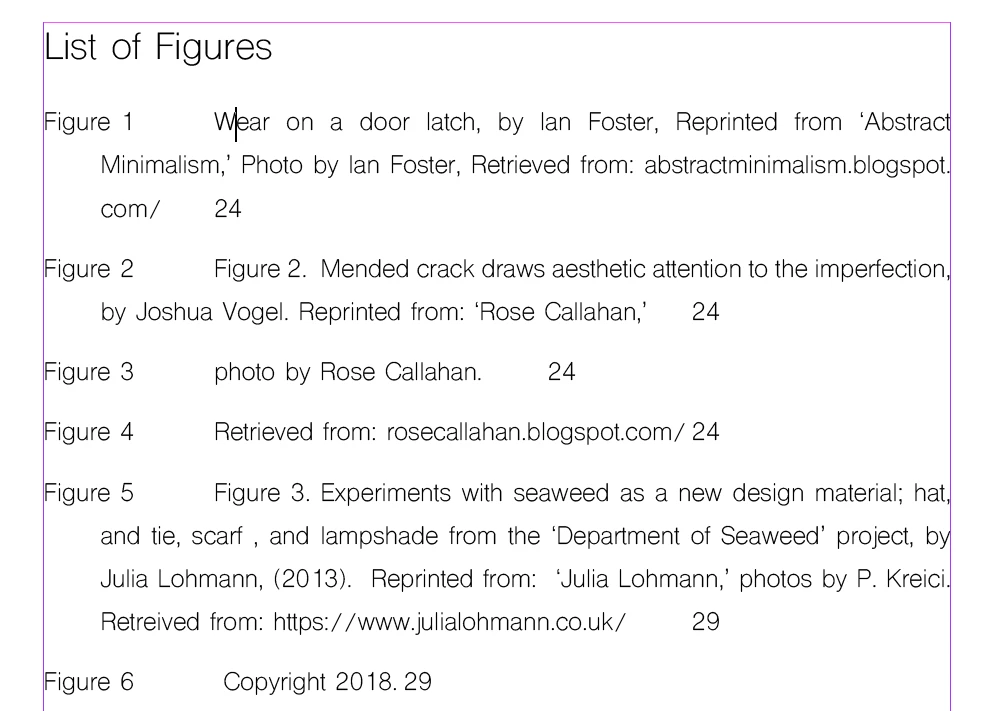
Problem 2:
The 2nd line in the list of figures will not align to the first line. Under bullets and numbering:
alignment: left
left indent: 1cm
first line indent: -1cm
tab position: this does not have any effect, no matter what value I input....
Problem 3:
When editing the List of Figures paragraph style Tab option in order to align the page number to the right margin, (with dots in between), the right justified tab cursor (all the tab cursors for that matter) only alter the first line of the listed caption, and do not push the page number to the right margin.
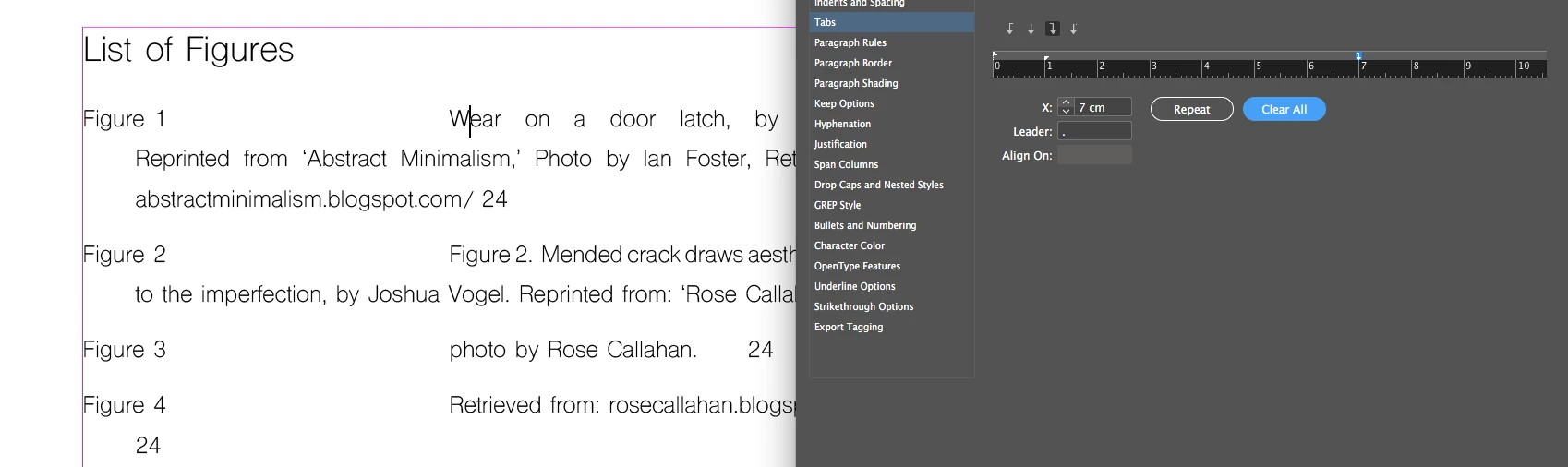
Please help, and thanks in advance!!!
Haley
 AdChoices