


Participant
September 3, 2018
Question

Export PDF - Problème fonds perdus.

  • September 3, 2018
  • 5 replies
  • 2686 views

Bonjour à tous,

Je suis occupée à faire une brochure.

Infos document INDD : A4 paysage, page en vis-à-vis, fonds perdus 3mm.

Au moment de l'export en PDF pour l'impression, je fais ceci :
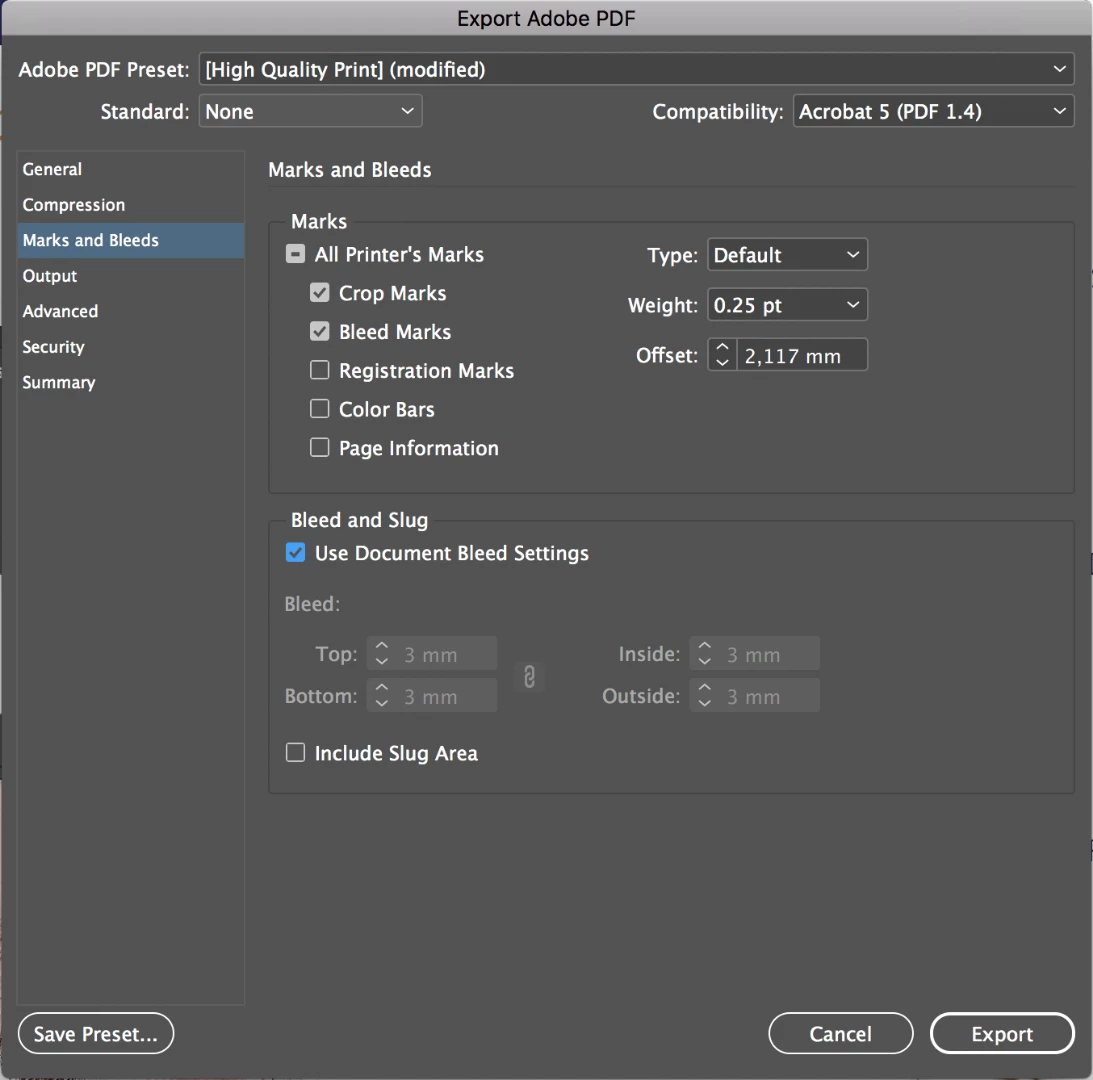
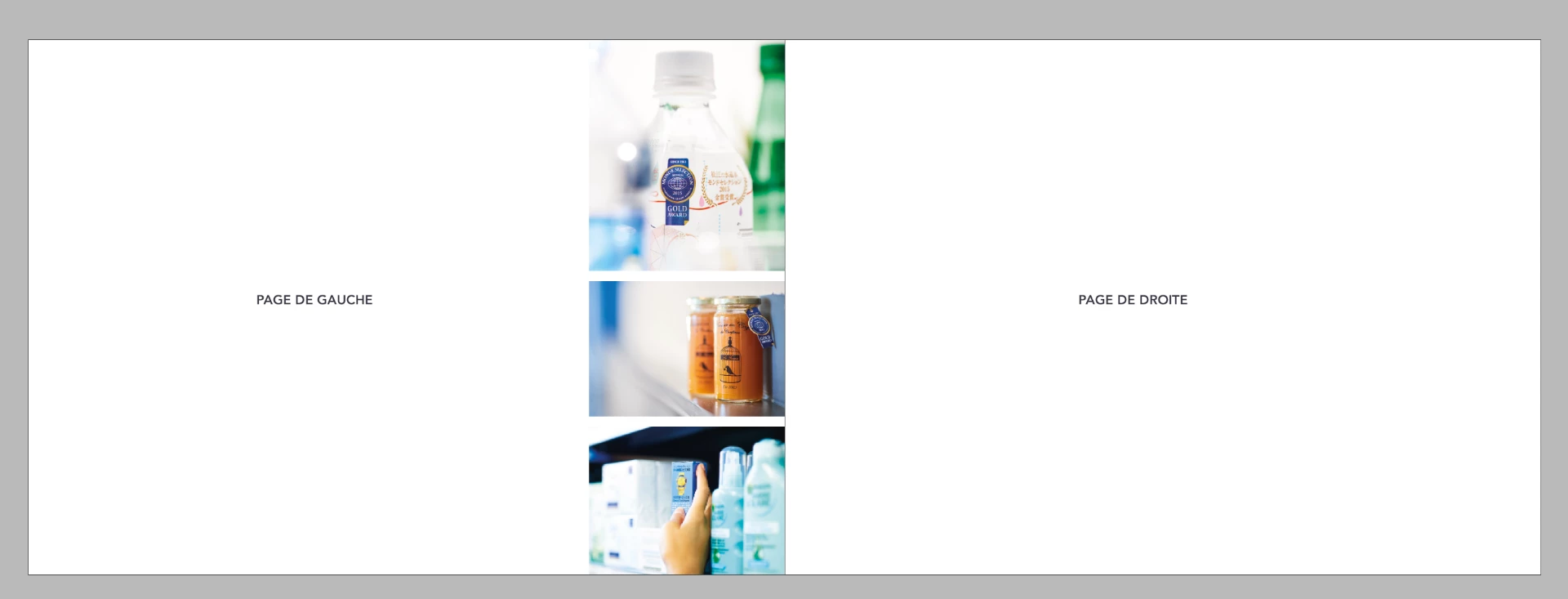
Quand j'ouvre mon document PDF et que je vais sur une page avec des images à bords perdus, mes fonds perdus ne sont pas présents. (voir photo suivante).

Mais les bords perdus de la page de gauche apparaissent dans les fonds perdus sur la page de droite.

Pour mieux illustrer, mes pages gauche et droite :
Merci pour vos réponses, j'espère que j'ai réussi à me faire comprendre 😕😕

Belle après-midi

This topic has been closed for replies.

5 replies

AM_HuAuthor
Participant
September 4, 2018

Thanks everyone !

I contact my printer because I don't find an answer in time.

For him the document seems correct. This is because the pages are not on board. And if I want edges lost on all sides, I would have to do my document page by page, which is not possible when there is a lot of page...

Thank you for your help !

barbara_a7746676
Community Expert
Community Expert
September 4, 2018
if I want edges lost on all sides, I would have to do my document page by page

Seems like the change could be made by changing the bleed settings in File > Document Setup.

winterm
Legend
September 4, 2018

Yes, inner bleed can be set to zero: I said this two times earlier, then Uwe echoed once, now you joined the club

Is There Anybody Out There? ©

The fact is the inner bleed can be left equal to other three, or set to zero just for someone's peace of mind - it's irrelevant. You won't fix nor break anything doing (or not doing) this.

Unless you're making a spiral bound work, as Uwe mentioned. But that's a different story, requiring a bit different technique.

Even bleed marks are optional, and can be omitted, as per vinny38's comment.

What a long thread about nothing.

if I want edges lost on all sides, I would have to do my document page by page

I read this a bit differently. May OP want to cut off all data that exceeds the document limits during export? Including bleeds that are made? Then in Export PDF window, Marks and Bleeds tab, uncheck Use Document Bleed Settings, and manually set all bleeds to zero.

barbara_a7746676
Community Expert
Community Expert
September 3, 2018

You could consult with your print vendor to find out which solution they prefer, taking into consideration the binding method and so forth.

vladan saveljic
Inspiring
September 3, 2018

everything is OK

1) my indesign file:

2) my pdf file:

barbara_a7746676
Community Expert
Community Expert
September 3, 2018

I meant that I would take a look at it for you if you upload the InDesign file, not just screen shots.

winterm
Legend
September 3, 2018

Yes, I see now that the problem is that the image is touching the spine. Sorry I missed that.

In the  Pages panel, select the spread. Remove the check mark from Allow Selected Spread to Shuffle.

Then press and hold on the right hand page and pull it to the right to separate it from the left page.

Then create the PDF.


Barbara, not necessarily 'touching'. It just enters in 3 mm bleed area, and this is enough to show it as a bleed on the right page of the spread. And we don't need to fix anything here, it's just an expected behavior. You won't frighten a printer with such bleeds

barbara_a7746676
Community Expert
Community Expert
September 3, 2018

I cannot replicate this problem and I do not think that it is normal..

First make sure that you have the newest releases of the software: InDesign 13.1 and Acrobat 2018.011.20058.

Try closing InDesign, reopening it and recreating the PDF.

If that doesn't work, try resetting the preferences file in InDesign. Set preferences in Adobe InDesign

If that doesn't work, try uninstall / reinstall the software.

If that doesn't work, try uninstall / reinstall the software using the Adobe CC Cleaner Tool. Use the Creative Cloud Cleaner Tool to solve installation problems

vinny38
Legend
September 3, 2018

Hi Barbara.

Why do you think this would not be normal?

Did I miss something obvious or... maybe you got confused by the (unnecessary) bleed marks?

Not sure what the "problem" was in the first place anyway...

@am_hu

Je ne suis pas certain de comprendre ce qui te chiffonne en fait... "Repères de fond perdu" (bleed marks) est inutile en général.

Est-ce ce qui te pose problème ? Tes fonds perdus sont bien présents, en haut et en bas, là où l'imprimeur va massicoter.

barbara_a7746676
Community Expert
Community Expert
September 3, 2018

Hi Vinny38. I don't think it is normal because I cannot replicate the problem.  When I create a PDF using the same settings you describe, the PDF turns out fine and the bleed areas are not separated -- and I've never seen this happen before. As an Adobe instructor for over 20 years, I've seen plenty of strange things, but I've not seen this one. There is nothing wrong with your settings. There is nothing obviously wrong. That is why I suggested some general trouble-shooting.

If you can upload the InDesign file, I'll take a look at it for you.

vinny38
Legend
September 3, 2018

Bonjour

C'est un comportement tout à fait normal et ton imprimeur saura gérer les petits fonds perdus lors de l'imposition.

Pas de souci ^^