


abacuetes
Participant
April 5, 2017
Answered

I can't open PDF files that I used to be able to open up on my computer?

  • April 5, 2017
  • 1 reply
  • 913 views

When I open up PDF files  - that I have created on my own computer - this prompt pops up
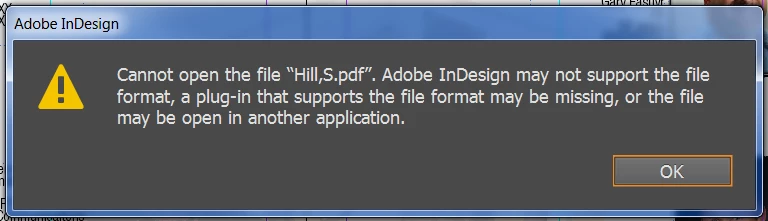
What does this mean? Because I use to be able to open these files.

This is also the same prompt that pops up when I want to try to export my Indesign file to a PDF version.

Please help!
    This topic has been closed for replies.
    Correct answer winterm

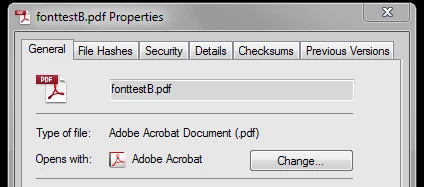
    Did you try to fix associations? On Win7: right click (or hit Alt+Enter) on any pdf file, choose Properties. In General tab Change the app that opens pdf from ID to Acrobat (Reader):

    1 reply

    Legend
    April 5, 2017

    InDesign has never been able to open PDF files. You should be able to Place them in InDesign, or open them with Acrobat (or Acrobat Reader).

    I don't know why you would get that error when trying to Export as PDF, though.

    abacuetes
    abacuetesAuthor
    Participant
    April 5, 2017

    Thank SJRiegel. So here's the thing. If I double click open the pdf file from my desktop. It opens InDesign and then prompts me with that box. If I "Open with...Adobe Reader" the file opens just fine.

    Thoughts?

    winterm
    wintermCorrect answer
    Legend
    April 5, 2017

    Did you try to fix associations? On Win7: right click (or hit Alt+Enter) on any pdf file, choose Properties. In General tab Change the app that opens pdf from ID to Acrobat (Reader):