Laubender wrote just place the InDesign document(s) of the business cards on a page. |
Do I need to manually lay out every page manually in the new document using this method?
Real world problem: 32 name cards to be inserted in plastic lanyard pockets. Client wants to print these on their own A4 printer, which they don't know how to use very well.
How can I (with Adobe CC and late model Mac) simply produce a 4 page PDF with the name cards laid out 8up on each A4 sheet?
I can't seem to do it in Acrobat. And following this thread would tend to suggest I need to:
- make a second ID document
- place 8 correctly sized frames on a Master Page
- create 4 new pages
- manually place the original file 32 times, selecting the appropriate page each time
Is that what people are suggesting? Surely there's a better way???
puffmoike wrote Laubender wrote just place the InDesign document(s) of the business cards on a page.
Do I need to manually lay out every page manually in the new document using this method? Real world problem: 32 name cards to be inserted in plastic lanyard pockets. Client wants to print these on their own A4 printer, which they don't know how to use very well. How can I (with Adobe CC and late model Mac) simply produce a 4 page PDF with the name cards laid out 8up on each A4 sheet? I can't seem to do it in Acrobat. And following this thread would tend to suggest I need to: - make a second ID document
- place 8 correctly sized frames on a Master Page
- create 4 new pages
- manually place the original file 32 times, selecting the appropriate page each time
Is that what people are suggesting? Surely there's a better way??? |
Hi puffmoike ,
are all the 32 cards in one PDF file?
Then you could place them also with one single placing action. One click for every card. 32 clicks in all.
Here is how:
1. Do a new InDesign document with 4 pages
2. Add 8 correctly sized frames on a Master
3. Maybe do frame fitting options to Fill Frame Proportionally:
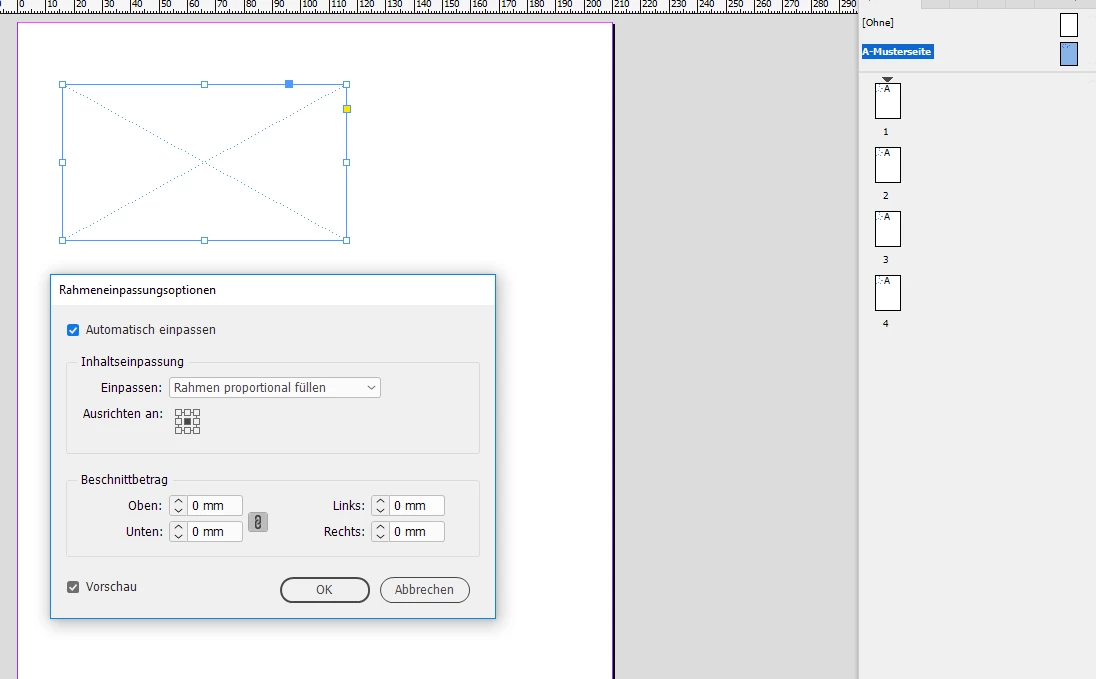
Now load the PDF to your place gun. Do All Pages in the Placing Options:
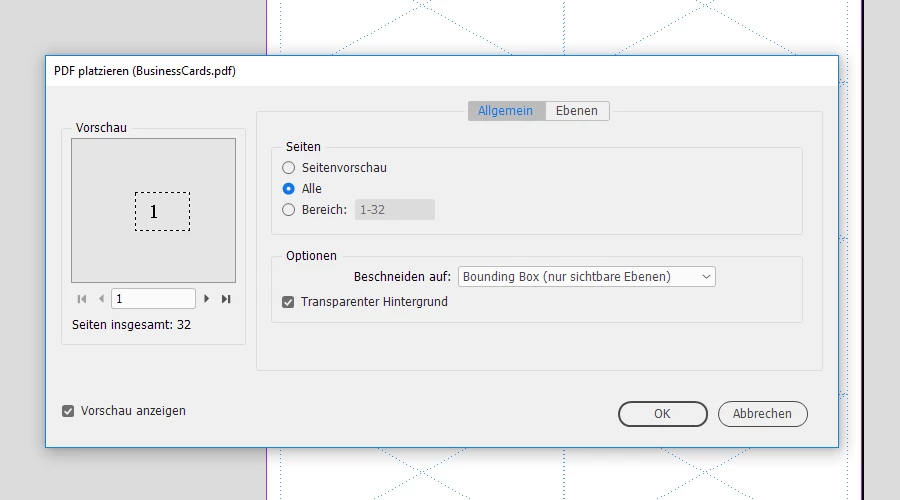
That would load all PDF pages as single assets to the place gun.
Hover above a prepared frame on a document page. Do one click to place the PDF page. One after another. Just 32 clicks.
Regards,
Uwe




 AdChoices