


New Participant
July 21, 2017
Answered

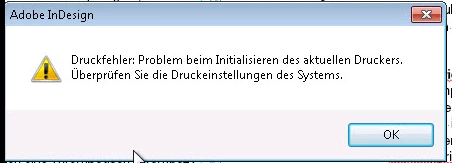
Printing error: Problem with initializing the current printer. Check the print settings of the system.
  • July 21, 2017
  • 3 replies
  • 3188 views

I am using adobe indesign cs6 8.0 German based application in my windows 7 32 bit platform machine but while printing any file from indesign i am getting the above error.

Can anyone help me with any resolution to it

    This topic has been closed for replies.
    Correct answer ams_gis

    I followed the below steps and the issue is resolved.

    1. Go to File-> click Print Presets

    2. click Define -> click Edit

    3. Change Printer: If it was Postscript files or PDF change to -> Default Printer(or actual printer that you have).

    4. Click OK button Click OK button again.

    5. go to Print Booklet and Click Print Settings

    6. Change Printer: Adobe PDF and print...

    3 replies

    ams_gisAuthorCorrect answer
    New Participant
    July 24, 2017

    I followed the below steps and the issue is resolved.

    1. Go to File-> click Print Presets

    2. click Define -> click Edit

    3. Change Printer: If it was Postscript files or PDF change to -> Default Printer(or actual printer that you have).

    4. Click OK button Click OK button again.

    5. go to Print Booklet and Click Print Settings

    6. Change Printer: Adobe PDF and print...

    July 21, 2017

    If ohmnath's advice doesn't help, give more information:

    Which printer?

    Connected with USB or LAN?

    Printing with all your other programs is ok?

    Printer driver by Microsoft or by the manufacturer?

    Since when does the error occur?

    Did you install something recently, that could possibly affect the printer driver?

    Fenja

    Om Nath Jha
    Brainiac
    July 21, 2017

    Hi there,

    Please check with a different printer. If that's not possible, you can use Adobe PDF as a printer and export or print the document as PDF and then try to print. Do share your findings.

    Regards,

    Om