johnrellis
Legend
July 2, 2018
Question

P: Truncated fields and font glitches in Metadata panel

  • July 2, 2018
  • 68 replies
  • 6456 views

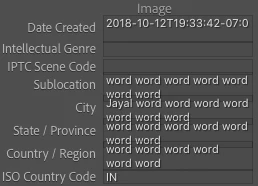
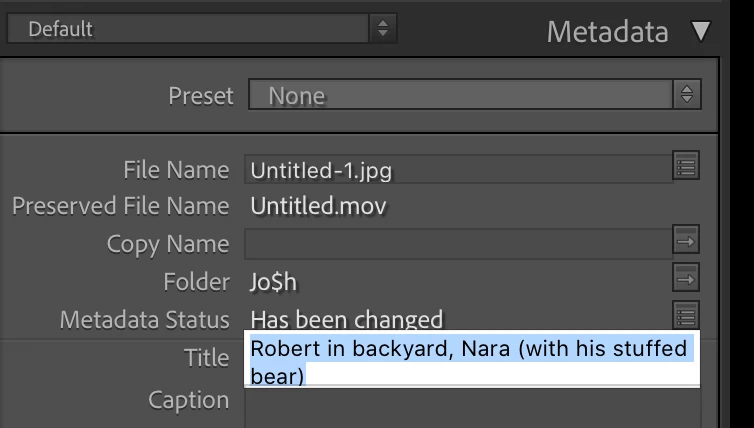
The Metadata panel has some glitches in LR 10 / Mac OS 10.15.5 with the new fonts:
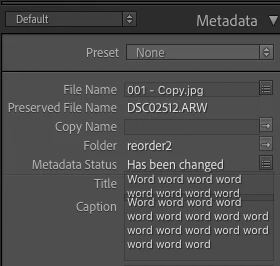


And some fields don't display their last line (off by one error?):
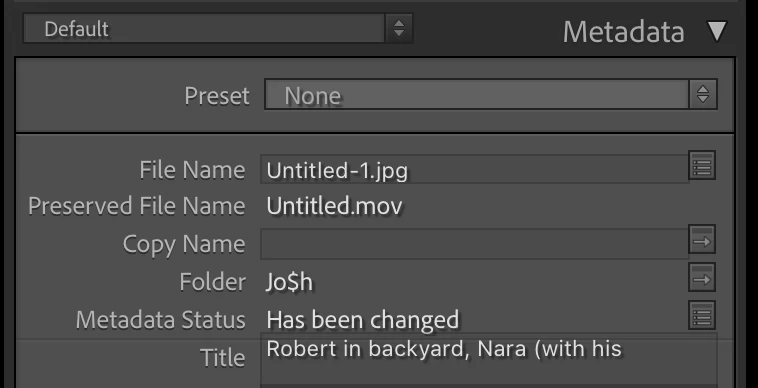
 
To reproduce this, try changing the width of the panel.
 
 
About the fonts in LR 10, the Lightroom Queen wrote: "[T]he font has been updated throughout the app, to use Adobe’s newly standards. While many formatting issues have already been identified and fixed, you might still find a few odd gremlins or spacing issues."
 
 
Here's another example, with a custom metadata tagset:
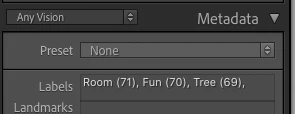
 
Here's the definition of that tagset:
return {title = "Any Vision",id = 'anyvision',items = {
     {"com.johnrellis.anyvision.labels", height_in_lines = -1},{"com.johnrellis.anyvision.landmarks", height_in_lines = -1},{"com.johnrellis.anyvision.locations", height_in_lines = -1},{"com.johnrellis.anyvision.map"},{"com.johnrellis.anyvision.logos", height_in_lines = -1},{"com.johnrellis.anyvision.faces", height_in_lines = -1},{"com.johnrellis.anyvision.text", height_in_lines = -1},{"com.johnrellis.anyvision.safeSearch", height_in_lines = -1},"com.johnrellis.anyvision.dominantColor","com.adobe.separator",{"com.adobe.caption", height_in_lines = -1},"com.adobe.GPS"}}

68 replies

Participating Frequently
August 21, 2022

LrC 11.5 Mac, still not fixed.  I'm so glad that Adobe switched to a subscription model so they could fix bugs quickly, instead of making everybody wait for the next major release...

Known Participant
August 19, 2022

It's no surprise, alas, but the recently released version 11.5 does NOT fix this issue on a Mac...sigh

Participating Frequently
August 10, 2022

This bug is **still* present: https://community.adobe.com/t5/lightroom-classic-bugs/p-truncated-fields-and-font-glitches-in-metadata-panel/idi-p/12419688


How many versions of Lightroom do we have to go through until this gets fixed?  I am now up to


Lightroom Classic 11.4.1

MacOS 12.5

Harald E Brandt
Known Participant
February 1, 2022

Not only the last line gets hidden, but sometimes also the last word on the visible content, see attached screen shots.

(macOS Monterey)

Exceptionally annoying!

Known Participant
November 2, 2021

After installing LrC on a Windows machine, I discovered that the issue seems to have been resolved for Windows users, but not on the Mac side. 😞

johnrellis
Legend
November 1, 2021

It's most likely a simple off-by-one programming error, and it's frustrating that it hasn't been fixed by now.


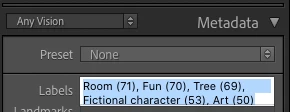
It sure would be nice to see the entire contents of captions and titles. And users of my popular Any Vision plugin would like to be able to see the last line of the Labels field without having to click in it and use the arrow keys to move the cursor to the bottom:


Known Participant
November 1, 2021

LrC version 11.0 also does not resolve this issue!

Inspiring
August 21, 2021

The recently released version 10.4 of LrC does not fix this issue, alas.  So I guess we’ll have to wait longer…hopefully it will be addressed at some point.

Inspiring
June 8, 2021

Same. Version 10.3 DID NOT fix this issue at all on Catalina 10.15.7. I find the lack of response on this issue from Adobe is very disturbing. 

Inspiring
June 8, 2021

Alas, the newly released version 10.3 does NOT fix this issue, at least not for me on a 27" iMac running Big Sur 11.3.1. For me, the behavior remains the same as it has been since LrC 10 was released.