


Inspiring
December 11, 2017
Answered

Adobe Crash Reporter Service keeps crashing every time open LR Classic or PS

  • December 11, 2017
  • 1 reply
  • 6705 views

The title says it all. I get the following:
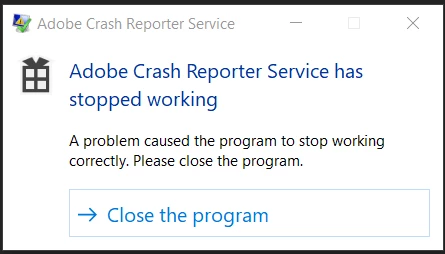
and I close the program and move onto either LR Classic or PS.

Happens EVERYTIME!

I'm using the latest version of these programs, and of Windows 10 Pro.

It's not stopping me from working, but it is really irritating, given that the initial irony has worn of!

Any help would be appreciated.

    This topic has been closed for replies.
    Correct answer Just Shoot Me

    See this thread.

    22.0.1: Crash Report Service Stopped Working

    There are 2 suggestions in that thread.

    1) Run as admin for the service that is crashing

    2) Do as I had to do and remove the CRWindowsClientServices.exe file out of each Adobe program folder into some other folder.

    It is all detailed in that thread

    1 reply

    Just Shoot Me
    Just Shoot MeCorrect answer
    Legend
    December 11, 2017

    See this thread.

    22.0.1: Crash Report Service Stopped Working

    There are 2 suggestions in that thread.

    1) Run as admin for the service that is crashing

    2) Do as I had to do and remove the CRWindowsClientServices.exe file out of each Adobe program folder into some other folder.

    It is all detailed in that thread

    bearspaAuthor
    Inspiring
    December 11, 2017

    Thanks, Just Shoot Me. Sett the file to Run as Administrator in the 3 instances on my computer worked perfectly.

    For some reason I was not notified by the site of your solution -- fortunately I checked back on my own. Notification wasn't in SPAM either. Oh well!