


Inspiring
November 19, 2024
Answered

Alignment Gridlines No Longer Showing Up

  • November 19, 2024
  • 1 reply
  • 969 views

It had always been for me that when in the Transform section and hovering my mouse over the sliders such as "vertical" and "horizontal," etc., gridlines would appear over my image, thus providing me a guide to how straight the objects in the image appear. All of the sudden, though, that no longer happens! I move my cursor there and just nothing happens. Any idea why and what to do about it? Thank you.
This topic has been closed for replies.
Correct answer Conrad_C

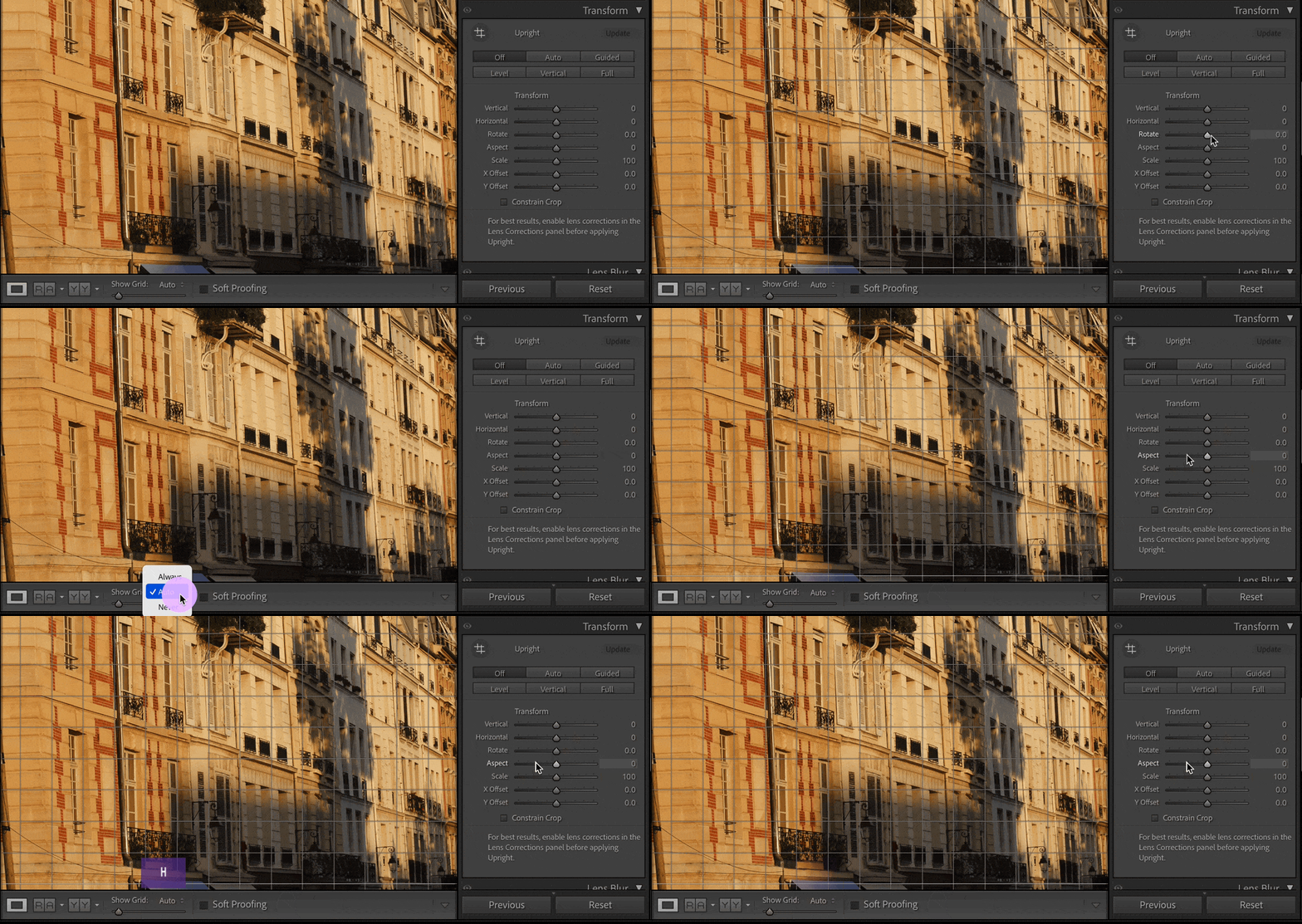
Grid line visibility is controlled by the Show Grid options in the Toolbar, which are the same as the commands on the Tools > Tool Overlay submenu. The H key toggles between the Auto Show and Never Show options, see the demo below.


If the Toolbar isn’t visible, choose the command View > Show Toolbar, or press the T key. The H key shortcut always works, even if the Toolbar is hidden, since it’s really a shortcut for the menu command Tools > Tool Overlay > Never Show. As you press the H key, you can see the Show Grid setting change on the Toolbar.


If you don’t know why this setting changed, what probably happened was that the H key was unintentionally pressed at some point, hiding the grid lines.


1 reply

Conrad_C
Conrad_CCorrect answer
Community Expert
November 19, 2024

Grid line visibility is controlled by the Show Grid options in the Toolbar, which are the same as the commands on the Tools > Tool Overlay submenu. The H key toggles between the Auto Show and Never Show options, see the demo below.


If the Toolbar isn’t visible, choose the command View > Show Toolbar, or press the T key. The H key shortcut always works, even if the Toolbar is hidden, since it’s really a shortcut for the menu command Tools > Tool Overlay > Never Show. As you press the H key, you can see the Show Grid setting change on the Toolbar.


If you don’t know why this setting changed, what probably happened was that the H key was unintentionally pressed at some point, hiding the grid lines.


Inspiring
November 20, 2024

Yup, the H button was all it took -- problem easily solved! The flip side of that is that It's kind of amazing, though, I think, how easy it is to inadvertently turn things off in this software. Thank you!