


Known Participant
July 11, 2025
Answered

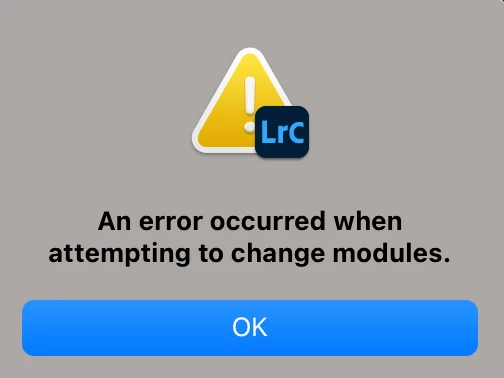
An error occurred when attempting to change modules

  • July 11, 2025
  • 4 replies
  • 2342 views

Problems with Lightroom Classic – ”An error occurred when attempting to change modules”. What to do?

I have a huge problem using lightroom. Suddenly I can not change modules. I can sometimes go to the module Web, Book or Map – but not to Develop or Library.


Tried calling Adobe Support but after 40 minutes the call got disconnected and I never got called back and the problem is unsolved. The supporter was trying making a second profile on my Mac and probably wanted to install another version on this profile to check if the computer is OK – I’v got no other problems on my brand new Mac. But since the call got disconnected we never ever finished.


Setup:
Mac Studio Apple M3 Ultra
Seqoia 15.5
RAM 96 GB
2 TB of free disk
Adobe Cloud installed on main disc


I tried uninstalling LR Classic three times. Booting, deleting temp-files, running Disc Doctor etc. EVERY time including repairing disc permissions of course – did not help.


I tried twice uninstalling the whole Adobe Cloud package – did not help either. Of course with booting’s after maintaince procedures.


I tried also renaming catalogues so I could start a brand new catalogue – but that did not help either.

Deleting the preferences-file did not help.


I have NO plugins installed.


I run CleanMyMacX and I have rune the Maintance several times and cleaned up System Junk – with no luck.


Please help me……
Correct answer yi_zheng8125

I solved this by unistall photoshop

please unistall your photoshop ,lr may confilict with ps ,then unistall acc .you can use clean my mac app do that and make sure it's clean 

then install them again, 1. acc ,2. lightroom ,then open lightroom app and you will find it's ok now.

4 replies

yi_zheng8125Correct answer
New Participant
August 26, 2025

I solved this by unistall photoshop

please unistall your photoshop ,lr may confilict with ps ,then unistall acc .you can use clean my mac app do that and make sure it's clean 

then install them again, 1. acc ,2. lightroom ,then open lightroom app and you will find it's ok now.

Known Participant
August 12, 2025

Seit 14.4 classic kommt dieser Drecksfehler. Was kann ich noch tun, als ständig alles neu zu installieren?

Brainiac
August 12, 2025

This user tried “everything”, the only thing that fixed the bug was re-installing the operating system.

https://community.adobe.com/t5/lightroom-classic-discussions/an-error-occurred-when-attempting-to-change-modules/td-p/15410536

Known Participant
August 12, 2025

Das kann aber die Lösung sein, das ich ein funktionierendes System deinstalliere.

New Participant
July 22, 2025

Have you managed to get this fixed at all? I've got the exact same issue. I was on web chats for 5 hours to Adobe yesterday then spoke to someone for an hour and a half today. In the end he said that it was a known issue to Adobe and theyre trying to fix it with an update. He has given me the link to this community chat and just told me to wait for an update. I'm in the middle of wedding season and cant edit without Lightroom. Feel like I've not had any real support from Adobe with this so hoping that someone in here might be able to help me get the issue fixed 


Known Participant
July 23, 2025

I solved - by reinstalling my computer 🥲

New Participant
July 23, 2025

When you say reinstalling your computer do you mean setting the computer back to factory settings? 


Sameer K
Community Manager
Community Manager
July 11, 2025

Hey, @KarstenJensen. Welcome to the Lightroom Community. I am sorry for the trouble you've had with this issue.

Did Lightroom close normally the last time it worked, or is this a fresh installation on this machine? Try these steps to get Lightroom to launch:

  • Reset Lightroom by holding the OPT + SHIFT when you launch Lightroom and select 'Yes'.
  • Ensure Lightroom Classic has the required permissions on macOS: https://adobe.ly/3DyUwsz
  • Go to the following location to launch Lightroom via the terminal.
    In Finder > Application Folder > Open Lightroom Classic Folder > Right-click on Lightroom .app > Show Package Contents > Contents > macOS > Lightroom—double-click to open.

Share the log of what you see in the terminal window when Lightroom Launches. 


Let me know how it goes. 

Thanks!
Sameer K

(Type '@' and type my name to mention me when you reply)

Known Participant
July 12, 2025

Dear @Sameer K Thank you very much for your kind feedback   

Resetting LR did not help.

Here is the Terminal log and screen shots showing full access to folder from LR Classic.

Last login: Sat Jul 12 14:28:32 on ttys000

karsten@MacStudeKarsten ~ % /Applications/Adobe\ Lightroom\ Classic/Adobe\ Lightroom\ Classic.app/Contents/MacOS/Adobe\ Lightroom\ Classic ; exit;

SPL-LOG-1002: starting logger thread 

[0712/144302.725523:WARNING:policy_logger.cc(148)] :components/enterprise/browser/controller/chrome_browser_cloud_management_controller.cc(88) Could not create policy manager as CBCM is not enabled.

objc[6751]: Class GUDEAsyncToken is implemented in both /Applications/Adobe Lightroom Classic/Adobe Lightroom Classic.app/Contents/MacOS/Adobe Lightroom Classic (0x1038b77f0) and /Applications/Adobe Lightroom Classic/Adobe Lightroom Classic.app/Contents/PlugIns/AdobeHeadlights.lrmodule/Contents/MacOS/AdobeHeadlights (0x14e60b158). This may cause spurious casting failures and mysterious crashes. One of the duplicates must be removed or renamed.

objc[6751]: Class MacGUDEUtils is implemented in both /Applications/Adobe Lightroom Classic/Adobe Lightroom Classic.app/Contents/MacOS/Adobe Lightroom Classic (0x1038b7840) and /Applications/Adobe Lightroom Classic/Adobe Lightroom Classic.app/Contents/PlugIns/AdobeHeadlights.lrmodule/Contents/MacOS/AdobeHeadlights (0x14e60b1a8). This may cause spurious casting failures and mysterious crashes. One of the duplicates must be removed or renamed.

objc[6751]: Class PlatformFileOStream is implemented in both /Applications/Adobe Lightroom Classic/Adobe Lightroom Classic.app/Contents/MacOS/Adobe Lightroom Classic (0x1038b7890) and /Applications/Adobe Lightroom Classic/Adobe Lightroom Classic.app/Contents/PlugIns/AdobeHeadlights.lrmodule/Contents/MacOS/AdobeHeadlights (0x14e60b1f8). This may cause spurious casting failures and mysterious crashes. One of the duplicates must be removed or renamed.

objc[6751]: Class GUDERequestCFNetwork is implemented in both /Applications/Adobe Lightroom Classic/Adobe Lightroom Classic.app/Contents/MacOS/Adobe Lightroom Classic (0x1038b78e0) and /Applications/Adobe Lightroom Classic/Adobe Lightroom Classic.app/Contents/PlugIns/AdobeHeadlights.lrmodule/Contents/MacOS/AdobeHeadlights (0x14e60b248). This may cause spurious casting failures and mysterious crashes. One of the duplicates must be removed or renamed.

objc[6751]: Class ChunkInputStreamFactory is implemented in both /Applications/Adobe Lightroom Classic/Adobe Lightroom Classic.app/Contents/MacOS/Adobe Lightroom Classic (0x1038b7930) and /Applications/Adobe Lightroom Classic/Adobe Lightroom Classic.app/Contents/PlugIns/AdobeHeadlights.lrmodule/Contents/MacOS/AdobeHeadlights (0x14e60b298). This may cause spurious casting failures and mysterious crashes. One of the duplicates must be removed or renamed.

objc[6751]: Class SeekableInputStream is implemented in both /Applications/Adobe Lightroom Classic/Adobe Lightroom Classic.app/Contents/MacOS/Adobe Lightroom Classic (0x1038b79a8) and /Applications/Adobe Lightroom Classic/Adobe Lightroom Classic.app/Contents/PlugIns/AdobeHeadlights.lrmodule/Contents/MacOS/AdobeHeadlights (0x14e60b310). This may cause spurious casting failures and mysterious crashes. One of the duplicates must be removed or renamed.

objc[6751]: Class GUDERequest is implemented in both /Applications/Adobe Lightroom Classic/Adobe Lightroom Classic.app/Contents/MacOS/Adobe Lightroom Classic (0x1038b79f8) and /Applications/Adobe Lightroom Classic/Adobe Lightroom Classic.app/Contents/PlugIns/AdobeHeadlights.lrmodule/Contents/MacOS/AdobeHeadlights (0x14e60b360). This may cause spurious casting failures and mysterious crashes. One of the duplicates must be removed or renamed.

objc[6751]: Class GUDERequestNSURL is implemented in both /Applications/Adobe Lightroom Classic/Adobe Lightroom Classic.app/Contents/MacOS/Adobe Lightroom Classic (0x1038b7a20) and /Applications/Adobe Lightroom Classic/Adobe Lightroom Classic.app/Contents/PlugIns/AdobeHeadlights.lrmodule/Contents/MacOS/AdobeHeadlights (0x14e60b388). This may cause spurious casting failures and mysterious crashes. One of the duplicates must be removed or renamed.

objc[6751]: Class HttpSession is implemented in both /Applications/Adobe Lightroom Classic/Adobe Lightroom Classic.app/Contents/MacOS/Adobe Lightroom Classic (0x1038b7a70) and /Applications/Adobe Lightroom Classic/Adobe Lightroom Classic.app/Contents/PlugIns/AdobeHeadlights.lrmodule/Contents/MacOS/AdobeHeadlights (0x14e60b3d8). This may cause spurious casting failures and mysterious crashes. One of the duplicates must be removed or renamed.

DUNAMIS SessionID: 47c4cd64-ac33-4893-a41f-031c5e03e9a2

2025-07-12 14:43:02.826 Adobe Lightroom Classic[6751:553248] CoreText registered PingFang for compatibility.

2025-07-12 14:43:03.664 Adobe Lightroom Classic[6751:553248] Failed to restore first responder (message was _finishedLoadingNibDependencies)

2025-07-12 14:43:04.515 Adobe Lightroom Classic[6751:553248] File couldn't be created!

2025-07-12 14:43:04.515 Adobe Lightroom Classic[6751:553248] bad argument #1 to 'next' (table expected, got nil)

    0: global   next                           - C

    1: upvalue  ?                              - 488082226:5677+5

    2: upvalue  ?                              - 488082226:5702+2

    3: upvalue  ?                              - 488082226:1034+4

    4: upvalue  ?                              - 488082226:5795+2

    5: upvalue  ?                              - 488082226:5810+9

    6:          [unnamed]                      - 488082226:5973+17

    7: field    makeEditMenu                   - 488082226:5926+40

    8: method   makeItemMenu                   - 1272310691:3845+80

    9:          [unnamed]                      - 1272310691:6098+9

<end>

_LSOpenURLsWithCompletionHandler() failed for the application /Applications/Adobe Lightroom Classic/Adobe Lightroom Classic.app/Contents/Frameworks/AdobeCrashReporter.framework/Versions/A/Adobe Crash Processor.app/Contents/MacOS/Adobe Crash Processor with error -1712.

_LSOpenURLsWithCompletionHandler() failed for the application /Applications/Adobe Lightroom Classic/Adobe Lightroom Classic.app/Contents/Frameworks/AdobeCrashReporter.framework/Versions/A/Adobe Crash Processor.app/Contents/MacOS/Adobe Crash Processor with error -1712.

dunamis_feedback_show failed

<553443> <DynamicLink> <5> Increase wait time to 2

<553248> <GPUFoundation> <0> Error initializing RED SDK (options: 8): 2

sessionReadyCallback: 3

<553441> <GPUFoundation> <5> Done loading modules, sec: 0.000146625, device: Metal(0)

sessionReadyCallback: 0

<554341> <dvamarshal> <0> SendError: Invalid Params

sessionReadyCallback: 5

2025-07-12 14:43:34.948 Adobe Lightroom Classic[6751:553248] File couldn't be created!

2025-07-12 14:43:34.949 Adobe Lightroom Classic[6751:553248] bad argument #1 to 'next' (table expected, got nil)

    0: global   next                           - C

    1: upvalue  ?                              - 488082226:5677+5

    2: upvalue  ?                              - 488082226:5702+2

    3: upvalue  ?                              - 488082226:1034+4

    4: upvalue  ?                              - 488082226:5795+2

    5: upvalue  ?                              - 488082226:5810+9

    6:          [unnamed]                      - 488082226:5973+17

    7: field    makeEditMenu                   - 488082226:5926+40

    8: method   makeItemMenu                   - 1272310691:3845+80

    9:          [unnamed]                      - 1272310691:6098+9

<end>

2025-07-12 14:43:34.958 Adobe Lightroom Classic[6751:553248] bad argument #1 to 'next' (table expected, got nil)

    0: global   pcall2call                     - C

    1:          [unnamed]                      - 1289965755:154+21

    2:          [unnamed]                      - tail

    3: field    presentModalDialog             - 227279759:2993+23

    4: upvalue  ?                              - 669947639:2191+119

    5: field    callback                       - 669947639:2478+2

    6: field    whenAllowedToPromptUser        - 1225013964:858+43

    7: field    _code                          - 669947639:2467+10

    8: upvalue  ?                              - 179812414:1601+14

    9:          [unnamed]                      - 179812414:1641+12

<end>

2025-07-12 14:43:34.958 Adobe Lightroom Classic[6751:553248] bad argument #1 to 'next' (table expected, got nil)


Known Participant
July 12, 2025