

Participating Frequently
July 27, 2020
Answered

Blue Saturated Spots in Photo

  • July 27, 2020
  • 2 replies
  • 2707 views

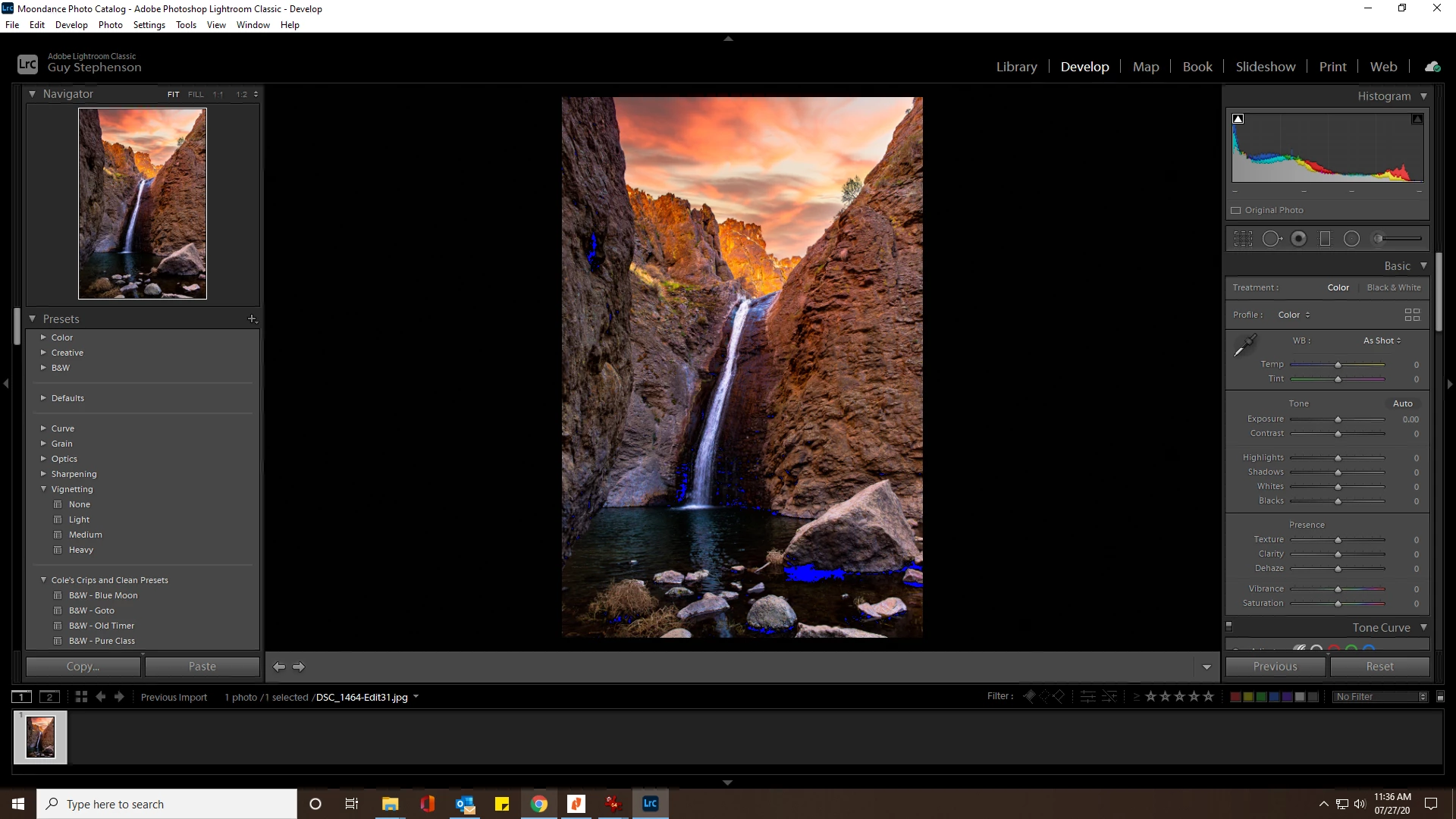
I was using Lightroom Classic and suddenly started getting blue saturated areas throughout all photos, even after closing and re-opening with new photos. What's causing this, and how do I fix it?

This topic has been closed for replies.
Correct answer dj_paige

This is a clipping indicator. The black areas that are clipped are actually shown in blue. Press J once or twice to get rid of them.

2 replies

Conrad_C
Community Expert
Community Expert
July 27, 2020

When the black point or white point clipping indicator is on, you see a white outline around the squares at the top corners of the histogram. That’s because you can also toggle the clipping warnings by clicking on those squares. The left one is black point clipping (blue indicator on image), the right one is white point clipping (red indicator).


Choosing View > Show Clipping or pressing J always toggles both indicators. The fact that your screen shot shows only the left one highlighted means that at some point, you probably clicked the left square unintentionally, and that’s how it came on.

Participating Frequently
July 27, 2020

Thanks for the excellent explanation. I see how I could have done that as I was adjusting the histogram. That's a huge help!

dj_paige
dj_paigeCorrect answer
Legend
July 27, 2020

This is a clipping indicator. The black areas that are clipped are actually shown in blue. Press J once or twice to get rid of them.

Participating Frequently
July 27, 2020

Wow, that did the trick!  Thanks a million!