



Camera profile is missing after update to 7.4
Probably after recent updates we have a bug between Camera RAW and Lightroom.
The problem also occurs
here Camera Raw profiles are missing (Matrix is shown instead)
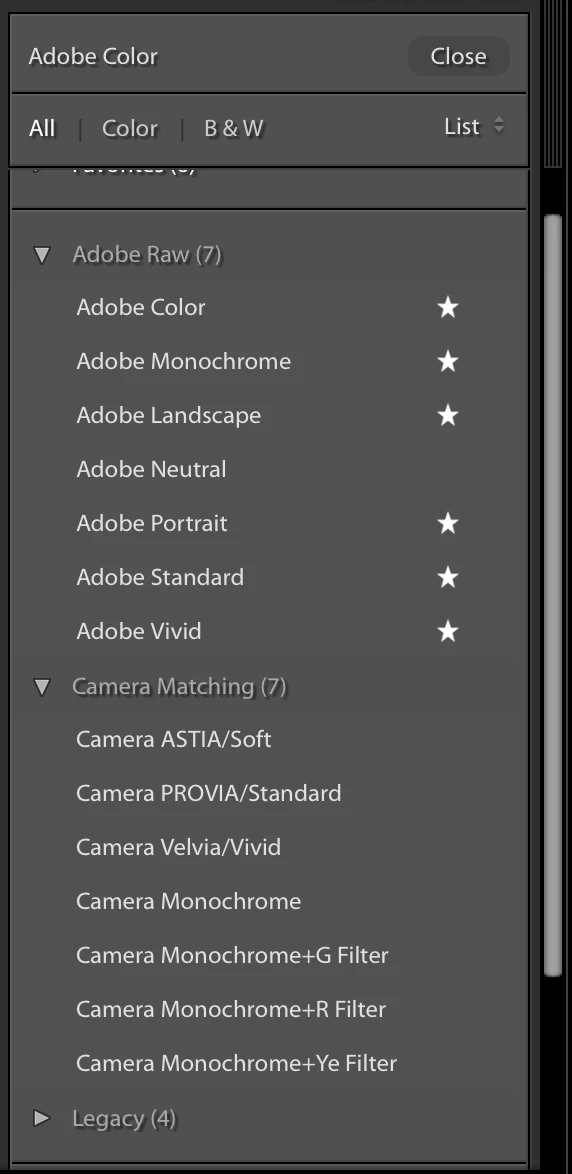
and here camera matching profiles missing in Adobe Raw
I use Lightroom Classic CC on 3 Mac computers (2 CC plans). On my Mac Mini and MacBook Pro Retina everything are OK, but on this one my Adobe RAW and Camera profiles are missing. I can see only a Matrix profile (??).

1st location with profiles:
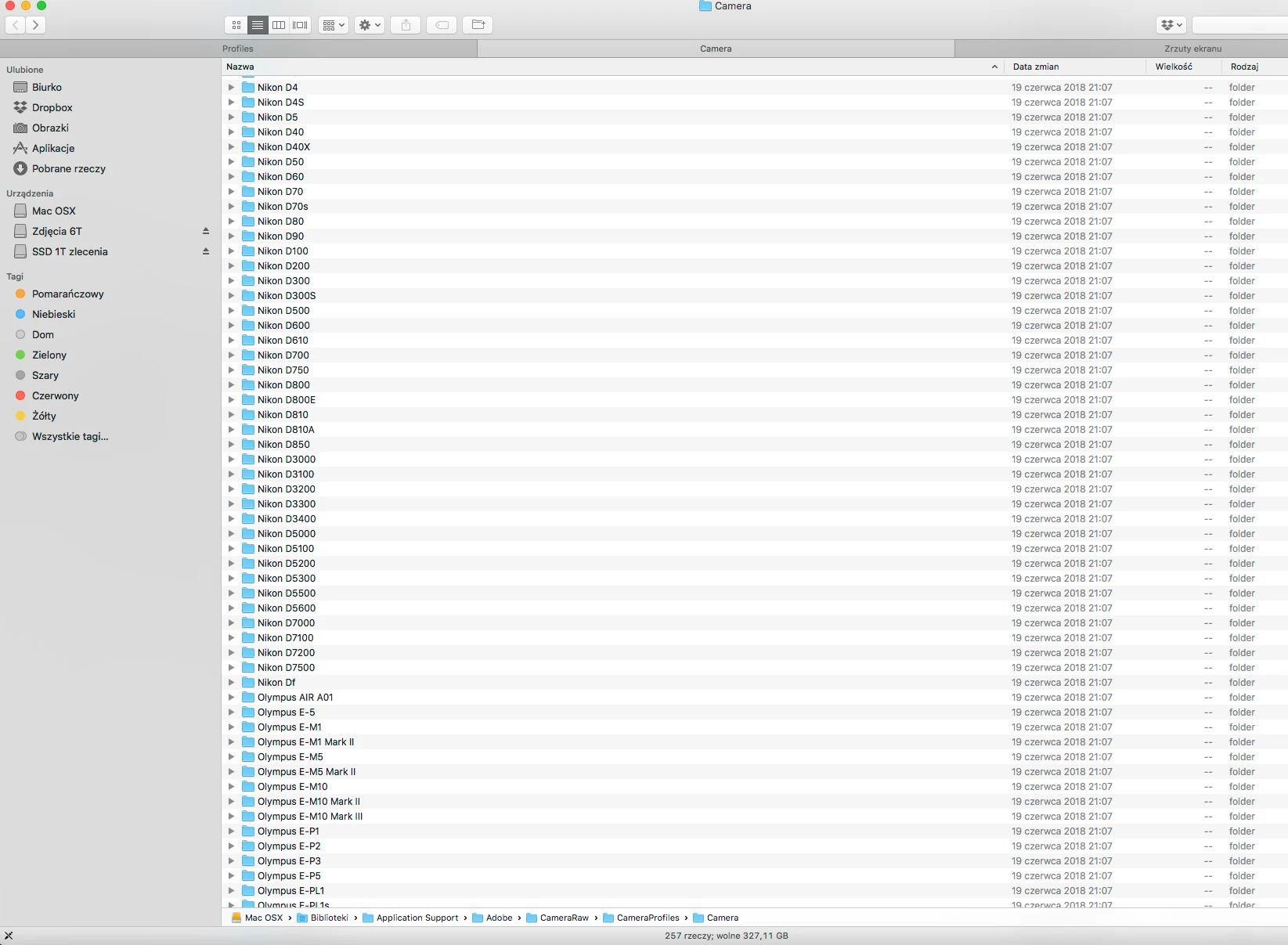
2nd location:

I have the latest Camera RAW update. Yes I'm selecting RAW (NEF) files. After last update I don't have any Adobe profiles, Fuji X100 and Nikon Camera profiles (D800E and D810). The computer is Mac Pro, High Sierra 10.13.5 (as on all computers) and Lightroom 7.4 Classic CC on my 3 computers.

7 days ago when I LR 7.4 comes I've update my Photoshop, Lightroom and install Bridge. I believe that the problem was caused by Bridge install, which I have not used for years and I was tempted to see what is going on in the application. I don't have Bridge installed on the other 2 computers - and I have on them my profiles.
Yesterday I tried to get help through chat but unfortunately I came across an employee who is not familiar with Lightroom. [case number ADB-2638586-M4D7] We did a remote session. He was not oriented in profiles at all, he had to show the problem, he clicked on the labels that are not used for clicking.
We have determined that in Lightroom 6 the profiles work and I have been left with the information that the technicians will work on the repair.
1,5 hours lost.
What I did myself after chat, I removed Bridge, just do a downgrade from Lightroom Classic CC 7.4 to Lightroom 7.3.1 and profiles are display. The problem isn't in Lightroom 7.4 because everything works on two other computers.
I also found a "Manage Profiles" window when you click the right mouse button:
What I have:

What I should have:

Two sections which are on MacBook Pro and are missing on Mac Pro:
Can anyone help?
 AdChoices