


Known Participant
August 30, 2023
Question

change color of an element in a mask

  • August 30, 2023
  • 3 replies
  • 1768 views

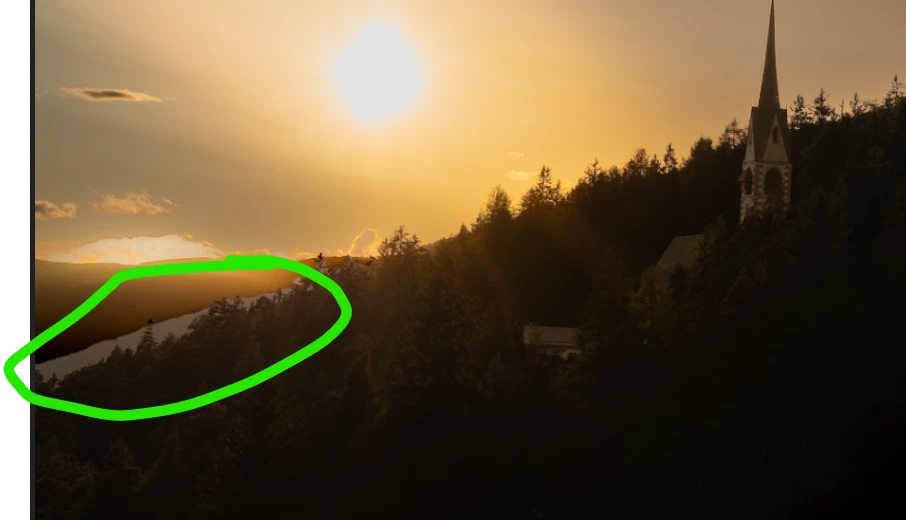
hi, i am not able to change a color like in the privious versions of lightroom classic. e.g. in the pic attached the grey color marked with the green line. before, i just just the funktion ->area correction (if i remember the name). Hope somebody could help me :-)Ciao Alexander
This topic has been closed for replies.

3 replies

Community Expert
August 31, 2023

You can drag the eyedropper in the color overlay tool into the image. 

This will give your river the sky color for example:

Known Participant
August 31, 2023

hi, thanks a lot almost solved. Just don't understand why with the eyedropper i could not choose darker colors which are in an other range like in the red area?

Inspiring
August 31, 2023

The issue here is that you don't understand how this works.

This is not color replacement, it overlays one color over the other (blends).

So blending light grey with black will give you dark grey - this is what you get.

If you just want it darker just use exposure or tone curve, there is no need for color overlay at all.

Rob_Cullen
Community Expert
Community Expert
August 30, 2023

Check this Julianne Kost video at about the 15minute mark-

MASKING - EVERYTHING TO KNOW


Regards. My System: Windows-11, Lightroom-Classic 15.0, Photoshop 27.0, ACR 18.0, Lightroom 9.0, Lr-iOS 10.4.0, Bridge 16.0 .
JohanElzenga
Community Expert
Community Expert
August 30, 2023

How exactly are you trying to do this? This area does not have any color, it is grey. That means you cannot use something like HSL, but you can mask it and then add a color overlay.


-- Johan W. Elzenga
Known Participant
August 30, 2023

Yes you are right. i took away any color, and then tried to put in an other color. But i did not succeed ...because the color spectrum does not have a possibility with the pipette to choose a color in the picture and apply it to the area in the mask. are there any good tutorials on this? thanks a lot for your help.

JohanElzenga
Community Expert
Community Expert
August 30, 2023

Sorry, I don't know any tutorials. I'm sure you can find some if you Google for it, though.


-- Johan W. Elzenga