


Answered
Color change when rendering into Photoshop
I have a CR2 raw file in Lightroom and when I open it in photoshop via lightroom, the colors change.
I have made no color adjustments to the colors at all. The only thing is, I get a pop up that says "This version of Lightroom may require Photoshop Camer Raw plug-in version 9.4 for full compatibility.
I've tried "Renter using Lightroom" as well as "Open Anyway". In both cases, when comparing the color from the CR2 raw file and the PSD file, it's different.
Any clues?
THANK YOU!!
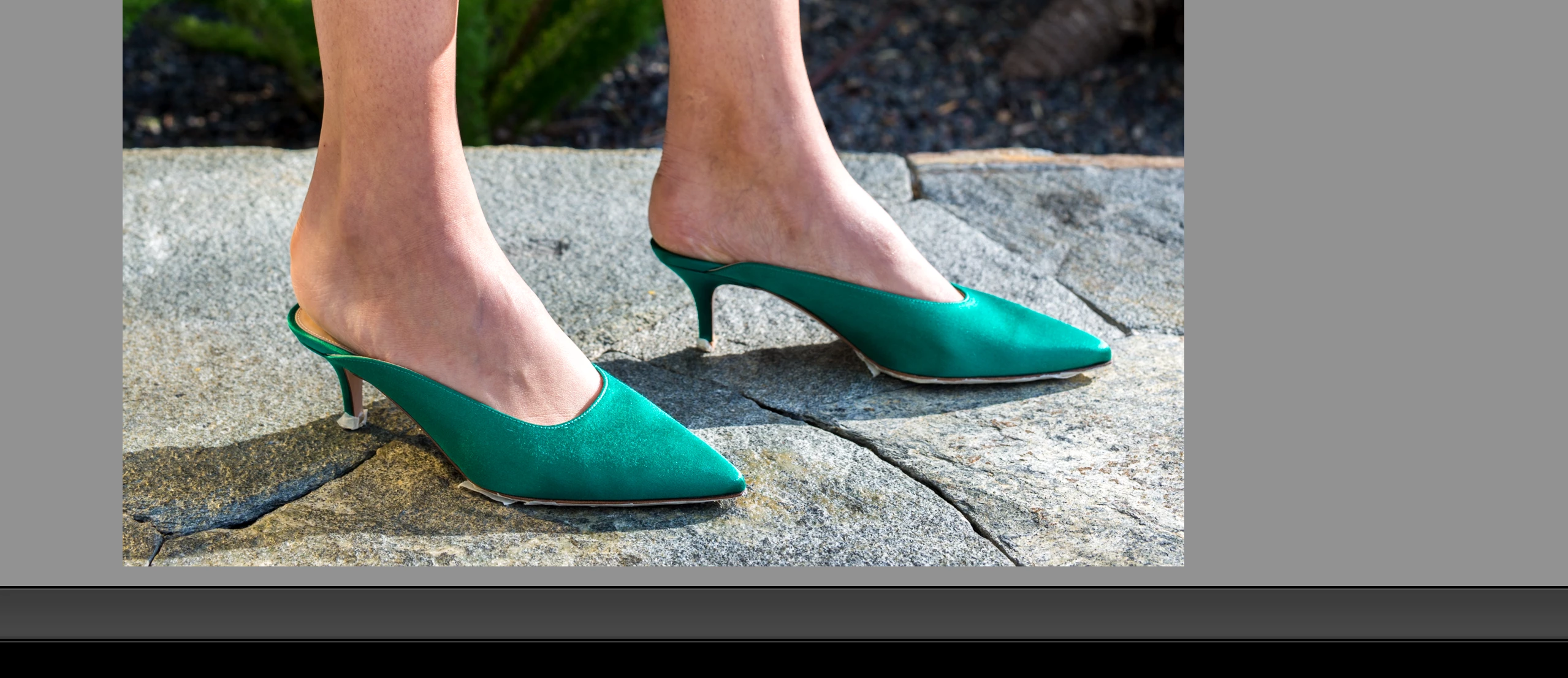
In the above image, you can see the brighter, original color from the shoes. But when comparing it to the rendered PSD...
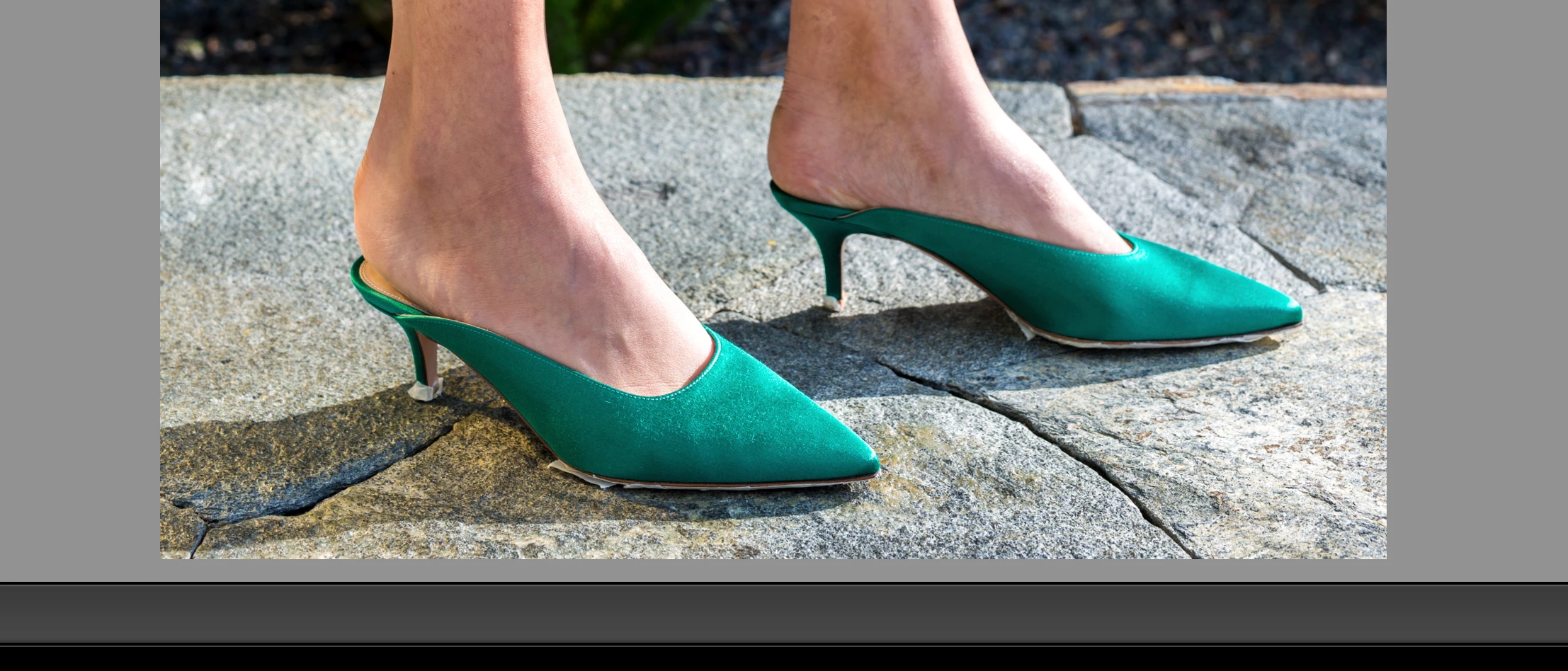
Again, no modifications were done to color at all. The color shift happened entirely when rendering the image as a PSD through Lightroom.

 AdChoices