


Known Participant
December 7, 2017
Question

Colour profiles - embedded and working

  • December 7, 2017
  • 1 reply
  • 3616 views

How do you ensure that the colour profiles match the same on your camera, photoshop and lightroom? i think there maybe some kind of difference as keeps coming up with error saying "the image has an embedded colour profile that does not match the current RGB working space". Photos always look really really dull.

On my camera it was set to colour space Adobe RGB but have recently changed it to sRGB to see if that makes a difference.  What settings in lightroom cc and photoshop cc do I need to have them on when editing?? 

If I upload the image in photoshop I have it set at sRGB IEC61966... is that correct? 
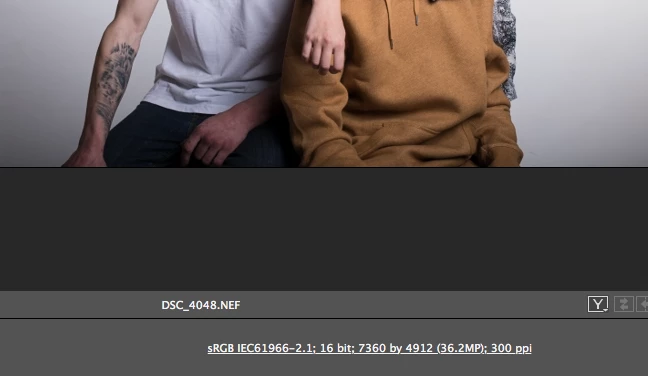
This is what setting it is on in lightroom... i presume if i use the  Adobe rgb colour settings on my camera i switch this to Adobe RGB (1998) in LR and PS?
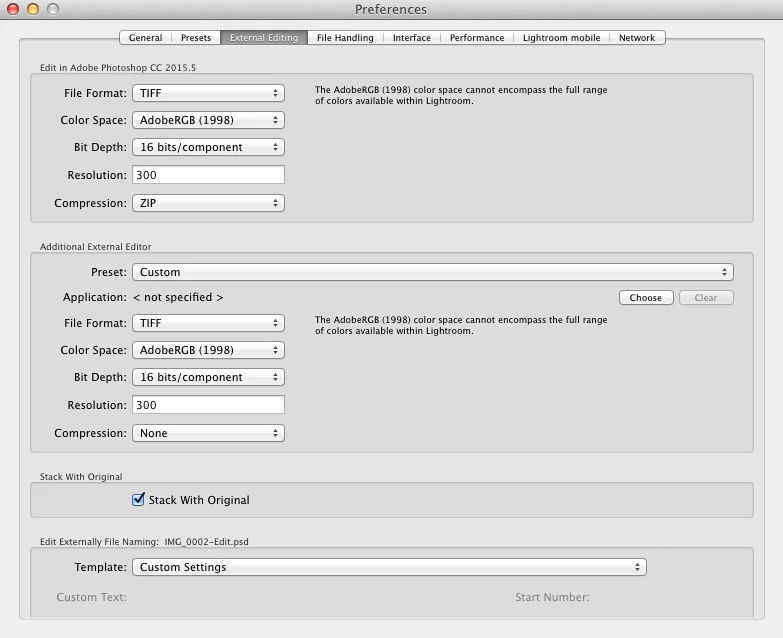
This is what i currently do anyway, so how do i get the embedded and working colour profiles the same??

Thanks

    This topic has been closed for replies.

    1 reply

    Hal P Anderson
    Inspiring
    December 7, 2017

    Firstly,  the camera colour profiles are irrelevant. For raw files, LR ignores that setting and works internally with the ProPhoto colour profile. To get Photoshop on board, ;you need to go to Photoshop's Edit->Color settings menu and set Working Spaces and Color Management Policies sections to match what you're passing from Lightroom.

    Hal

    Known Participant
    December 7, 2017

    This is what is currently set at... what would you recommend changing? would you recommend adobe rgb or sRGB IEC61966?

    Hal P Anderson
    Inspiring
    December 7, 2017

    Personally, I'd pass ProPhoto from LR, use ProPhoto as a working space in Photoshop, and Convert to Working RGB. I'd turn off the warnings for profile mismatch and leave the warning for missing profile.

    Hal