


Participating Frequently
June 19, 2024
Question

Denoise - Unknown Error

  • June 19, 2024
  • 3 replies
  • 1498 views

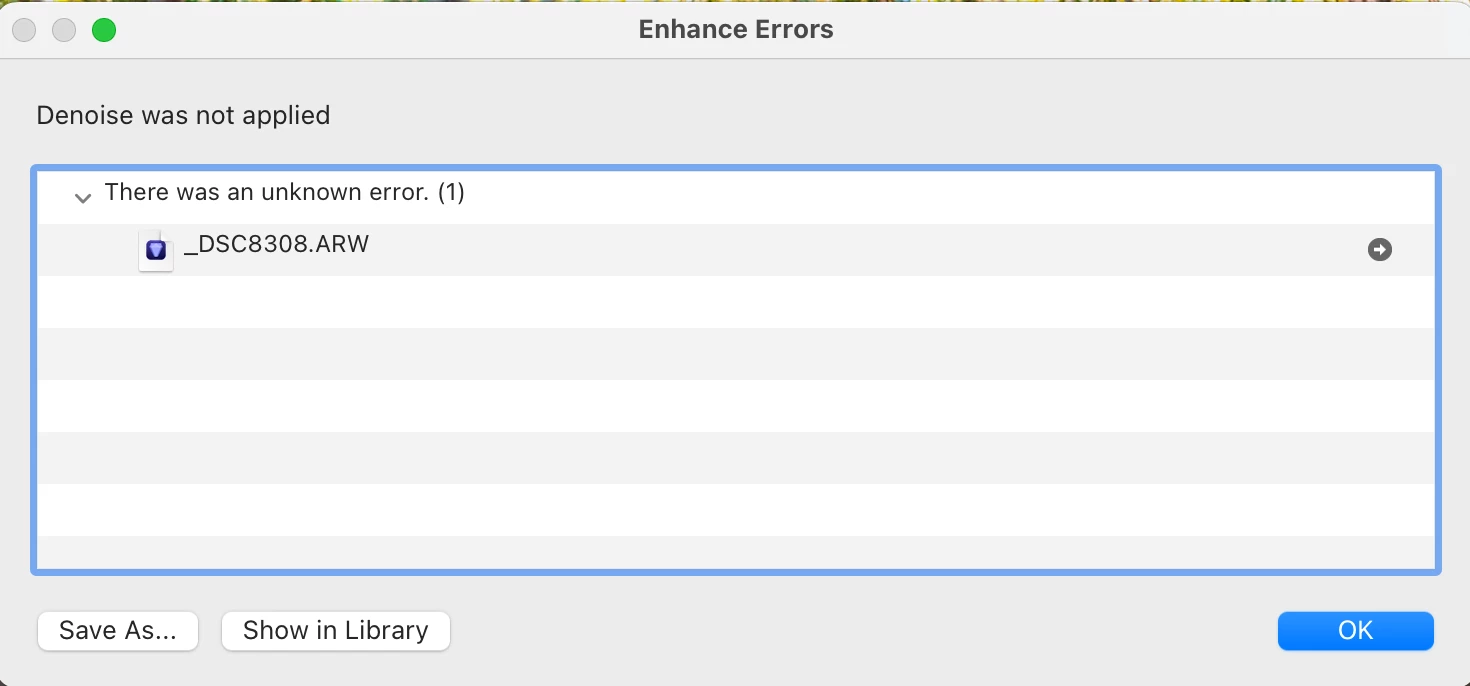
When going to denoise an image in Lightroom I am getting the following error, I am on the latest version of Lightroom, I have tried uninstalling and reinstalling to no avail, has anyone else found this and then a fix?

TIA
3 replies

Participant
July 22, 2024

I have the same issue. I am using .CR2 files. It used to work fine till last week. This my system info from LR

System Info----

Lightroom Classic version: 13.4 [ 202406181129-60d181b7 ]
License: Creative Cloud
Language setting: en-US
Operating system: Mac OS 14
Version: 14.5.0 [23F79]
Application architecture: arm64
Logical processor count: 8
Processor speed: NA
SqLite Version: 3.36.0
Built-in memory: 16,384.0 MB
Dedicated GPU memory used by Lightroom: 3,395.5MB / 10,922.6MB (31%)
Real memory available to Lightroom: 16,384.0 MB
Real memory used by Lightroom: 690.7 MB (4.2%)
Virtual memory used by Lightroom: 413,100.2 MB
Memory cache size: 563.5MB
Internal Camera Raw version: 16.4 [ 1897 ]
Maximum thread count used by Camera Raw: 5
Camera Raw SIMD optimization: SSE2
Camera Raw virtual memory: 1773MB / 8191MB (21%)
Camera Raw real memory: 1977MB / 16384MB (12%)

Cache1:
Preview1- RAM:22.0MB, VRAM:0.0MB, _29A1923.CR2
Preview2- RAM:22.0MB, VRAM:0.0MB, _29A1928.CR2
Preview3- RAM:40.0MB, VRAM:0.0MB, _29A1933.CR2
Preview4- RAM:22.0MB, VRAM:0.0MB, _29A1930.CR2
Final5- RAM:158.0MB, VRAM:0.0MB, _29A1926.CR2
Preview6- RAM:22.0MB, VRAM:0.0MB, _29A1921.CR2
Preview7- RAM:22.0MB, VRAM:0.0MB, _29A1929.CR2
Preview8- RAM:40.0MB, VRAM:0.0MB, _29A1920.CR2
Preview9- RAM:40.0MB, VRAM:0.0MB, _29A1922.CR2
Final10- RAM:158.0MB, VRAM:0.0MB, _29A1925.CR2
Preview11- RAM:40.0MB, VRAM:0.0MB, _29A1931.CR2
Final12- RAM:158.0MB, VRAM:0.0MB, _29A1924.CR2
NT- RAM:744.0MB, VRAM:0.0MB, Combined:744.0MB

Cache2:
m:563.5MB, n:745.4MB

U-main: 161.0MB

Standard Preview Size: 1920 pixels
Displays: 1) 1920x1080, 2) 1920x1080

Graphics Processor Info:
Metal: Apple M1
Init State: GPU for Export supported by default
User Preference: Auto

Application folder: /Applications/Adobe Lightroom Classic
Installed Plugins:
1) AdobeStock
2) Aperture/iPhoto Importer Plug-in
3) Flickr
4) Luminar 4
5) Nikon Tether Plugin
6) Show Focus Points

Config.lua flags:


Participating Frequently
July 22, 2024

I am wondering is this is something to do with catalog's. I had this issue again over recent weeks, then it would just go away. I had it for most of last week, and then at the weekend I have imported a completely fresh set of images to work on (3000 from an event) and thankfully it is working again now. 

I am thinking that something happens that is reset when completely unknown and fresh images are brough into LR

Legend
July 22, 2024

What camera? RAW or JPG? Have you selected a reduced image size mode on your camera, such as Sony's sRAW or mRAW? Do you get any error message when it doesn't work? If so, what is the error message?


Also, please provide your hardware down to the GPU Information, from Help->System Info. We don't need and don't want anything after the GPU information.


Note: this has nothing to do with the catalog(s).

Legend
June 19, 2024

Are these Sony mRaw or sRaw files? AI Denoise will not work on these types of downsized raw files.

Participating Frequently
June 19, 2024

These are Sony RAW Compressed not any of the lossless formats, I have been working with these in LR for approx. 2years

johnrellis
Genius
June 19, 2024

1. Does the problem persist after restarting the computer?


2. Please do the LR menu command Help > System Info and copy/paste the entire contents here so we can see exactly which versions of hardware and software LR thinks you're running and important LR options that are set.

Participating Frequently
June 19, 2024

Thanks John, here goes:

Lightroom Classic version: 13.3.1 [ 202405311538-6d7c0308 ]
License: Creative Cloud
Language setting: en-GB
Operating system: Mac OS 14
Version: 14.5.0 [23F79]
Application architecture: arm64
Logical processor count: 10
Processor speed: NA
SqLite Version: 3.36.0
Power Source: Plugged In, 80%
Built-in memory: 65,536.0 MB
Dedicated GPU memory used by Lightroom: 3,658.3MB / 49,152.0MB (7%)
Real memory available to Lightroom: 65,536.0 MB
Real memory used by Lightroom: 5,008.0 MB (7.6%)
Virtual memory used by Lightroom: 412,254.2 MB
Memory cache size: 88.1MB
Internal Camera Raw version: 16.3.1 [ 1889 ]
Maximum thread count used by Camera Raw: 5
Camera Raw SIMD optimization: SSE2
Camera Raw virtual memory: 1847MB / 32767MB (5%)
Camera Raw real memory: 1935MB / 65536MB (2%)

Cache1:
Preview1- RAM:22.0MB, VRAM:0.0MB, _DSC8318.ARW
Final2- RAM:423.0MB, VRAM:277.0MB, _DSC8316.ARW
Final3- RAM:398.0MB, VRAM:0.0MB, _DSC8308.ARW
Preview4- RAM:22.0MB, VRAM:0.0MB, _DSC8300.ARW
Preview5- RAM:22.0MB, VRAM:0.0MB, _DSC8302.ARW
Preview6- RAM:22.0MB, VRAM:0.0MB, _DSC8330.ARW
Preview7- RAM:22.0MB, VRAM:0.0MB, _DSC8324.ARW
Preview8- RAM:22.0MB, VRAM:0.0MB, _DSC8328.ARW
Preview9- RAM:22.0MB, VRAM:0.0MB, _DSC8301.ARW
Preview10- RAM:22.0MB, VRAM:0.0MB, _DSC8297.ARW
Final11- RAM:398.0MB, VRAM:0.0MB, _DSC8317.ARW
NT- RAM:1,395.0MB, VRAM:277.0MB, Combined:1,672.0MB

Cache2:
m:88.1MB, n:1,372.1MB

U-main: 117.0MB

Standard Preview Size: 3840 pixels
Displays: 1) 3024x1964, 2) 3840x2160

Graphics Processor Info:
Metal: Apple M1 Max
Init State: GPU for Export supported by default
User Preference: GPU for Export enabled

Application folder: /Applications/Adobe Lightroom Classic
Library Path: /Users/alan/Pictures/Lightroom/Lightroom Catalog-v13-3-2.lrcat
Settings Folder: /Users/alan/Library/Application Support/Adobe/Lightroom

Installed Plugins:
1) AdobeStock
2) Aperture/iPhoto Importer Plug-in
3) Flickr
4) Nikon Tether Plugin

Config.lua flags:


johnrellis
Genius
June 19, 2024

Reviewing the dozens of past posts about that error message, it has occurred either with a buggy graphics driver or with very old graphics processors with too little memory. But you're on an Apple M1 Max with Mac OS 14.5. If it were a general problem with the M1 driver built-in to Mac OS 14.5, we'd have seen a lot more posts about it by now.


And if the problem were caused by an incompatible raw format, usually the Denoise option would simply be greyed out and you couldn't enable it.


Try downloading the raw version of this sample Sony a7c II from dpreview.com:

https://www.dpreview.com/sample-galleries/0861943200/sony-a7c-ii-sample-gallery/9384653464


Import it into LR and run Denoise -- do you get the same error?