Participating Frequently
May 17, 2023
Question

Excessive memory usage crashing Lightroom Classic

  • May 17, 2023
  • 6 replies
  • 2208 views

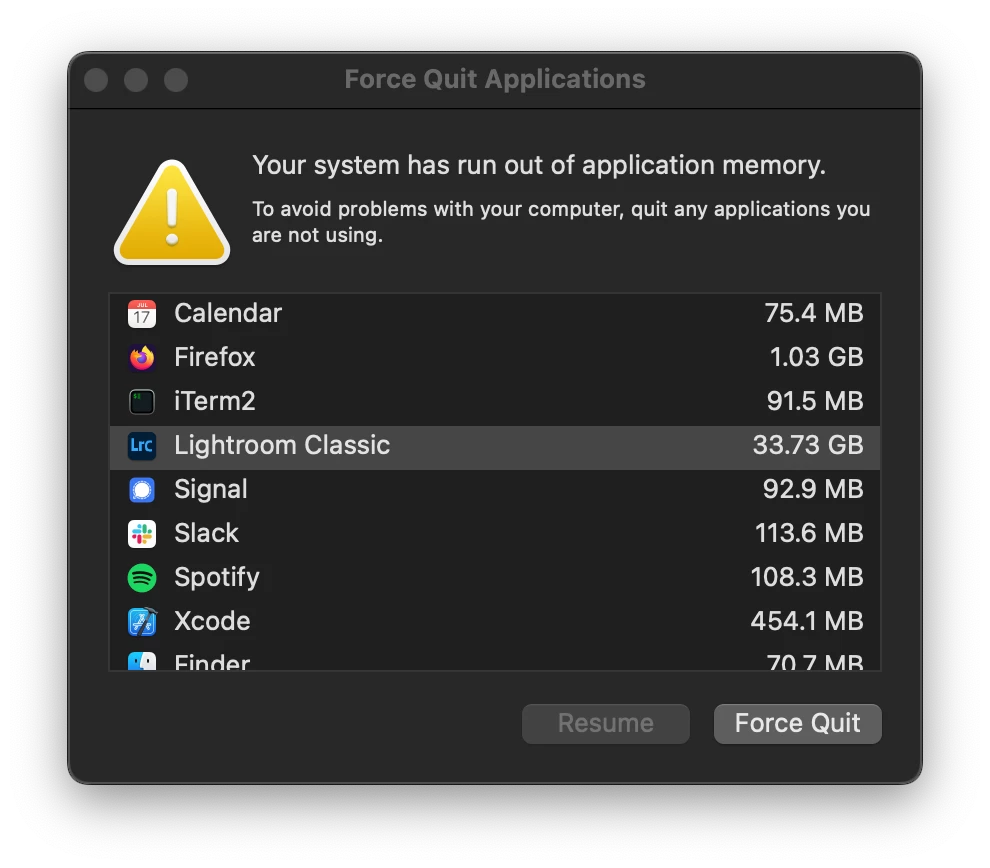
For the past few weeks I am routinely getting a message from MacOS that I'm out of memory and need to kill a program. The only program using an excessive amount of RAM is Lightroom Classic.


There are no tasks running in Lightroom, this occurs even when just viewing files. I'm going to have to switch to a different photo editor if this isn't resolved. It's unfortunate as I have been using Lightroom since 2019.


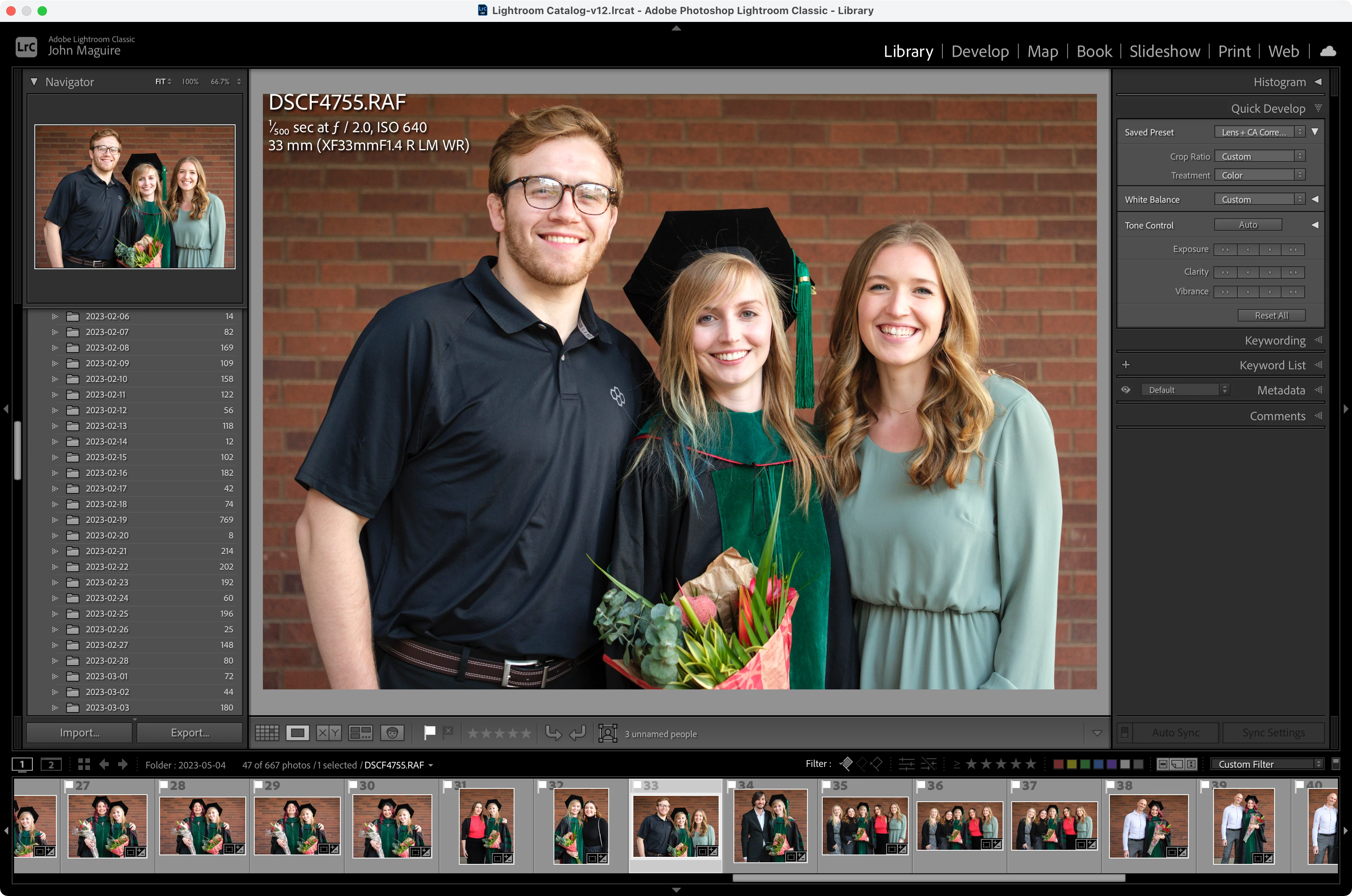
My catalog contains about 56,000 images, 667 are currently open in the Loupe.
 

This topic has been closed for replies.

6 replies

New Participant
November 13, 2023

My Lightroom is currently using over 45gb of RAM...I only have 32GB. Seems it's not just me! 

DdeGannes
Community Expert
November 13, 2023

@jens70254909 , please indicate the version number of Lightroom Classic you are using and also your operating version number.

Regards, Denis: iMac 27” mid-2015, macOS 11.7.10 Big Sur; 2TB SSD, 24 GB Ram, GPU 2 GB; LrC 12.5,; Lr 6.5, PS 24.7,; ACR 15.5,; (also Laptop Win 11, ver 24H2, LrC 15.0.1, PS 27.0; ) Camera Oly OM-D E-M1.
MarcoTrosi
New Participant
June 6, 2023

I have the same issue and it became unusable, that's not what I paid for.
- macOS 11.7 BigSur
- Adobe Lightroom 6 (the old good one before the weird monthly renting solutions)

DdeGannes
Community Expert
June 6, 2023

@MarcoTrosi , see if the post I addressed to John M is applicable in your case.


Regards, Denis: iMac 27” mid-2015, macOS 11.7.10 Big Sur; 2TB SSD, 24 GB Ram, GPU 2 GB; LrC 12.5,; Lr 6.5, PS 24.7,; ACR 15.5,; (also Laptop Win 11, ver 24H2, LrC 15.0.1, PS 27.0; ) Camera Oly OM-D E-M1.
MarcoTrosi
New Participant
June 6, 2023

I turned off GPU usage, that seems to have fixed it. Thanks for your reply.

GoldingD
Brainiac
May 18, 2023

How much free space exists on your boot drive? Are you running out of virtual memory?

Participating Frequently
May 18, 2023

@GoldingDYes, I noted above that while Lightroom is using 33 GB RAM (according to the MacOS system telling me I'm out of RAM, see screenshot above), it's also using 27 GB of virtual memory and filling up my boot disk. I have ~30 GB of free space on my boot drive until I can edit some of these photos and move them off to my NAS.

johnrellis
Brainiac
May 18, 2023

"I noted above that while Lightroom is using 33 GB RAM (according to the MacOS system telling me I'm out of RAM, see screenshot above), it's also using 27 GB of virtual memory and filling up my boot disk. I have ~30 GB of free space on my boot drive"


It sounds like there are two issues:


- LR is using a higher-than-typical about of memory -- 33 GB is high, though not unheard of in longer editing sessions.


- Mac OS is running out of disk space in which to create the backing store for additional virtual memory.


I think if you free up at least 100 GB of disk space, you can then see if LR memory keeps climbing much above 33 GB or levels out around there.

Participating Frequently
May 18, 2023

Even worse, I ran out of disk space this time. When I cycled Lightroom my used space dropped from 995 GB to 968 GB, so it must be swapping ~27 GB to disk.

johnrellis
Brainiac
May 18, 2023

Please do the LR menu command Help > System Info and copy/paste the entire contents here so we can see exactly which versions of hardware and software LR thinks you're running.

Participating Frequently
May 18, 2023

45 minutes of editing later and I'm getting the error again.

Participating Frequently
May 17, 2023

As a test, I quit Lightroom and reopened it. It started using about 1 GB RAM right out of the gate. I switched to the Develop module and it quickly climbed to 4.8 GB. I then switched to another image and I'm at 5.5 GB. After only a couple more minutes and a few more files open in Develop I'm up to 13 GB. It really seems like a leak, as it gets worse with each image open in Develop.


This issue started roughly around the time I switched to an X-T5 from an X-T4 (40.2 MP files versus 26.1 MP.) My laptop is an M1 Pro w/ 32 GB RAM.