


Participant
July 26, 2017
Answered

Files will not import "Not Writable" Error, can someone help?

  • July 26, 2017
  • 1 reply
  • 2797 views

I have been having issues finding already imported images and folder problems so decided to remove them and start again. I am trying to import images to be hit with this message for every image type and every folder destination. What does this mean how do I fix this?
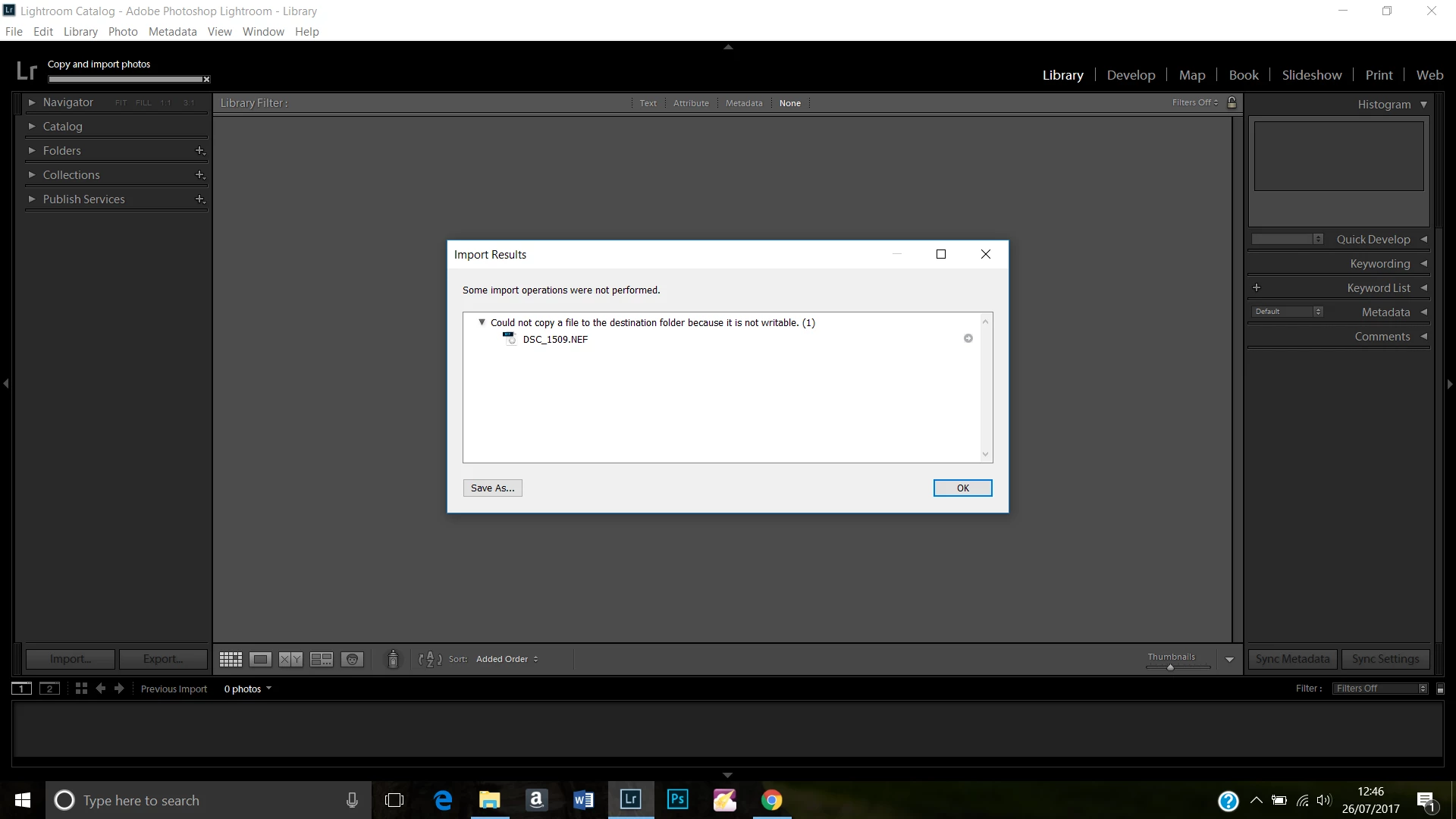
[Moved from the Lounge (which is where you can "connect with your peers" from across all of Adobe's products for conversations that don't directly relate to help and support) to a product-specific support forum by a moderator.]

    Correct answer JP Hess

    You need to use your operating system features to check the properties of the destination folder to ensure that  the folder has both read and write permissions.

    1 reply

    JP Hess
    JP HessCorrect answer
    Inspiring
    July 26, 2017

    You need to use your operating system features to check the properties of the destination folder to ensure that  the folder has both read and write permissions.

    Participant
    December 13, 2017

    Hi. Do you know the steps to access operating system features and check folder has permission to read and write or how to change its features.? I am having the same problem and don't know how to get into these steps in order to make changes.

    ManiacJoe
    Inspiring
    December 13, 2017

    In Windows, you use the Windows File Explorer, "properties" on the selected file/folder.

    Similarly with a Mac using Finder.