


sloppystick
Participant
July 31, 2017
Answered

HDR merge "Internal Error"

  • July 31, 2017
  • 2 replies
  • 964 views

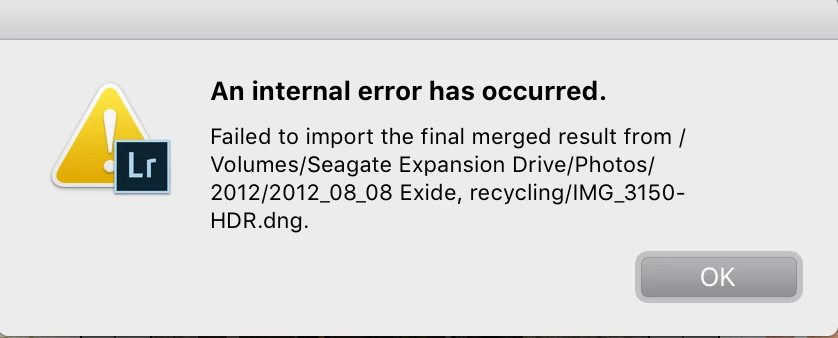
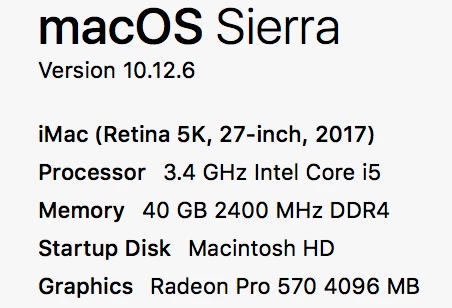
When I merge photos, I'm able to see an HDR preview. Then I hit merge, and it stops about halfway through and says "An internal error has occurred." I've tried uninstalling Lightroom and reinstalling it, but I'm still getting the same error. I've also tried several different bracketed photos. I'm using the same external hard drive with no problem on my old PC, but I keep getting this error on my new iMac. Please help!
This topic has been closed for replies.
Correct answer Bob Somrak

Another issue is if the External Drive is formatted with NTFS (Windows) than the Mac and READ this drive but not WRITE to it unless you use software drivers that allow this.  Here is more info   How to Write to NTFS Drives on a Mac  

2 replies

Bob Somrak
Bob SomrakCorrect answer
Legend
July 31, 2017

Another issue is if the External Drive is formatted with NTFS (Windows) than the Mac and READ this drive but not WRITE to it unless you use software drivers that allow this.  Here is more info   How to Write to NTFS Drives on a Mac  

M4 Pro Mac Mini. 48GB
sloppystick
Participant
July 31, 2017

I think you might be right on the NTFS issue. I was using this same external drive for my windows laptop before I bought my Mac. I'll read more into this to see how I can fix it without reformatting and losing all my photos. I'll update once I do that. Thanks for your help.

sloppystick
Participant
July 31, 2017

You were correct on the NTFS issue. Everything is good now, even with the commas. Thanks again!

Bob Somrak
Legend
July 31, 2017

Take the comma out of the folder path and see if it works.  Windows may allow that but Apple and/or Lightroom might not when using HDR. 

M4 Pro Mac Mini. 48GB
sloppystick
Participant
July 31, 2017

I tried to merge 3 photos in a folder with no commas, but I'm still getting the same error.

Bob Somrak
Legend
July 31, 2017

I replied a little while ago with a different idea.  Try WRITING to that drive on the mac.  If thats not it I am out of ideas

M4 Pro Mac Mini. 48GB