


Question
How to change Library folder count to not includes versions
The library count on the left shows the number of photos including all versions. I'd prefer it to show the number of stacks/unique photos. When I'm working on photos for a client I like to know how many I'm delivering (and how many I have left to edit), and I can't see that at a glance since the numbers are hugely overstated once all the photos have photoshop edits on them. Is there a setting to change how this is displayed?
Example, 10 photos with 14 edits, displays as 24 photos (but there are only 10 unique photos I'm delivering)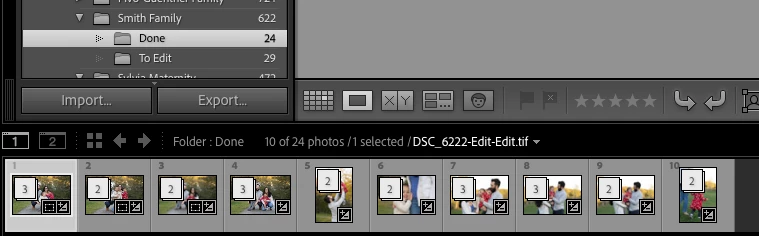
 AdChoices