Participant
November 20, 2022
Answered

How to setting the color of Active view? It's different of Reference view
  • November 20, 2022
  • 2 replies
  • 1001 views


I'm using MacOS M1 lightroom Classic.


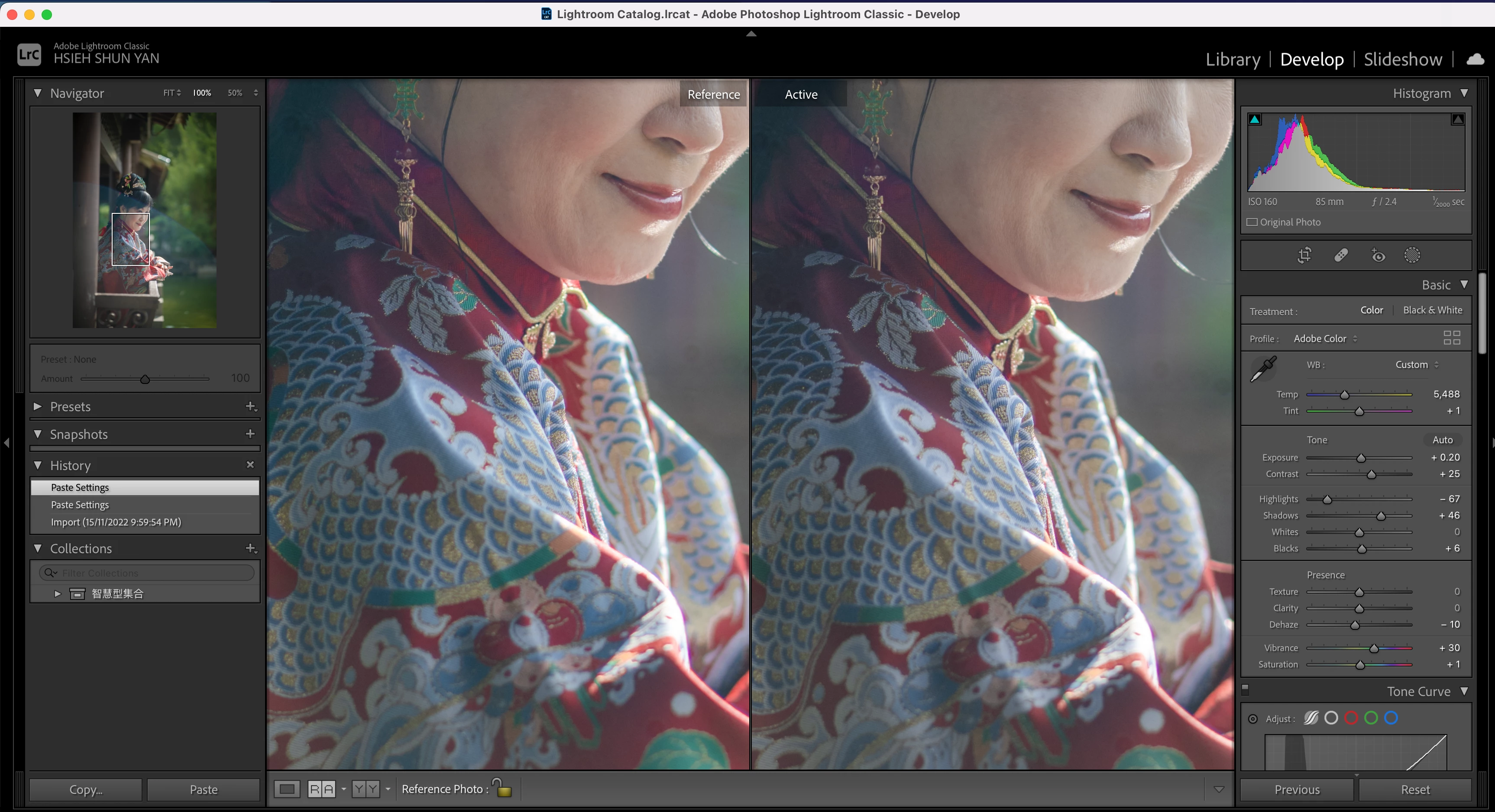
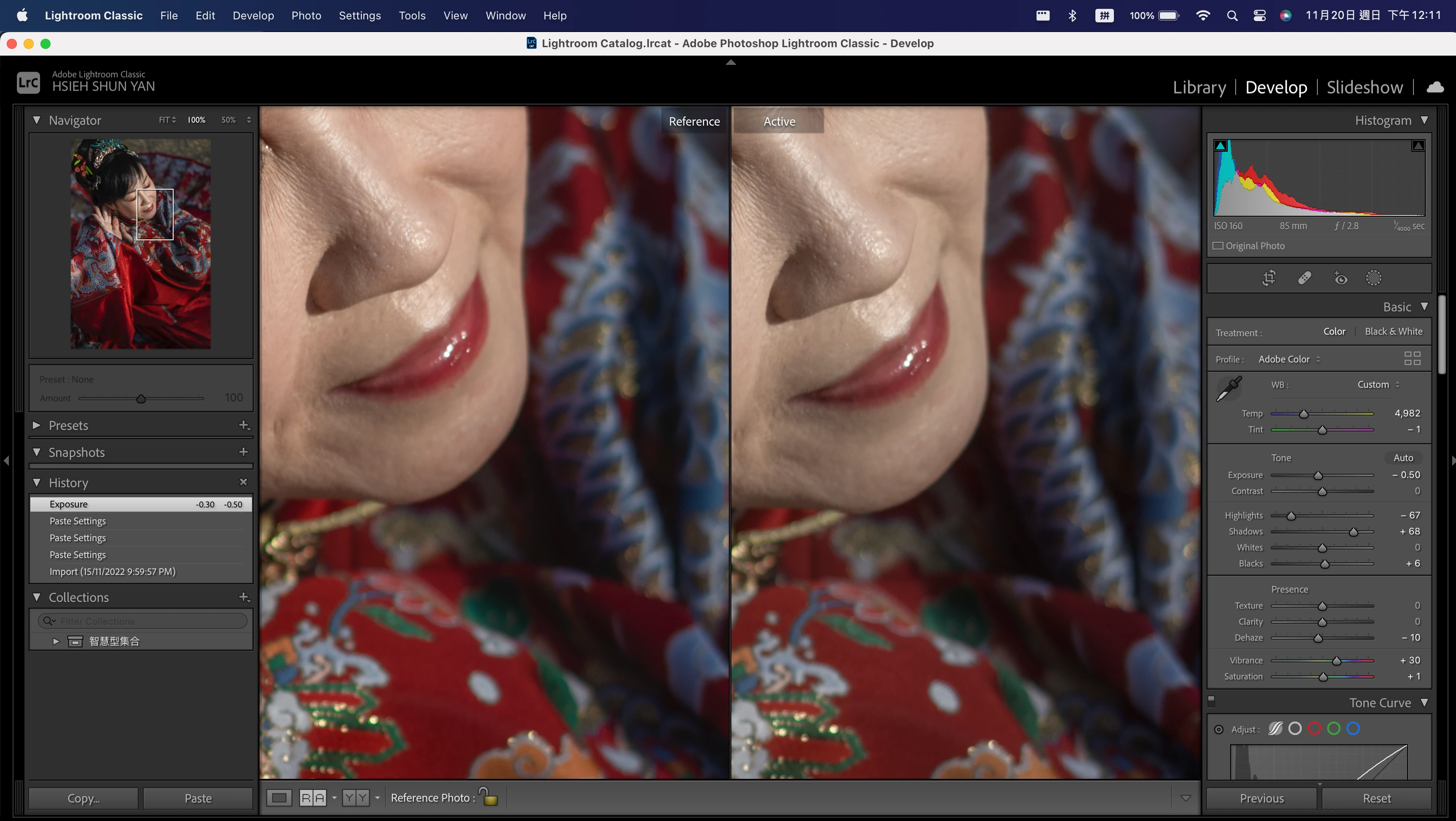
When I open the Reference view, I found that it is more reddish and yellower than Active view.(Pic)

I try Output Jpg or Png, the color is the same as the Reference view.

So does Active view have chromatic aberration? How to setting the color of Active view?

Please help me. it's making me schizophrenic.

This topic has been closed for replies.
Correct answer Per Berntsen

Does the problem go away if you turn the Graphics processor off in Preferences > Performance?

2 replies

Bob Somrak
Legend
November 20, 2022

I have tried several photos and am not seeing any differences if I use the same photo for both sides of Reference View.

M4 Pro Mac Mini. 48GB
JohanElzenga
Community Expert
Community Expert
November 20, 2022

I'm not sure what you are trying to do here. It looks like reference view and active view are the same photo, but that is not what this function is meant for. The reference view function is meant to compare the active photo (the one you are working on) with a different photo, so you can try to match them.


-- Johan W. Elzenga
Participant
November 20, 2022

Thanks for your reply.
I know what this function is meant for.


However, the color of the Reference View is not the same as that of the Active View, which leads to incorrect color accuracy when grading according to the Reference View.


Now I can only compare the same photo to show that the main problem is that the color of the Active View is not accurate。 Color of Active View is different from the Reference View, and it is different from the Output.


If the Output color is used as the standard, the Active View color is wrong.
This leads to need to open the Reference View to check each photo when grading

Per Berntsen
Community Expert
Per BerntsenCommunity ExpertCorrect answer
Community Expert
November 20, 2022

Does the problem go away if you turn the Graphics processor off in Preferences > Performance?