elredm12552173
Participant
April 3, 2016
Answered

I can`t open panorama photos from my samsung s7

  • April 3, 2016
  • 10 replies
  • 18873 views

I can`t open panorama photos ( jpg) from my samsung s7. the error message is in english ( Lightroom has encountered problems reading this photo. You will not be able to make adjustments to the photo.) or german ( Beim Lesen dieses Fotos ist in Lightroom ein Problem aufgetreten. Sie können keine Änderungen am Foto vornehmen.).

I can open the pictures in preview mac / photomatixpro / affinity photo without any problems.

    This topic has been closed for replies.
    Correct answer johnrellis

    Of these two, the one that works, ending in 25.jpg, has a thumbnail that is upside-down and has a 180-degree rotation flag set; whereas the one that doesn't work, ending in 50.jpg, has a normal thumbnail and no rotation indicated.

    So maybe the direction of the drag from right-to-left or from left-to-right makes a difference.  This should be easy to experimentally verify.

    The panorama also works if you open and save it, again, with Photoshop, which may strip or at least rewrite some of the information.

    http://regex.info/exif.cgi

    Jeffrey's Image Metadata Viewer

    [CLEAR IMAGE]

    From Web
    From File      
            Image URL:                 

    From Web
    From File
            File name:                 

    Basic Image Information

    Target file:20160416_105125_ok.jpg
    Camera:samsung SM-G930T
    Lens:4.2 mm
    (Max aperture f/1.7) (shot wide open)
    Exposure:Auto exposure, Program AE, f/1.7
    Flash:Off, Did not fire
    Date:April 16, 2016   10:51:25AM  (timezone not specified)
    (1 day, 5 hours, 42 seconds ago, assuming image timezone of US Pacific)
    Location:
    Latitude/longitude:33° 25' 7" North,   117° 37' 17" West
    ( 33.418611, -117.621389 )
    Location guessed from coordinates:
    San Clemente Pier, San Clemente, CA 92672, USA

    Map via embedded coordinates at: Google, Yahoo, WikiMapia, OpenStreetMap, Bing (also see the Google Maps pane below)

    File:9,392 × 2,208 JPEG (20.7 megapixels)  
    19,771,210 bytes (18.9 megabytes)
    Color Encoding:

    WARNING: Color space tagged as sRGB, without an embedded color profile. Windows and Mac browsers and apps treat the colors randomly.

    Images for the web are most widely viewable when in the sRGB color space and with an embedded color profile. See my Introduction to Digital-Image Color Spaces for more information.

    Main JPG image displayed here at 5% width (1/436 the area of the original)
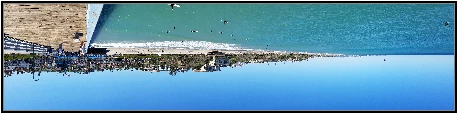
    Click image to isolate; click this text to show histogram


    Here's the full data:

    EXIF — this group of metadata is encoded in 656 bytes (0.6k)

    Makesamsung
    Camera Model NameSM-G930T
    Modify Date2016:04:16 10:51:25
    1 day, 5 hours, 42 seconds ago
    Y Cb Cr PositioningCentered
    F Number1.70
    Exposure ProgramProgram AE
    Exif Version0220
    Date/Time Original2016:04:16 10:51:25
    1 day, 5 hours, 42 seconds ago
    Create Date2016:04:16 10:51:25
    1 day, 5 hours, 42 seconds ago
    Image Size9,392 × 2,208
    SoftwareG930TUVU2APC8
    Max Aperture Value1.7
    Metering ModeAverage
    FlashOff, Did not fire
    Focal Length4.2 mm
    Color SpacesRGB
    Exposure ModeAuto
    White BalanceAuto
    Focal Length In 35mm Format26 mm
    Scene Capture TypeLandscape
    Image Unique IDC
    GPS Latitude RefNorth
    GPS Latitude33.418611 degrees
    GPS Longitude RefWest
    GPS Longitude117.621389 degrees
    Image Width512
    Image Height384
    OrientationRotate 180
    Resolution72 pixels/inch

    MakerNotes

    Samsung Trailer 0x0201 NameMotion_Panorama_MP4_000
    Samsung Trailer 0x0201(12,399,351 bytes binary data)
    Samsung Trailer 0x08e1 NameMotion_Panorama_Info
    Samsung Trailer 0x08e1(48,064 bytes binary data)
    Samsung Trailer 0x0a01 NameImage_UTC_Data
    Samsung Trailer 0x0a01(13 bytes binary data)
    Samsung Trailer 0x08e0 NamePanorama_Shot_Info
    Samsung Trailer 0x08e0(12 bytes binary data)

    APP14

    DCT Encode Version256
    APP14 Flags 0(none)
    APP14 Flags 1(none)
    Color TransformYCbCr

    JFIF

    JFIF Version1.01
    Resolution59 pixels/cm

    File — basic information derived from the file.

    File TypeJPEG
    File Type Extensionjpg
    MIME Typeimage/jpeg
    Exif Byte OrderLittle-endian (Intel, II)
    CommentFile written by Adobe Photoshop%a8 5.0
    Encoding ProcessBaseline DCT, Huffman coding
    Bits Per Sample8
    Color Components3
    File Size19 MB
    Image Size9,392 × 2,208
    Y Cb Cr Sub SamplingYCbCr4:2:0 (2 2)

    Composite
    This block of data is computed based upon other items. Some of it may be wildly incorrect, especially if the image has been resized.

    GPS Latitude33.418611 degrees N
    GPS Longitude117.621389 degrees W
    Aperture1.70
    GPS Position33.418611 degrees N, 117.621389 degrees W
    Megapixels20.7
    Scale Factor To 35 mm Equivalent6.2
    <a class='quiet' href='http: en.wikipedia.org="" wiki="" circle_of_confusion?="">Circle Of Confusion0.005 mm
    Field Of View69.4 deg
    Focal Length4.2 mm (35 mm equivalent: 26.0 mm)
    <a class='quiet' href='http: en.wikipedia.org="" wiki="" hyperfocal_distance?="">Hyperfocal Distance2.14 m


    This application uses Phil Harvey's most excellent Image::ExifTool library, version 10.10. Histograms created with ImageMagick.
    Jeffrey last modifed this viewer on March 13, 2016.
    Photos and data viewed with this service are not shared with anyone else, nor are they saved beyond the temporary period needed for the service to function


    The unreadable image (20160416_105150.jpg) is not encoded in conformance with the industry standard for JPEGs.  Besides LR, some programs can't read the image, some can.  Of the ones I've tested:

    Can't read: Exiftool, FastPictureViewer (Win), Firefox (Mac), Gimp 2.8 (Mac), Lattice (Mac), Lightroom CC 2015.5 (Mac)

    Can read: Adobe Photoshop CC 2015 (Mac), ColorSync Utility (Mac), Chrome (Mac), Image Viewer (Mac), IrfanView (Win), Paint (Win), Paintbrush (Mac), Photo Gallery (Win), Photos (Win), Photoscape X (Mac), Picasa 3.9 (Mac), Safari (Mac)

    You might consider filing a bug report with Samsung.  You could file a feature request in the official Adobe feedback forum to relax LR's adherence to the standard, like many other programs do.  But I doubt that Adobe would implement the request any time soon, if at all, given that almost all camera firmware manages to properly encode JPEGs.

    Here are the gory details:

    A JPEG is encoded as a sequence of segments, each segment starting with a marker.  A marker consists of the byte 0xFF followed by a one-byte marker code.  In the compressed image data, any data byte equal to 0xFF should be encoded as a two-byte sequence, 0xFF 0x00.

    In the unreadable image, it appears that the Samsung has "forgotten" to encode such 0xFF data bytes.  Running "exiftool -v4" shows numerous spurious segments appearing within the image data:

    JPEG marker 0x98 (27076 bytes):

    JPEG SOF6 (1564 bytes):

    JPEG marker 0x02 (30962 bytes):

    JPEG marker 0xbd (872 bytes):

    JPEG marker 0x4c (44612 bytes):

    JPEG JPG3 (65387 bytes):

    When a program that strictly conforms to the standard encounters such a spurious segment marker (e.g. 0xFF 0x98), it decides the image is invalid. But it appears that many programs don't strictly adhere to the standard.  They ignore these spurious segment markers, treating them as data bytes and "correcting" for Samsung's bug.  The Samsung engineers probably tested their code with such a program.

    10 replies

    Participant
    January 24, 2021

    Work around: open the jpeg picture which is encoded incorrectly in another program such as Draw and save it with a new name. Then the preview and import of the panorama file should work. I had the same issue with a panorama image made with a Samsung Galaxy S8+

    Participant
    October 12, 2018

    There's nothing to worry, you just need to do one thing. I remember I had the same problem when I tried to open the Gallary app on my Samsung Galaxy S7. I did one thing, I open the Settings > Apps list > tapped on the Gallary App, and then on Storage option. After that, I performed "Clear Cache" action and it worked. Thanks to this tutorial on deleting cache on Galaxy S7, it helped me a lot.

    I hope this helps you!

    Participant
    September 25, 2018

    That's pretty good. I thought it would be that much tough to take screenshot galaxy s7.

    ainsleyvz
    Participant
    November 7, 2016

    Panoramas taken with the Samsung Galaxy S7 or S7 Edge don’t import properly into Lightroom, they show as grey boxes.

    Easy fix.  Right click, edit in Photoshop, Edit a copy.  Opens in Photoshop.  Save As. Overwrite the file (will have had EDIT appended at end when it left Lightroom).  Save with maximum quality JPEG.  Close in Photoshop.  File is automatically imported into Lightroom.  Delete the non working file in Lightroom.  This only takes a few seconds.

    Potential negatives - you need a copy of Photoshop.  Slight degradation in image quality as it saves and compresses as high quality JPEG. 

    Inspiring
    April 13, 2019

    I have a Samsung Note 9 and I found the only way Photoshop will fix it is if you save it in a different format. To keep it in jpg format open Irfanview (a free program) and re-save it (save as). Irfanview fixes whatever it is that ails the picture.

    johnrellis
    Legend
    April 13, 2019

    Please click Vote and Follow on this problem report in the official Adobe feedback forum: Lightroom: Unable to import panoramas from Samsung Galaxy S7, S8, S9 | Photoshop Family Customer Community . Adobe product developers read everything posted there but rarely participate in this user-to-user forum. The more LR users vote on that problem report, the more likely Adobe might pay attention and contact Samsung directly (Samsung apparently doesn't have any good mechanism for consumer bug reports).

    Participant
    October 6, 2016

    I had the same issue and it was because the panorama's were taken with the new 'motion panorama' setting on the phone. This basically creates almost a video like file as the panorama is animated when viewed on the phone. All I did was plug the phone into my pc and browse to the panorama in question. I then opened it in a basic image viewer program (in my case Faststone Image Viewer) and then just did a 'save as..' and saved it as a normal jpg image. Will work fine with Lightroom then. Hope it helps.

    Participant
    October 6, 2016

    Thanks... I tried this using the Paint program and it worked just fine! 

    Participant
    October 6, 2016

    I have the same issue.  I installed the Google camera app on my Galaxy S7 and found the panorama shots taken with this app can be read in Lightroom - so guess I'll just switch camera apps...

    Participant
    August 28, 2016

    I wrote a simple python script that fixes the jpg files without requiring any editing / loosing of the contained data. The script can be found here as a Gist on GitHub.

    The panoramic images created with the Samsung Galaxy S7 camera app are missing the EOI (End of Image) marker of the JPEG standard. In addition the files contain a trailer with additional Samsung specific data. E.g. the panoramic photos also contain a MP4 video file of the recorded panorama. The script detects this additional data, determines if the EOI marker exists before it and injects the marker if it is missing. It then writes the updated data as a new file with the suffix "_pano.jpg". This file can then be handled by LR or any other jpg reader.

    Note: The script also allows to dump the Samsung data using the following syntax: "python fix_eoi.py file.jpg dump"

    Participating Frequently
    September 15, 2016

    Can you tell me how I go about applying that script to my photos on a Mac please?

    Participant
    July 22, 2016

    I have had the same issue. It is not only with Photoshop or Lightroom, it is also with Snapseed. It is the onboard S7 camera and how it writes the file. I have found two resolutions: Use Google camera to take panoramic. This will write the files properly but unless you are really steady, you will get blurry segments. I decided to use Pixlr, a free editing app. Simply open it in this app and perform no adjustments, just save it. The new file is written properly for all editing apps. I have noticed a reduction in the width and height from the original file though and this is from pictures taken without motion on which will produce a larger image. Good luck to all! Hopefully Samsung will fix this problem.

    ridelivepro
    Participating Frequently
    July 17, 2016

    This still hasn't been fixed by Adobe or Samsung. I'm going to attempt the Bridge method suggested above, but overall I am disappointed that two major players haven't learned to get along.

    johnrellis
    Legend
    July 17, 2016
    This still hasn't been fixed by Adobe or Samsung. I'm going to attempt the Bridge method suggested above, but overall I am disappointed that two major players haven't learned to get along.

    Though I've often been very critical of Adobe on these forums over the years, in this instance, I don't think it's reasonable to expect Adobe to change LR to handle files created by Samsung that don't conform to long-established, well-documented industry standards that nearly every camera manufacturer and software developer have gotten right for two decades.  My quickie testing showed at least four other widely used programs (Exiftool, FastPictureViewer, Firefox, and Gimp) also choked on the files.

    johnrellis
    Legend
    April 4, 2016

    Please do Help > System Info and report the exact version of LR you are running.  I suggest you upload a sample panorama to Dropbox (or similar) and post the link here.  That will help us troubleshoot what might be going wrong.

    Participating Frequently
    April 17, 2016

    Was this ever resolved? I'm having the same problem... I just tried to start editing photos that I've taken with my Galaxy S7 in panorama mode and Lightroom is telling me that I can't edit any of them, and it's also not showing previews. I just updated to the latest version from CC. I have no issues opening the same panorama in Photoshop.

    Participating Frequently
    April 17, 2016

    The samples all appear to have been modified by Adobe Photoshop? 5.0.  Can you post a sample taken straight from the camera?  That might make the troubleshooting a little simpler.


    No, these photos haven't been edited at all. The photos were taken on my Galaxy S7, then synced directly to my desktop through a Dropbox syncing app on my phone. The Dropbox sync app (Dropsync) syncs the photos directly to a dropbox account from my phone, which then copies the files directly to my computer. These should be exact copies of the original files on my phone with no alterations. Also, I've always used this method previously and have never had any issues.

    Of course, the reason is may be saying that is because I tried to add them to my Lightroom Catalog (that's where the error screenshot came from), so it's possible Lightroom modified the file in some way when it attempted to add it, but I don't think Lightroom is supposed to modify the originals in any way, right?

    I will try to resync the original files and see if that helps.

