



Image counter in folder panel do not update
Hi everyone.
I am writing to you because for a few days I have been experiencing an annoying problem viewing images in Lightroom classic.
The main problem is that the counter of the number of images on the right side in the folder panel does not seem to update, in fact it happens that at the end of the import process (whatever method you use, whether with the classic 'import' of Lightroom, or with the automatic import activated or with tethering too) although the images are imported and are present on the disk in the desired position, the counter remains at 0. (See screenshot n.1)
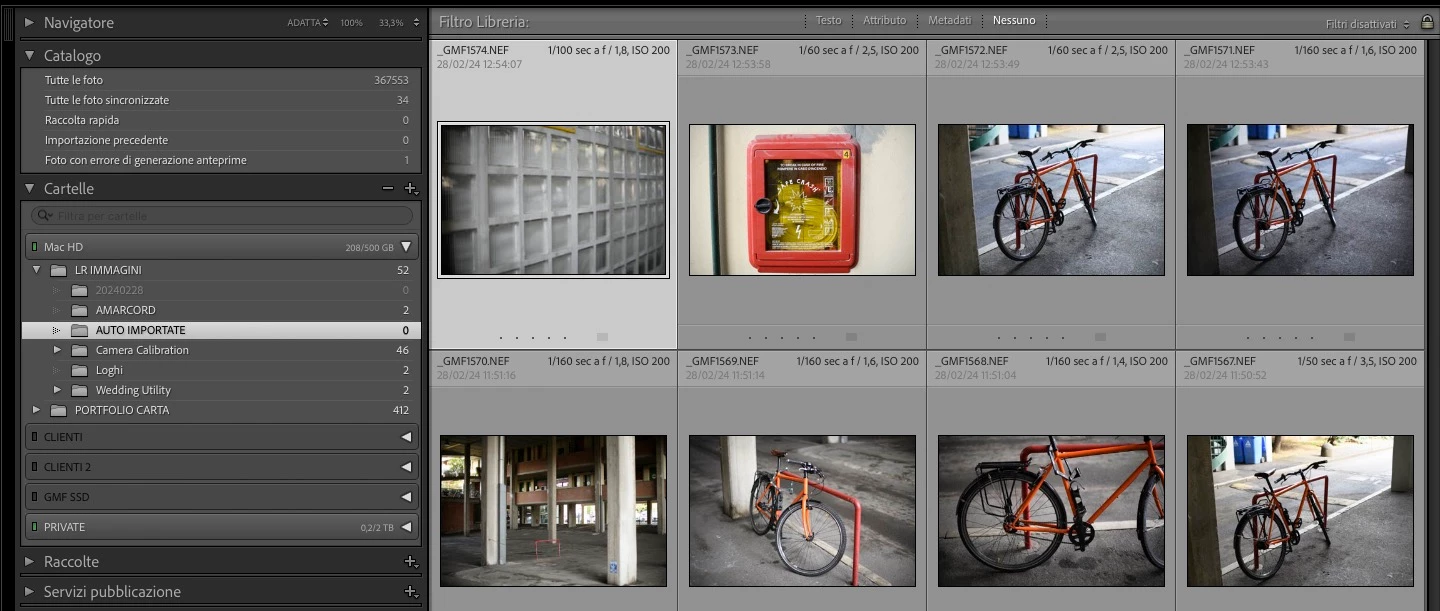
Apparently the folder is empty (it is dark grey) but by selecting it I'm able to normally edit the photos contained.
Obviously all filters are disabled.
Paradoxically, if I delete the same files by erasing them from the disk, the counter indicates a negative number! (see screenshot n.2)
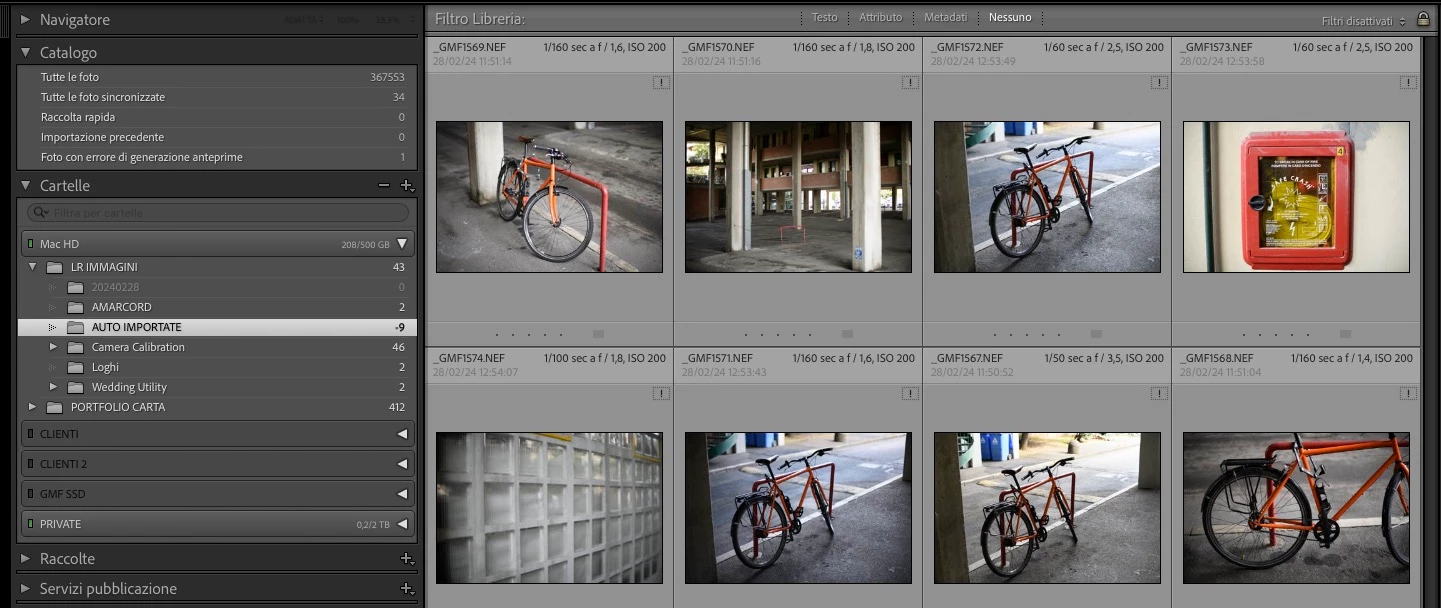
Let me start by saying that I have made numerous unsuccessful attempts with different files obtained from different cameras.
I also tried removing the 'Previews.lrdata' and 'Helper.lrdata' libraries assuming that they had become corrupt but to no avail...
I have always used Lightroom professionally but something similar had never happened to me,
any ideas?
I thank you in advance!
Ramigo
Lightroom 13.2
Macbook Pro 2,2 GHz Intel Core i7 6 core
macOS 13.5 Ventura
 AdChoices