
Import button missing when using Lightroom Classic offline
I run Lightroom Classic 12.4 on a Lenovo Legion 5 Pro laptop which has an AMD Ryzen 7 5800H processor with Radeon Graphics. 16 GB RAM, 64-bit Windows 11 Home version 22H2. It has a NVIDIA GeForce RTX3060 6GB laptop GPU. Currently the graphics processor is turned off in Lightroom because Lightroom had been crashing. Since turning off the graphics acceleration it no longer crashes, however a ne issue has surfaced. I use the classic version of Lightroom mostly offline. When it is online, both the import and export buttons are visible, but when offline, the import button is missing. Using the keyboard shortcut for import, Control Shift I, does nothing, and the import line is missing from the File menu. I am unable to get online regularly and so need to use Lightroom offline, which is why I need the Classic version. Has anyone else had trouble with the import button missing when using Lightroom offline, or does anyone have any suggestions for me to try? Thanks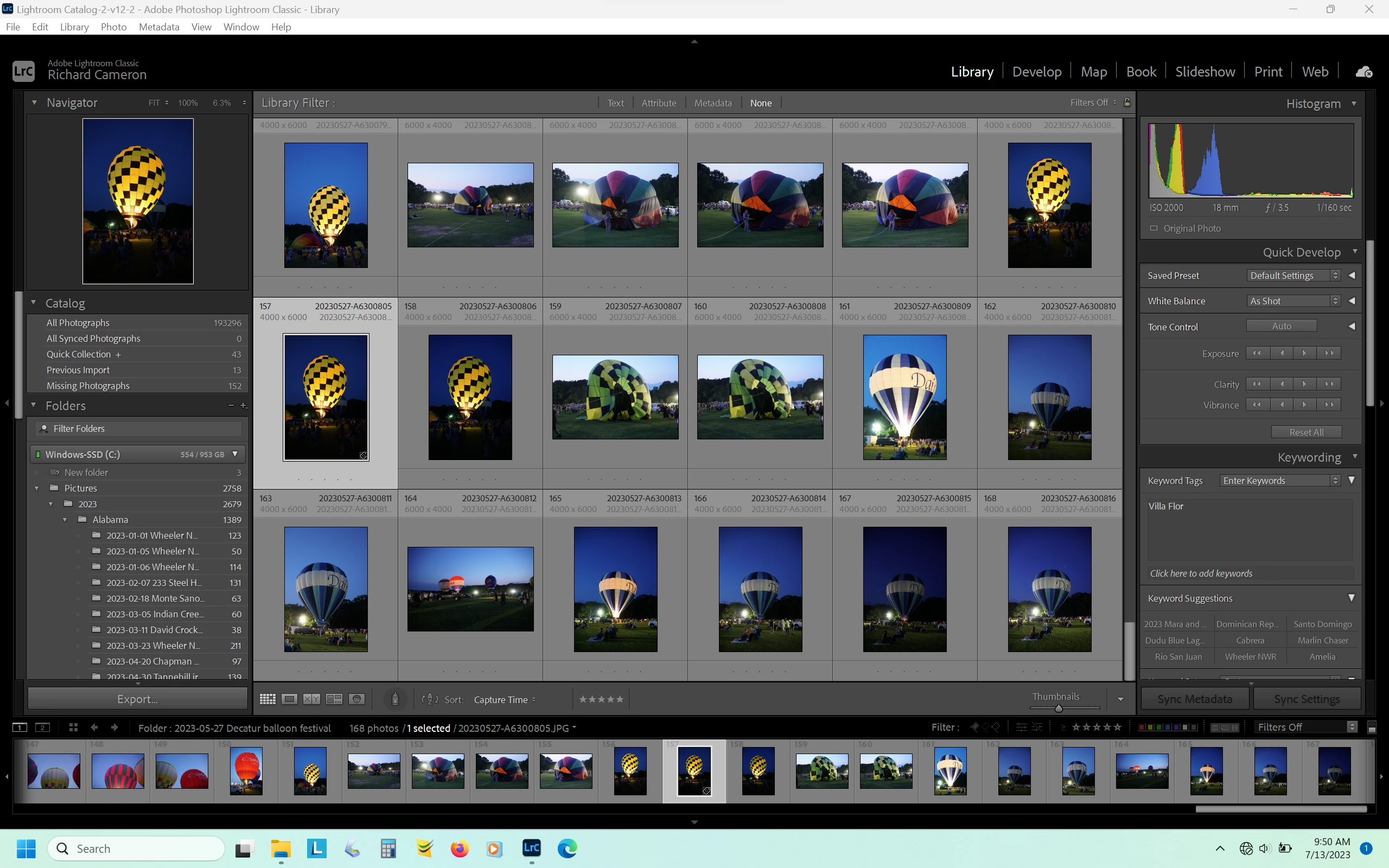
 AdChoices