

eran_g
Participating Frequently
March 14, 2020
Question

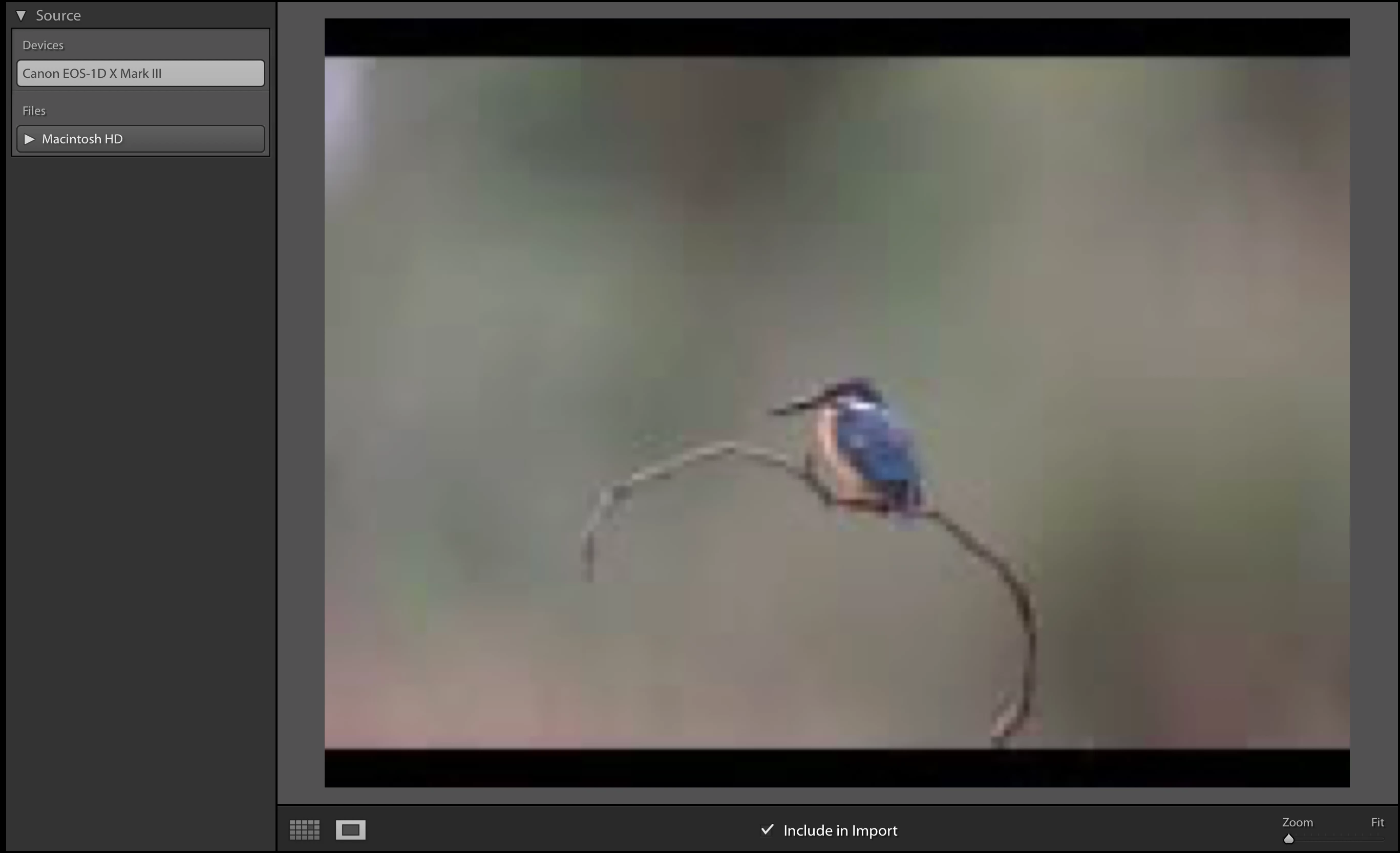
Import screen - Poor image quality

  • March 14, 2020
  • 3 replies
  • 833 views

Hello

On selecting any image at import screen it is shown at low resolution, how i change it?

Thanks!

Eran.
 

This topic has been closed for replies.

3 replies

JohanElzenga
Community Expert
March 14, 2020

I have several Canon 1D series cameras, but I have to admit that I wouldn't know if there is a camera setting or not. I always use a card reader, never a connected camera. And I never zoom in on photos in the import dialog; I just import everything and weed out the bad stuff in Lightroom.

-- Johan W. Elzenga
eran_g
eran_gAuthor
Participating Frequently
March 14, 2020

Maybe i need to import from card reader and not from the camera. I am still waiting for the card reader from Amazon..

Todd Shaner
Brainiac
March 14, 2020

How is your camera connected? If by WiFi try using a USB cable.

JohanElzenga
Community Expert
March 14, 2020

The import screen shows the embedded preview that your camera generated. Is there any chance that this is a setting in your camera you need to change?

-- Johan W. Elzenga
eran_g
eran_gAuthor
Participating Frequently
March 14, 2020

Hi Lohan!

In fact, this is a new camera (1dx mark iii), the previous camera (5d amrk iv) did not happen..
