



Imported Image folders not showing up in folders.
Lightroom Classic version 11.5
MacBook Pro M1 Max macOS Monterey version 12.5.1
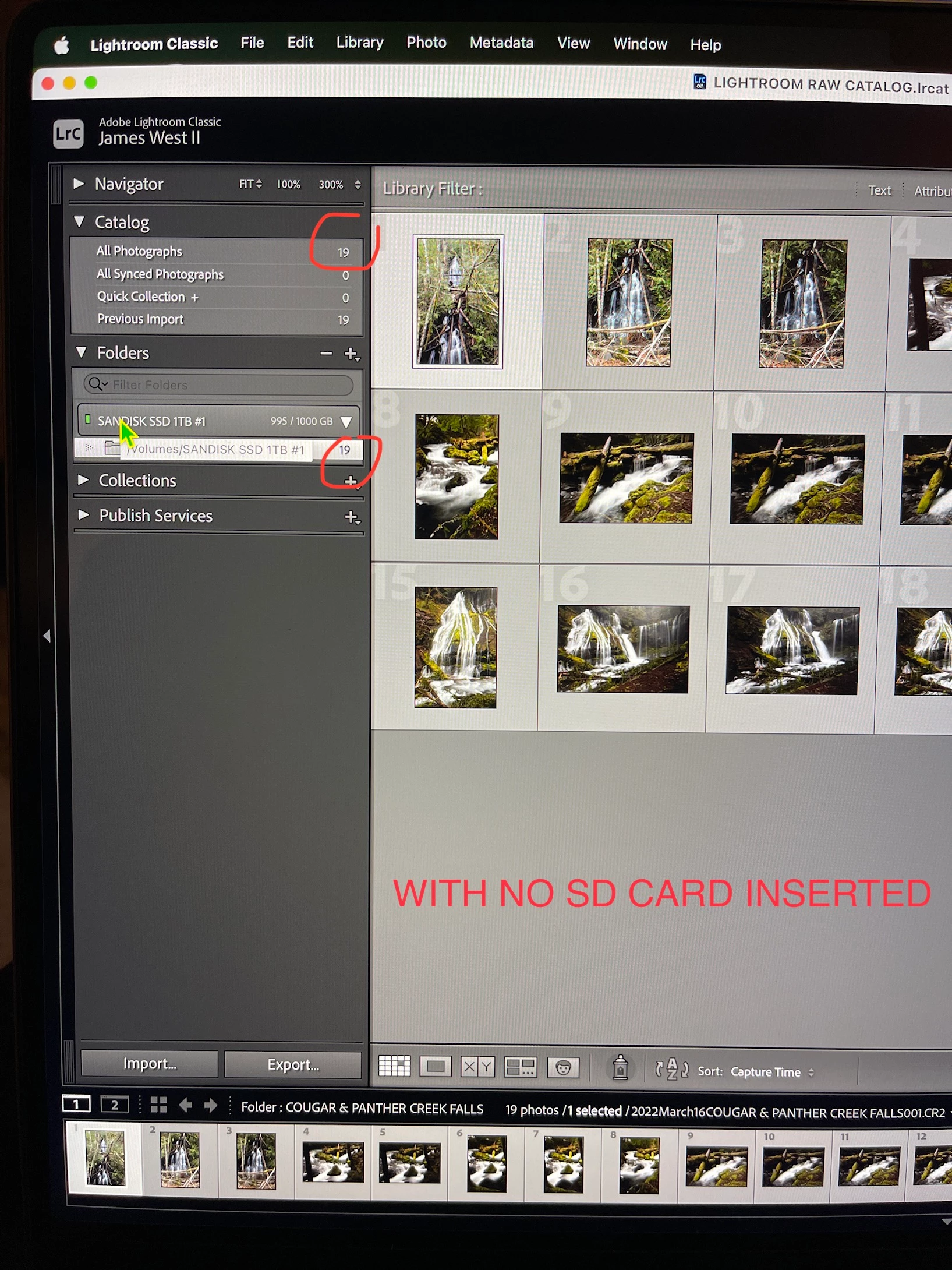
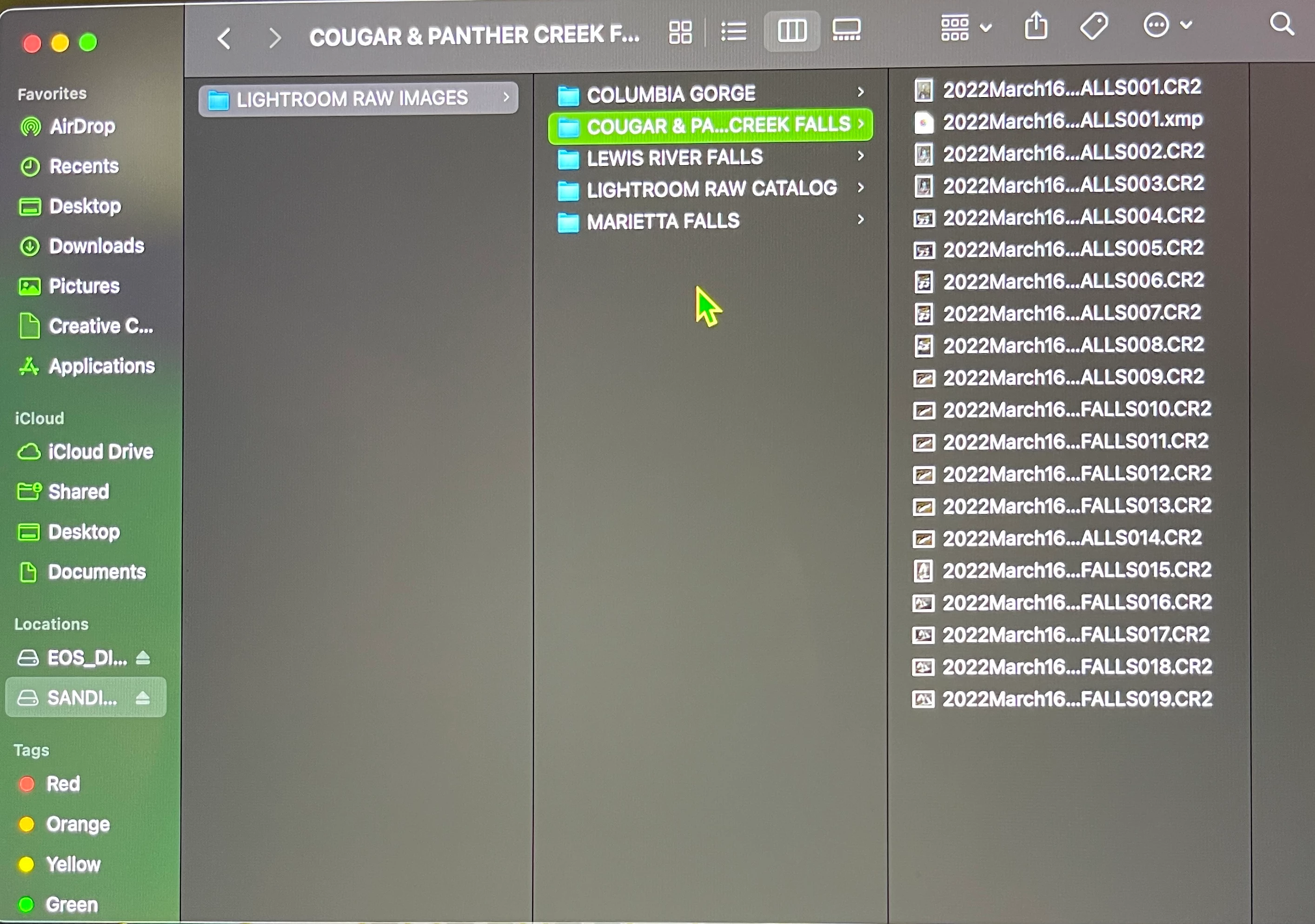
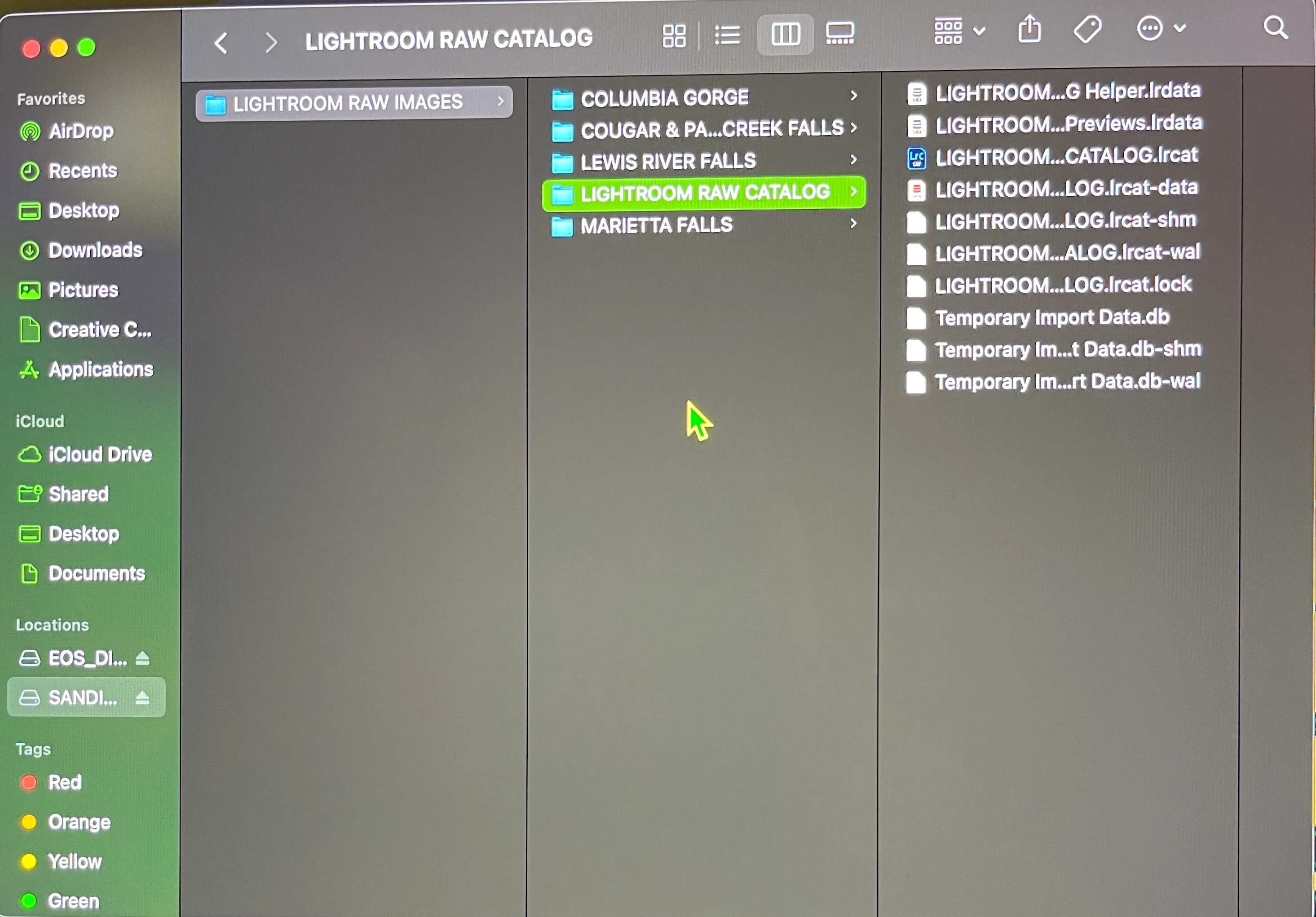
Only my first folder of 19 imported images are showing up in left hand panel under folders and catalog but the next 3 imports are not and I did them exactly the same? All of the 4 separate import folders do show up on my SanDisk SSD when I open it up though and images are all there as I named them. I made the main folder on SSD drive called LIGHTROOM RAW IMAGES and then subfolder called LIGHTROOM RAW CATALOG.
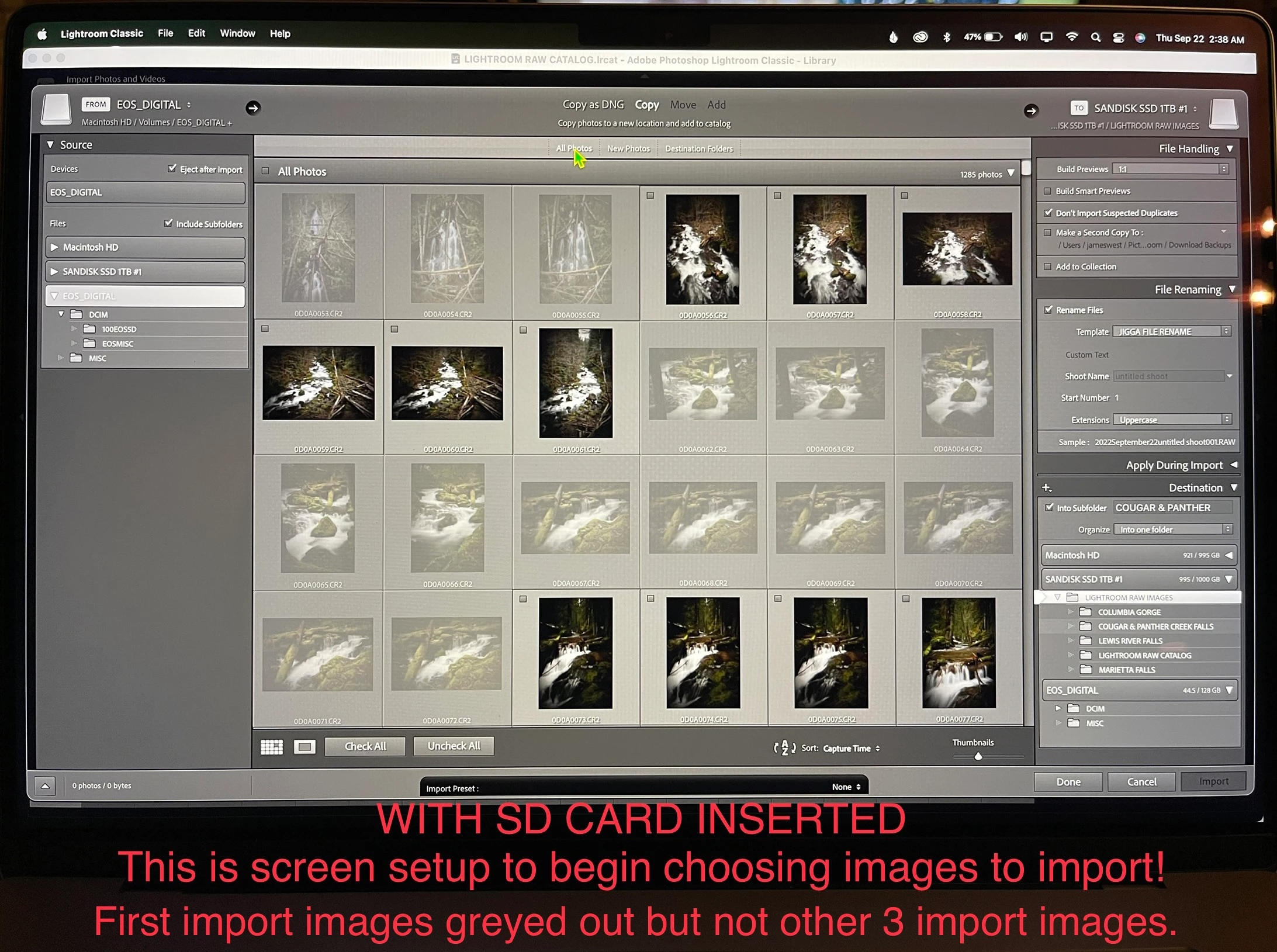
I connect SSD drive, I connect reader and put in sd card, I choose EOS DIGITAL in source in left top panel & check include subfolders. I choose COPY and then choose SANDISK SSD at top right panel. Under FILE HANDLING I choose Don't Import Suspected Duplicates. Under FILE RENAMING I have Rename Files checked and choose the Template I created, I type in the SHOOT NAME, the START NUMBER is 1, EXTENSIONS is uppercase. Under APPLY DURING IMPORT I have Metadata that I set up checked. Under DESTINATION I have Into Subfolder checked and I named my new import. I highlight my main folder called LIGHTROOM RAW IMAGES. I select my images and click Import. All images from the import show up numbers 1-? and I can view them right there. Sd card auto ejects, I quit Lightroom Classic and eject SSD drive, give it a few seconds and unplug it. I later connect SSD drive, open Lightroom Classic, go to left panel and under Catalog and under Folders the only import folder that I made that shows up is the very first one with 19 images in it and the other 3 folders are not there. Show all photos also only shows 19 and the total images I have imported in 4 separate imports totals 60. Also when I connect reader and sd card, the first 19 images are greyed out because of the DON'T SHOW DUPLICATES option being checked but all other images that I have imported are not greyed out. Also notice under DESTINATION when I go to name my new folder next to Into Subfolder, it keeps inputing the name of my very first import. HELP!!!!!!!
 AdChoices