Ken Nielsen
Legend
September 19, 2025
Beantwortet

Is there a filter in Lightroom, Camera Raw that can help reduce 'fringing'

  • September 19, 2025
  • 3 Antworten
  • 387 Ansichten

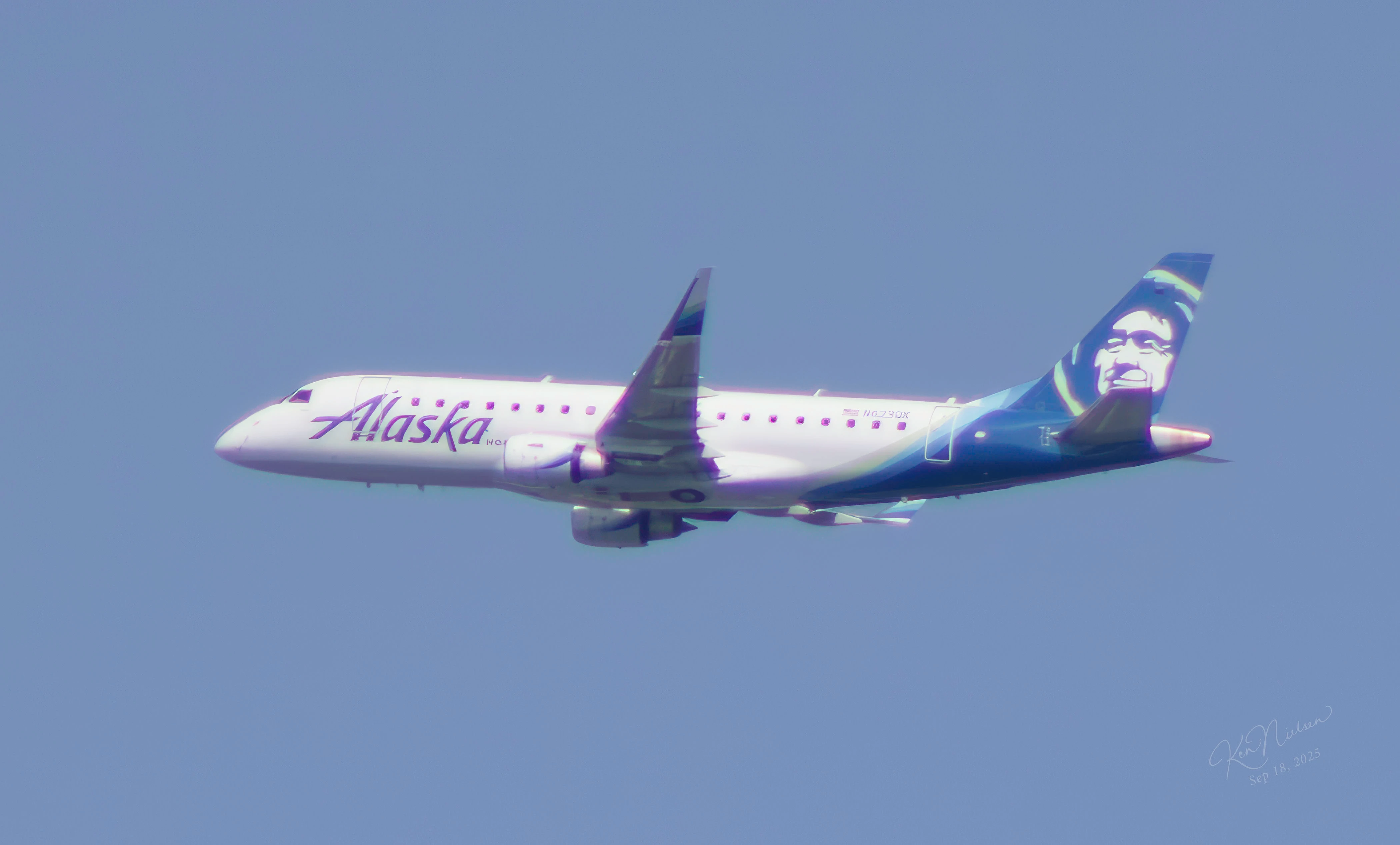
Occasionally there will be 'fringing' like across the top of this plane in flight and wondering if there is a filter or help in Lightroom to reduce this chromatic abberation?

Beste Antwort von Per Berntsen

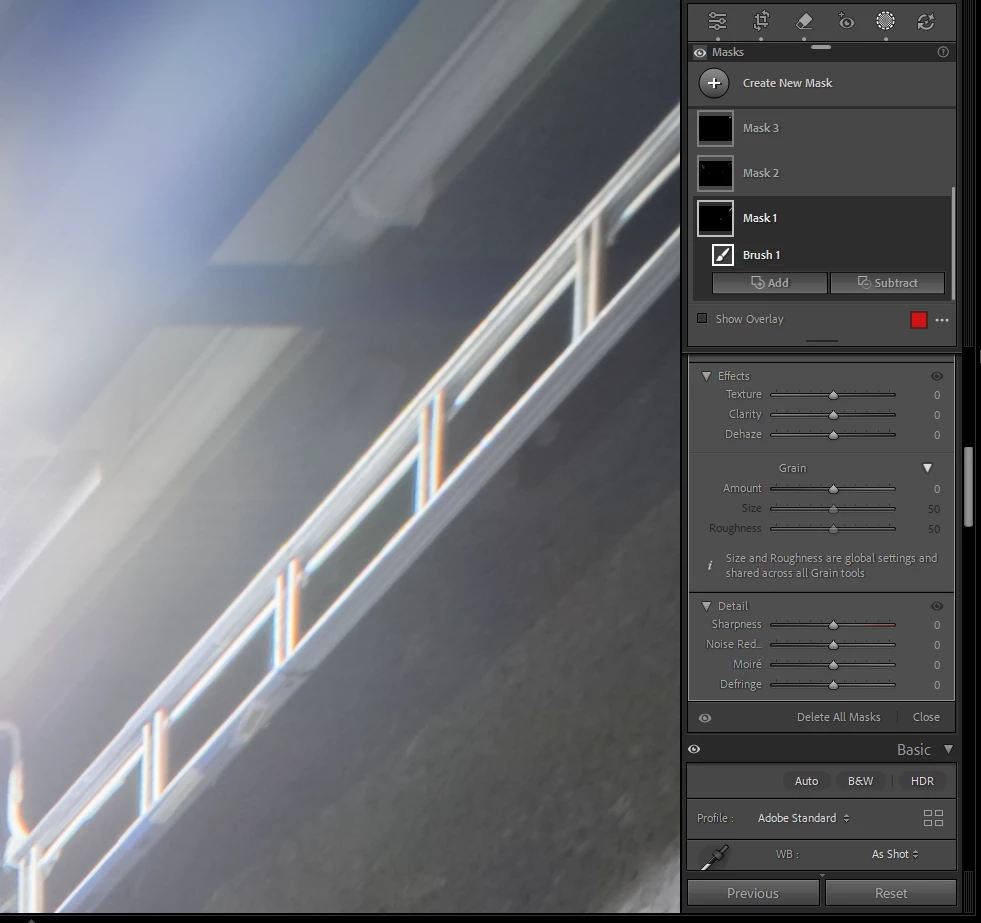
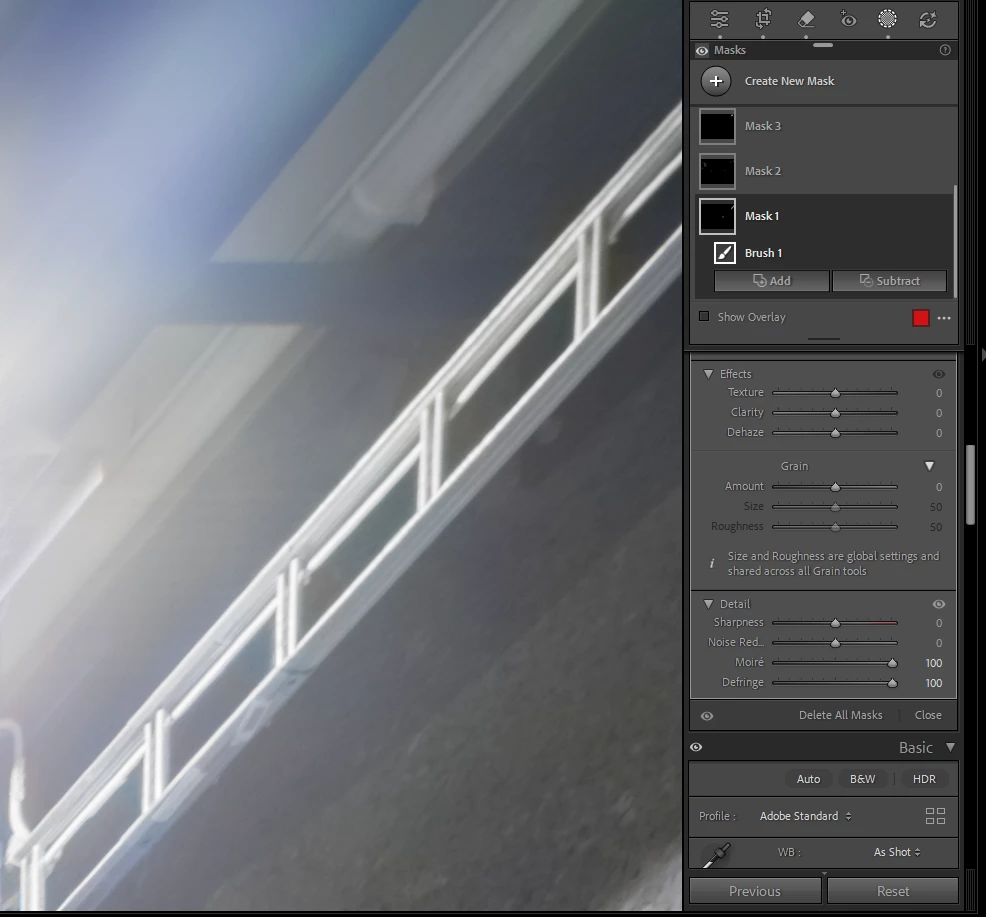
You can also use a Defringe brush using the Masking panel, and apply the corrections manually.

In the example below I had to use moiré correction in addition to Defringe to achieve a good result.

This is my preferred method for removing chromatic abberation – using the Manual tab of the Lens corrections panel will affect the entire image, and can sometimes introduce color fringing along edges in other parts of the image, especially if strong corrections are applied.


Always work at 100% view when working with image detail – such as chromatic abberation, moiré, sharpening and noise.


3 Antworten

Ken Nielsen
Legend
September 20, 2025

Thanks to everyone here, I was able to get good results from using the eyedropper tool in color range in masking. What a great thing to learn. Now if I could only figure out how to delete comments where I was trying to reply individuallly here but the posts transferred to another person. It's always something... Thanks again!

Ian Lyons
Community Expert
Community Expert
September 21, 2025

The absence of 'Delete' posts is intentional. It helps deter abusive posts.

Ken Nielsen
Legend
September 21, 2025

Amazing, even in this highly respected place. The world is on edge these days it seems... Thanks all, greatest help here.

Per Berntsen
Community Expert
Community Expert
September 19, 2025

You can also use a Defringe brush using the Masking panel, and apply the corrections manually.

In the example below I had to use moiré correction in addition to Defringe to achieve a good result.

This is my preferred method for removing chromatic abberation – using the Manual tab of the Lens corrections panel will affect the entire image, and can sometimes introduce color fringing along edges in other parts of the image, especially if strong corrections are applied.


Always work at 100% view when working with image detail – such as chromatic abberation, moiré, sharpening and noise.



Ken Nielsen
Legend
September 19, 2025

Thank you for 'Expert' answer. Helpful.

AxelMatt
Community Expert
Community Expert
September 19, 2025

There's no filter for chromatic abberation in Lightroom. This can correct in Lightroom in the Lens Corrections panel on the right-hand side. On "Profile" check the "Remove Chromatic Aberration" box to automatically correct common aberrations.

You can also do it manually. Goto "Manual" , there you'll find the appropriate sliders to remove the abberations.


My System: Intel i7-8700K - 64GB RAM - NVidia Geforce RTX 3060 - Windows 11 Pro 25H2 -- LR-Classic 15 - Photoshop 27 - Nik Collection 8 - PureRAW 5 - Topaz Photo
Ian Lyons
Community Expert
Community Expert
September 19, 2025

Adding to the reply by @AxelMatt . Using the Eye Drpper tool within the Manual section of Lens Corrections is probably the most effective way of removing colour fringing such as shown in your photo. Just select the tool, then click on fringe colour within photo to eliminate/reduce it. Hopefully, attached screenshot will help you find the Defringe tool.