


Issue with Temperature and Tint When Applying Presets
Hi all,
Recently I noticed that when I apply a preset in Lightroom Classic (v8.4.1), as soon as I move my cursor the temperature and the tint change, distorting the preset I just chose.
Does anybody know how to fix this so it does not change the preset settings?
Thanks!
-------------
Update 10-14-19 - Hope this helps..
1). This is the screen right after I applied the preset. Note the preview and the main picture are the same
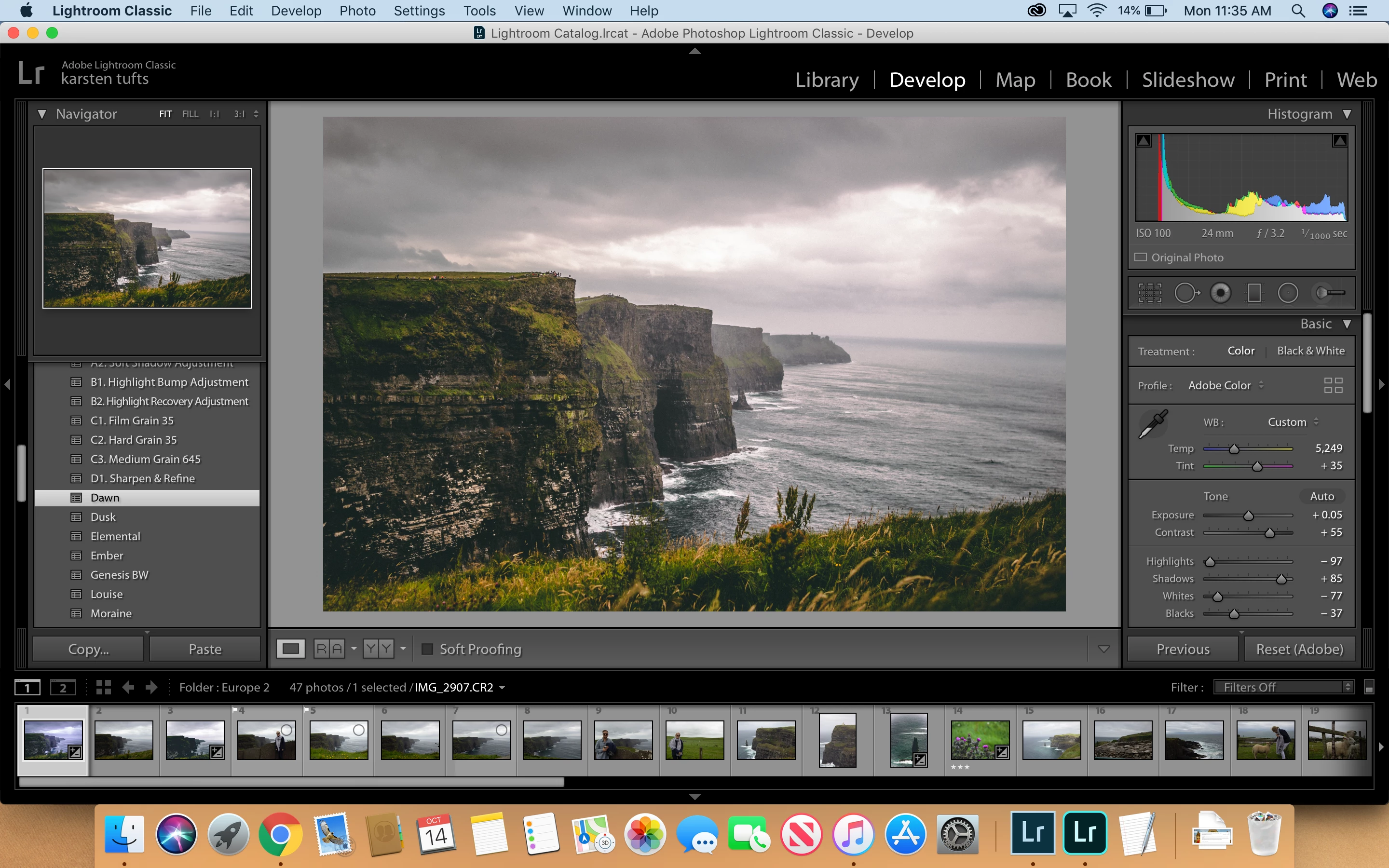
2). This is a screenshot of after I moved the cursor onto the main picture.
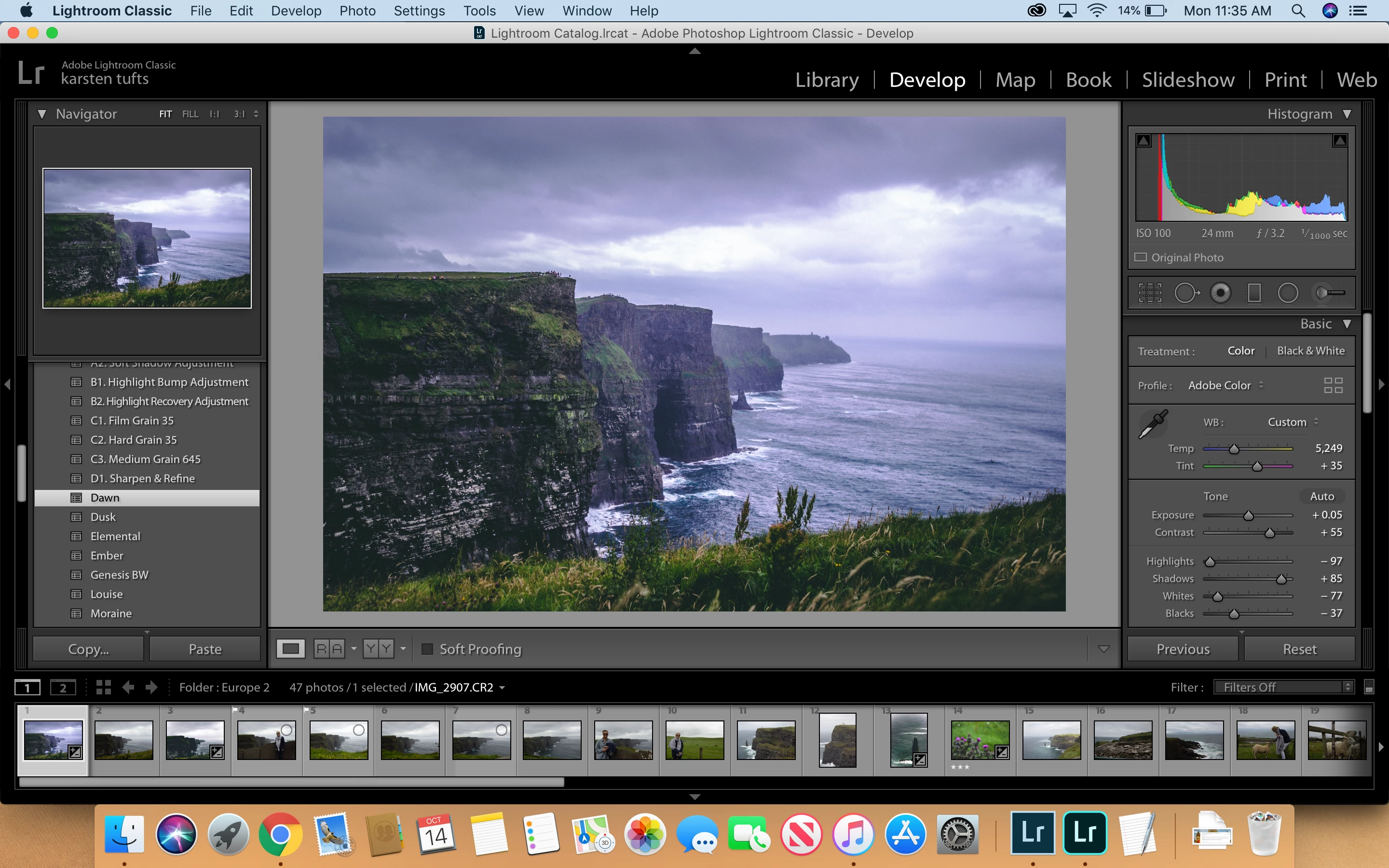
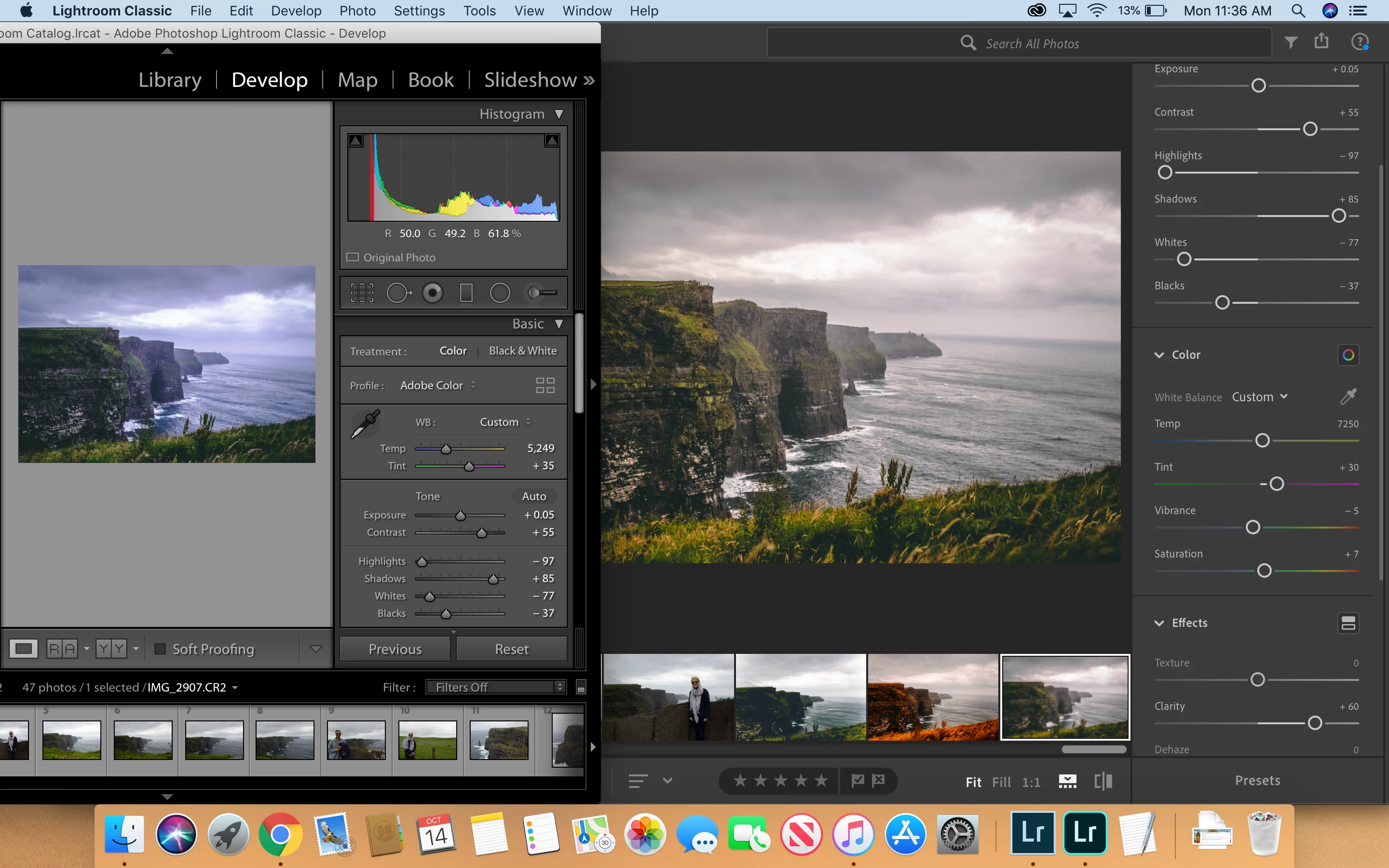
3). Whats interesting is, if you compare it to Lightroom CC... Lightroom CC keeps the photo at what the preview shows unlike Lightroom Classic.. Note the temperature and the tint are different in CC vs Classic, which is the driver of the difference between the preview and the actual photo in classic.
5). Lastly here is a screenshot of the temperature and tint section within the code of the preset (.xmp file)

 AdChoices