


Lightroom Classic 9.1 on Windows 10: import and synchronize folder are very slow
Ever since upgrading from Windows 7 to Windows 10, importing even a single photo from an SD card or from another location in the file system routinely takes three to five minutes. During most of that time, Lightroom is "not responding." This is on a PC that was built with PS/LR requirements in mind. The same delay occurs when I synchronize a folder after manually dropping a file there.
My catalog is 917 MB. I never deal with large numbers of files. It's almost always one or two. Export is fast. So it's not all interactions with the Windows file system that are slow, just those that require Lightroom to query the OS. For example, when importing from another location in the file system, Lightroom takes a long time just to display the folder hierarchy in the left panel of the import window.
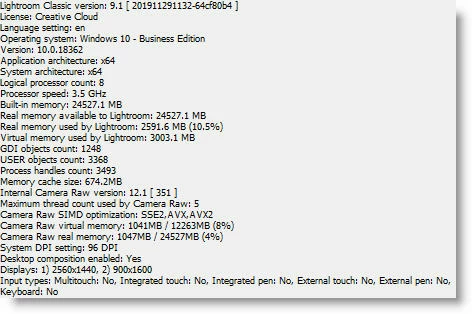
{Thread renamed by moderator}
 AdChoices